TIME SETTING
26
TIME SETTING
CLOCK SETTING
G
If you intend to use the On-Off Timers, it is best to set
the clock manually.
NOTE
Use the AADDJJ DEF Gbuttons to set the year, month, day,
hours and minutes.
Manual Time Settings
OOnn--OOffff TT iimmeerrss SSeettuu pp
Set the On-Off Timers using the procedures described above.
--:-- --
--. -- ----
--:-- --
--. -- ----
Clock Manual G
Manual Clock
Daylight Saving
Time Zone
On Timer
Off Timer
Auto Off Off
--:-- --
--. -- ----
Clock Manual
Manual Clock G
Daylight Saving
Time Zone
On Timer
Off Timer
Auto Off Off
Clock
Manual Clock
Daylight Saving
Time Zone
On Timer
Off Timer
Auto Off
Auto
Manual
--:-- --
--. -- ----
Clock
Manual Clock
Daylight Saving
Time Zone
On Timer
Off Timer
Auto Off
Time
G
V-Chip
Menu Language English
Menu Transparency
Semi Opaque
Set ID 1
--:-- --
--. -- ----
DE Move OK Select MENU Back
DE Move OK Select MENU Back
DE Move OK Select MENU Back
DE Select MENU Back
DE Adjust F G Move MENU Back
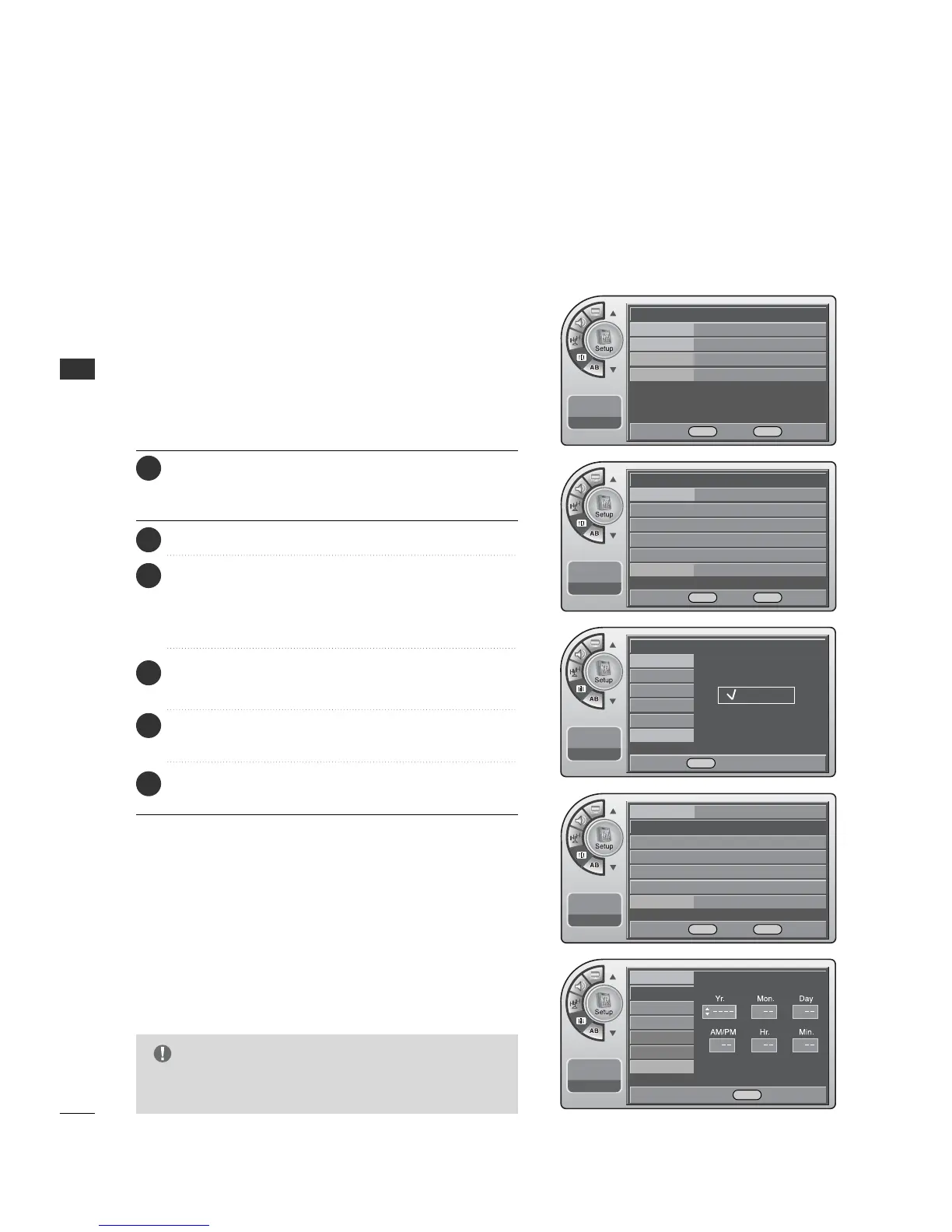
Press the MM EENNUU button and then use the AADDJJ D or E
button to highlight the SSeettuupp menu and press the OO KK
(( EEnn tteerr)) button.
1
Use the AADDJJ D or E button to the TT iimmee.
2
Press the OO KK (( EE nn ttee rr )) button to highlight CClloocckk.
Manual or Auto will appear on the menu next to clock. If
manual is selected, on the menu use the AADDJJ D or E button
to highlight MMaannuuaall and press the OOKK ((EEnnttee rr )) button.
3
Use the AADDJJ DEF Gbuttons to set the year, month,
day, AM/PM, hours and minutes.
5
Use the AADDJJ D or E button to highlight MMaannuuaall CClloocckk
and press the OO KK ((EE nn ttee rr ))button.
4
When finished, press MM EE NNUU repeatedly to remove the
menus.
6



 To Next Page