36
PARENTAL CONTROL/RATINGS
PARENTAL CONTROL/RATINGS
Downloadable Rating
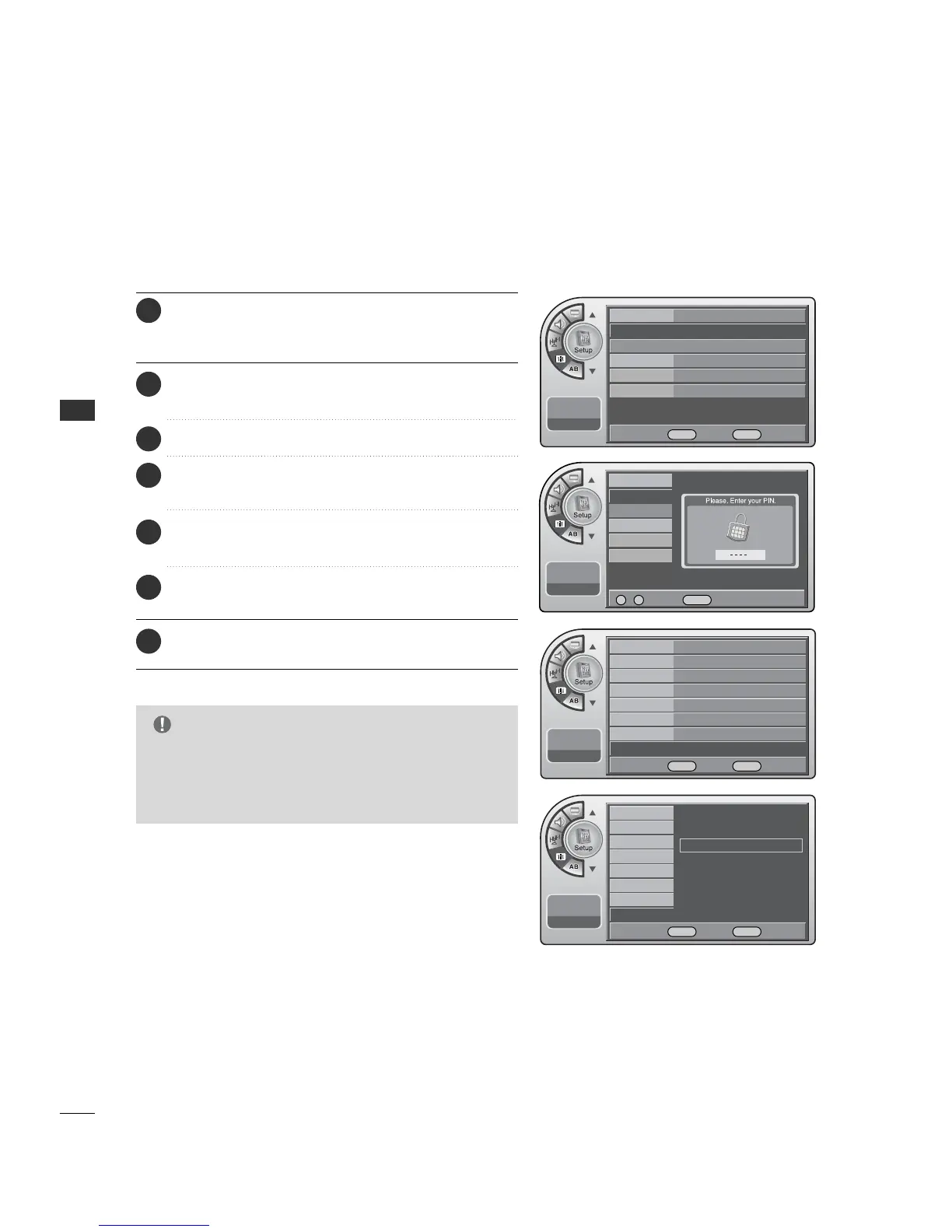
Press the MM EENNUU button and then use the AADDJJ D or E
button to highlight the SSeettuupp menu and press the OO KK
(( EEnn tteerr)) button.
1
Use the AADDJJ D or E button to highlight VV--CChhiipp and
press the OO KK (( EEnntteerr)) button.
2
Use the AADDJJ D or E buttons to choose DDiimm00, DDiimm11,
DDiimm22 or DD iimm33 and press the OOKK (( EE nn ttee rr )) button.
5
Use the AADDJJ D or E buttons to choose DD11LL11, DD11LL22
or DD11LL33.
6
Use the AADDJJ D or E button to highlight the
DD//LL RRaattiinngg and press the OOKK (( EE nn ttee rr )) button.
4
When finished, press MM EE NNUU repeatedly to remove the
menus.
7
Enter the 4 digits password.
3
■
LLoocckk mmeennuu--DDoowwnnllooaaddaabbllee RRaattiinngg in the CD manual is added by the information presented here.
Your TV’s OSD (On Screen Display) may differ slightly from what is shown in this manual.
Time
V-Chip
Menu Language
Menu Transparency
Set ID
11:20 PM
Sep.11, 2006
On/Off On
Changing PIN
Set Block Hour 12
TVPG Rating
MPAA Rating
D/L Rating
G
Can. English Rating
Can. French Rating
11:20 PM
Sep.11, 2006
On/Off
Changing PIN
Set Block Hour
TVPG Rating
MPAA Rating
D/L Rating
Can. English Rating
Can. French Rating
11:20 PM
Sep.11, 2006
0 ~ 9 Number MENU Back
DE Move OK Select MENU Back
Time
V-Chip
G
Menu Language English
Menu Transparency
Semi Opaque
Set ID 1
11:20 PM
Sep.11, 2006
DE Move OK Select MENU Back
D/L Rating (1/1)
Dim0
Dim1
G
Dim2
Dim3
G
This function may become available in the future and
will be available only for digital channel signal.
G
This function operates only when TV has received
Region5 Rating data.
NOTE
DE Move OK Select MENU Back



 To Next Page