Accessing the exhaust vent
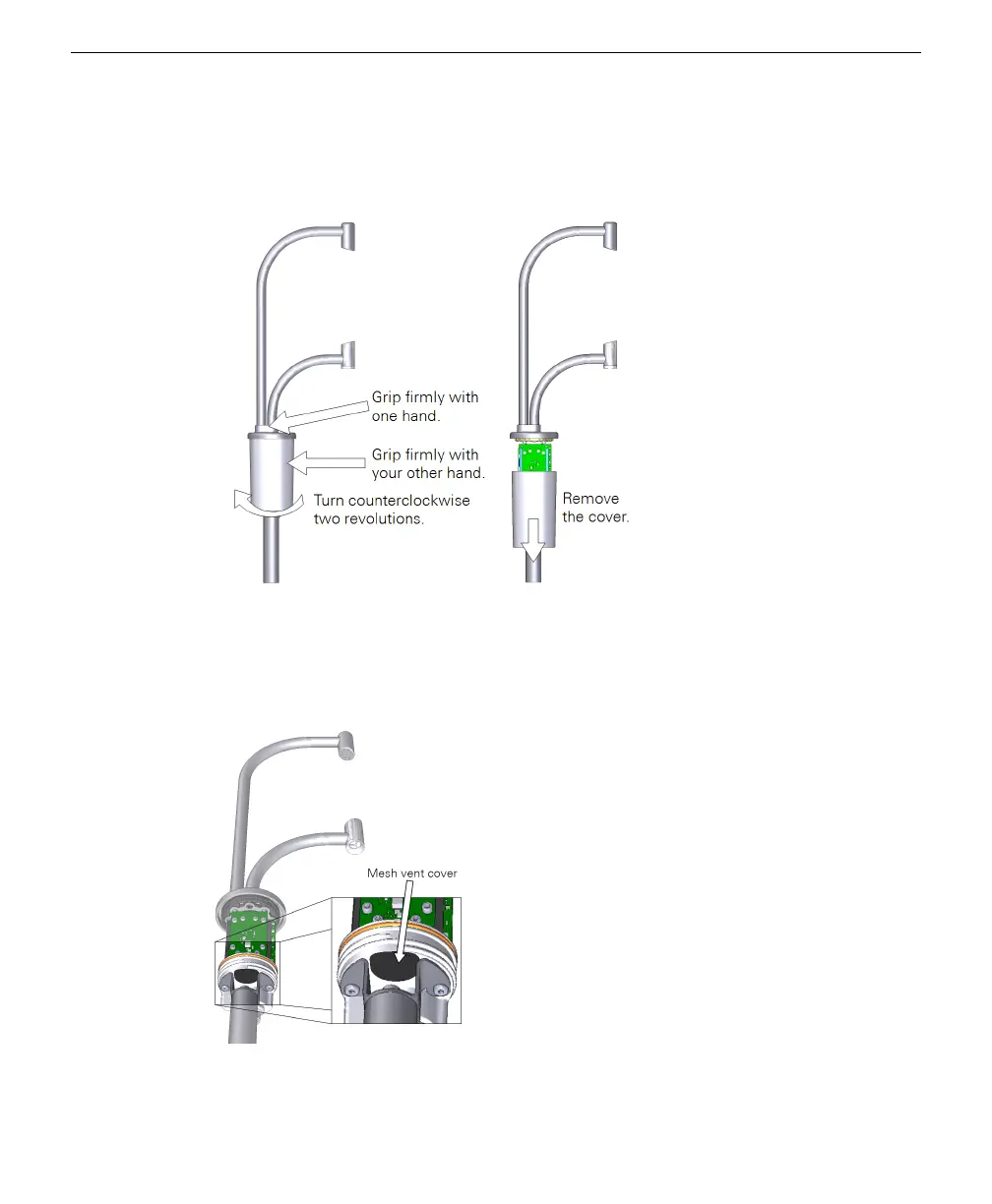
Disconnect the power cable and then remove the cover to access the exhaust vent.
Figure 9-1. Remove the cover to access the exhaust vent.
The vent is between the post and the sensor body. Do not remove the post or loosen
the screws that secure it. Use a cotton swab to clear debris from the vent. Do not
damage the vent screen.
Figure 9-2. The exhaust vent is between the post and body.
Section 9. Maintenance
9-7Accessing the exhaust vent



 To Next Page