Livescribe
™
Desktop for Windows User Guide 36
Playing and Working with Sessions
Anatomy of View List
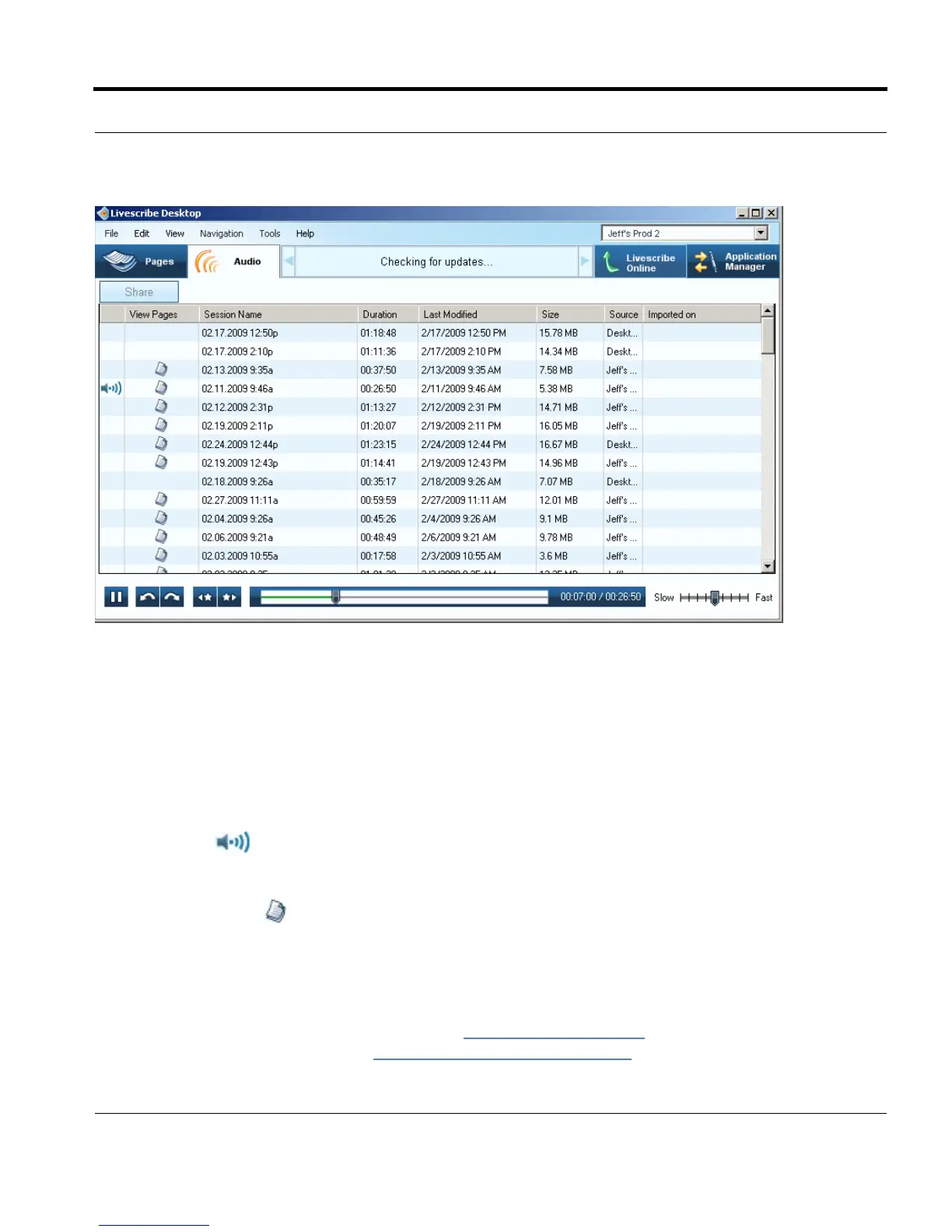
When you view sessions as a list, Livescribe™ Desktop displays the sessions as a series of rows with
named columns. The table below describes these columns.
View List Column Description
Audio Indicator
Identifies which file, if any, is currently
playing audio. If no file is playing, the
icon does not appear.
View in Pages button
View pages associated with a session.
You may have sessions that do not
have this icon because they are
paperless sessions.
Session Name By default, this name is the session's
creation date and time. To rename a
session, see
Renaming a Session in
Livescribe™ Desktop on page 39.



 To Next Page