Livescribe
™
Desktop for Windows User Guide 47
Sharing from Pages View
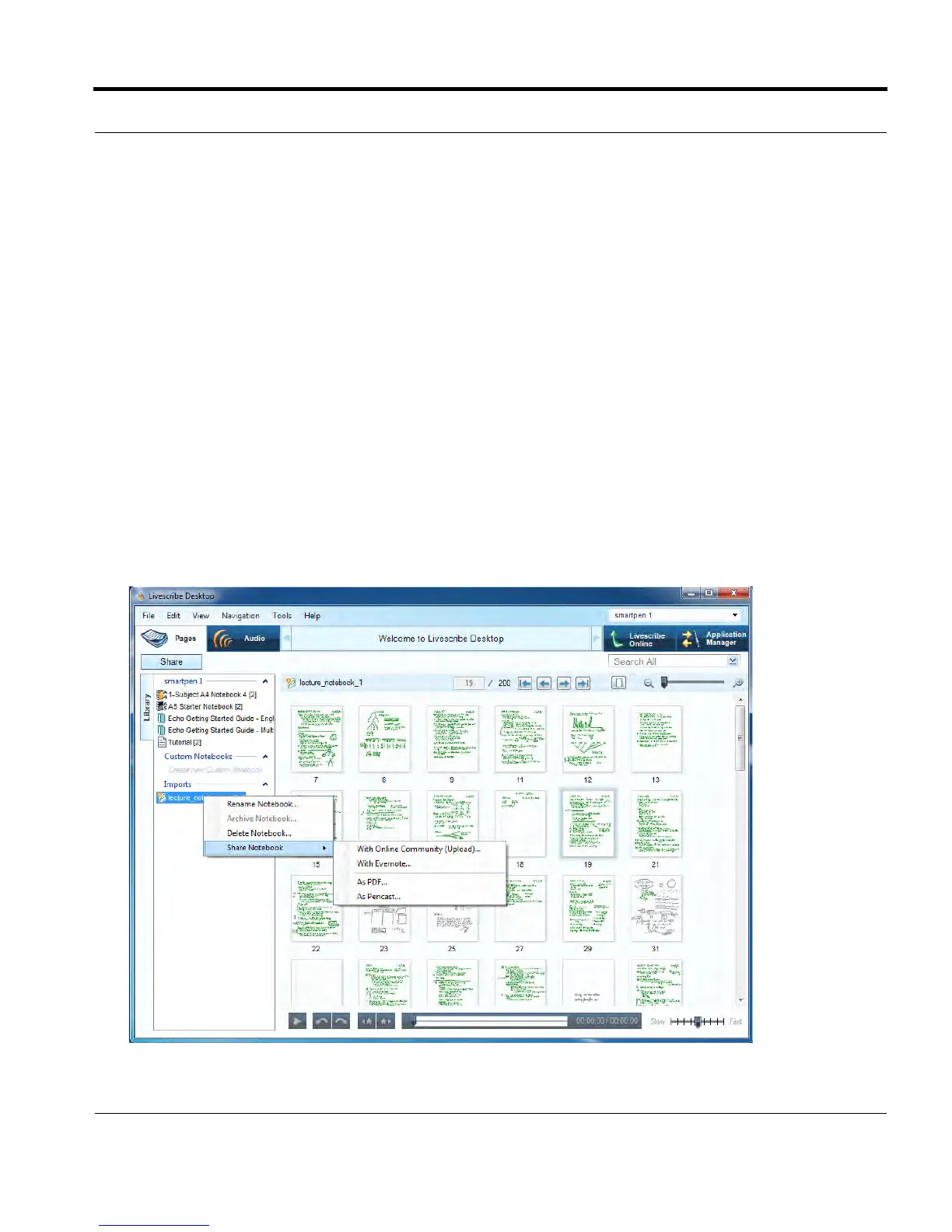
3. Using the cascading menus, select the type of data you want to share and how to share it. Your
options are to share:
• The entire current notebook associated with your selected page(s).
• The specific page(s) you selected.
4. Specify how to share your content. Options are:
• With Online Community: Upload to Livescribe™ Online as an Adobe
®
Flash
®
movie
• With Evernote
®
: Export your notes as PNG files and audio as WAV files to your Evernote
®
account.
• With MyScript
®
for Livescribe: a separately-purchased option that converts your notes to text
• As Image: BMP, GIF, JPG, PNG, EMF, ICO, TIFF, or WMF saved to your computer
• As PDF: saved to your computer
• As Pencast: as a .pencast file saved to your computer
• As Audio file: AAC, M4A, MOV, MP4, or WAV saved to your computer
.



 To Next Page