Livescribe™ Smartpen User Guide 25
Replacing the Ink Cartridge or Stylus
Replacing the Ink Cartridge or Stylus
To replace an ink cartridge, just use your fingers to grasp and pull out the old cartridge and insert a
new one. If you own a Pulse smartpen and have a USB mobile charging cradle, you can instead use
the cradle to help replace the cartridge as follows.
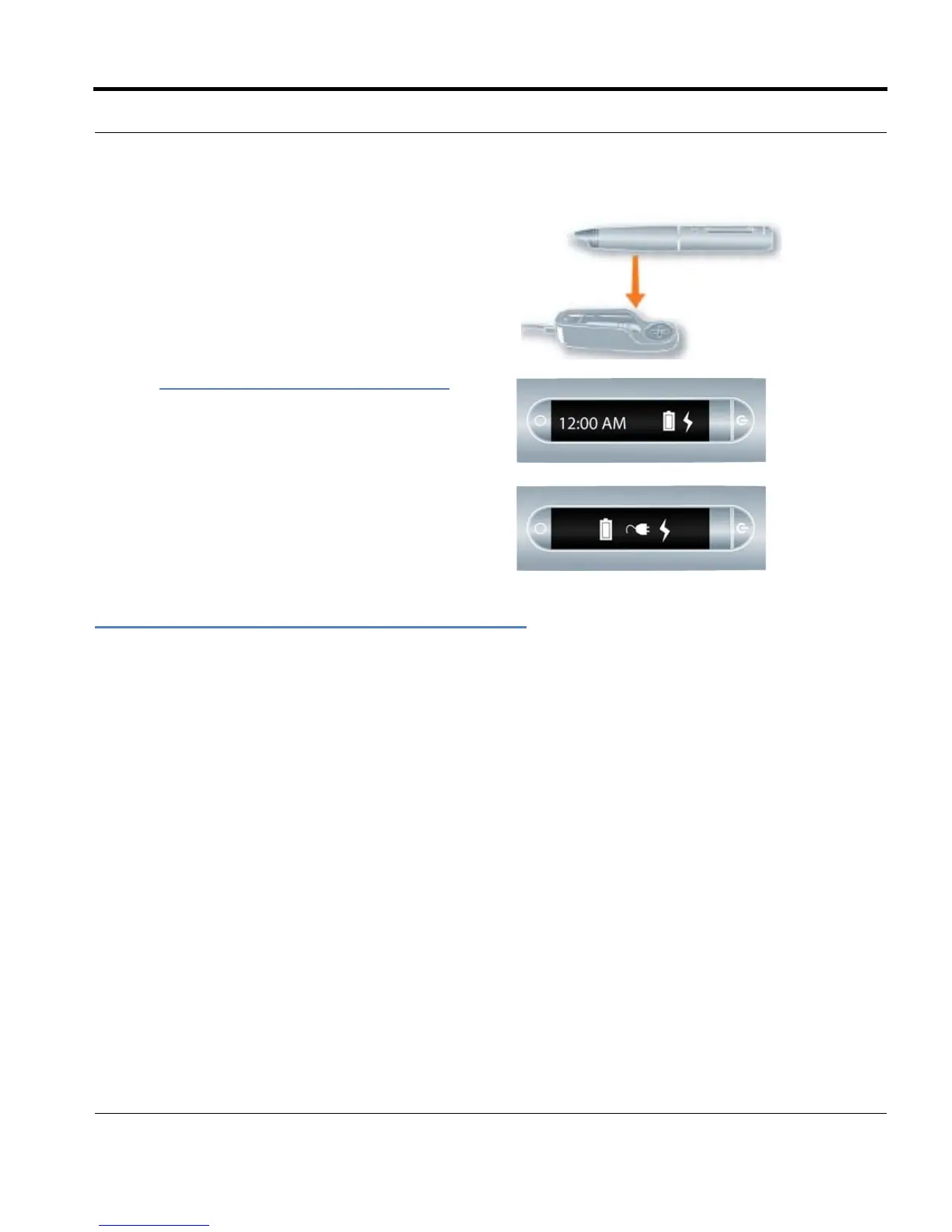
3. Place the Pulse smartpen in your USB mobile
charging cradle.
A battery and lightning bolt symbol will be dis-
played on your Livescribe smartpen when it is
ch
arging.
A full charge can take up to 2.5 hours. To deter-
mine if your Pulse™ smartpen is fully charged,
see
Viewing the Battery Level on page 36.
TIP: The plug and blinking battery indicator means
your Pulse™ smartpen needs to be charged.
1. Insert the smartpen ink tip into the ink cartridge removal ring.
2. Tilt the smartpen so that it firmly rests against the removal ring and lift the smartpen away from the
ring.
3. Lifting the smartpen away from the cradle will safely separate the ink cartridge from the magnet
inside the smartpen that holds it in place.



 To Next Page