Livescribe™ Smartpen User Guide 87
Paper Replay Password
• Do anything that would normally launch Paper Replay, such as tap in a session region or launch the
Paper Replay™ application using the Nav Plus.
• Do not write or tap anything with your smartpen for five seconds.
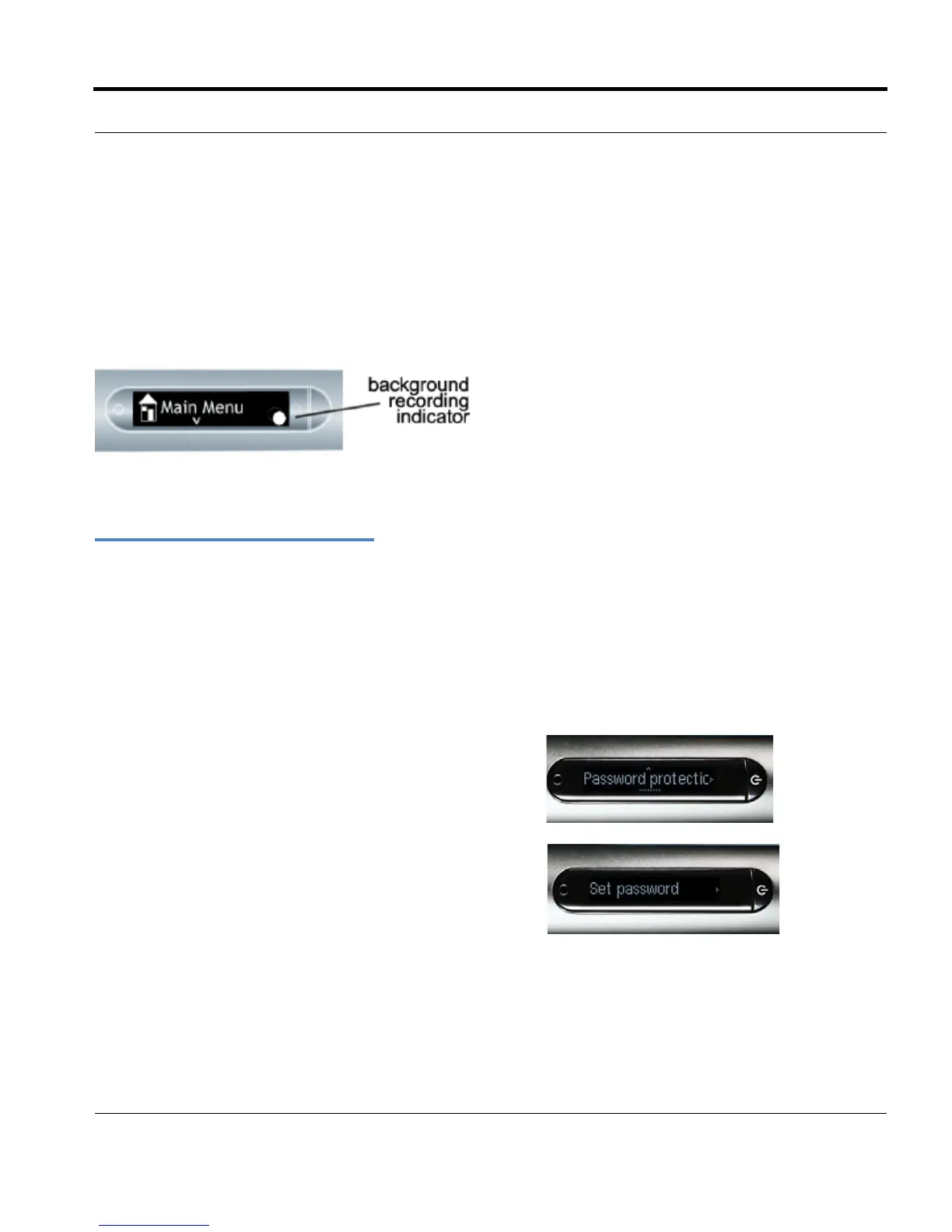
Your smartpen display will indicate bac
kground recording is in effect with a blinking recording dot in the
lower right-hand corner of your display.
I
MPORTANT: TURNING OFF OR DOCKING YOUR SMARTPEN WILL STOP RECORDING.
Paper Replay Password
You can use Paper Replay Password to set a password for your Paper Replay sessions. Setting a
password can prevent others from listening to your recorded audio on your smartpen. When Paper
Replay is protected, audio play back is prevented until the password is entered. The password is a
four-digit number.
To use Paper Replay Password:
1. From the Main Menu, Tap down to locate Paper
Replay.
2. Tap right to launch Paper Replay.
3. Tap down to Password protection.
4. Tap right to set your password.



 To Next Page