Livescribe™ Smartpen User Guide 64
Using Quick Commands
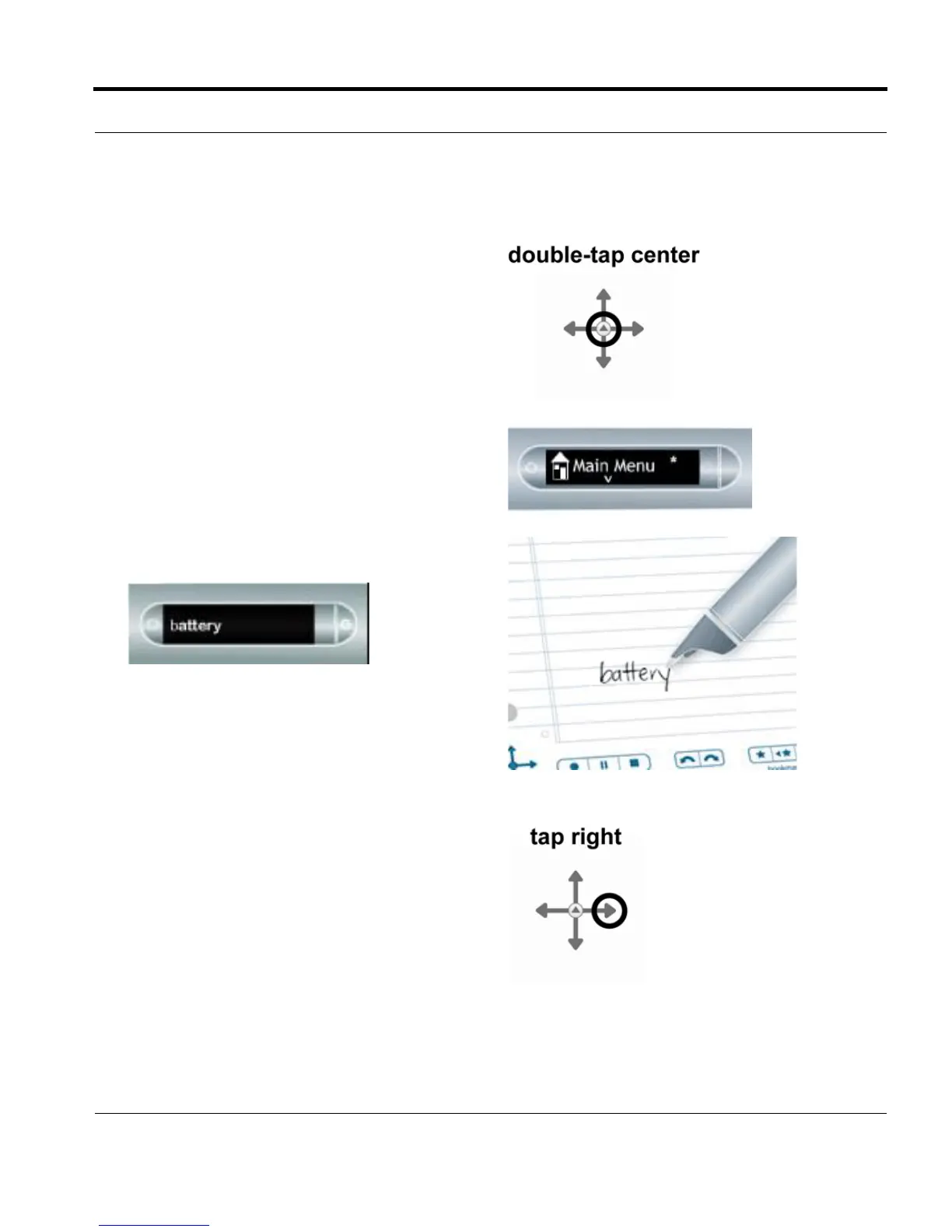
1. Double-tap on the center of a Nav Plus. A
double-tap is two taps in quick succession.
2. Your smartpen displays the Quick Command
indicator (asterisk) in the Main Menu. It is
waiting for you to write a Quick Command.
3. Within three (3) seconds, write the word
“battery.”
NOTE: Using its predictive text feature, your
smartpen will display the first command that
matches your written input In this case,
battery is displayed as soon as you write a
“b”. As soon as you see the command you
want on the display, you can stop writing.
4. Right-tap on the Nav Plus, or double-tap on
any open paper.



 To Next Page