Getting Started
17
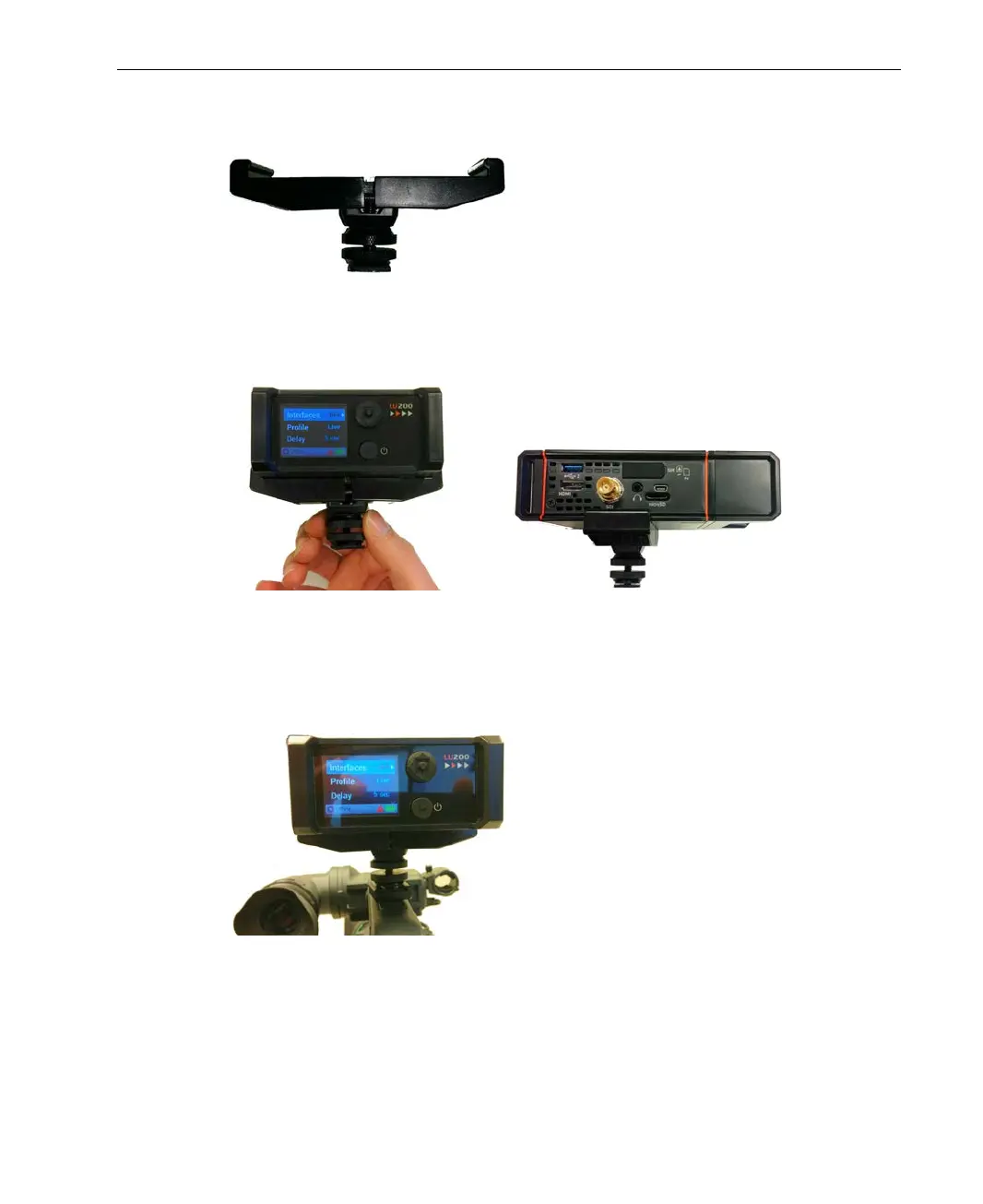
3 To mount the LU200 on a camera, open the top and bottom screws on the
camera mount adapter.
Figure 11: Opening the Screws on the Camera Mount Adapter
4 Position the LU200 on the adapter and tighten the top screw, making sure
that the screw it tight and that the LU200 is firmly in place.
Front Right Side Panel
Figure 12: Tightening the Top Screw on the Camera Mount Adapter
5 Mount the camera mount adapter on the camera shoe and tighten the
bottom screw.
Figure 13: Tightening the Bottom Screw on the Camera Mount Adapter



 To Next Page