The User Interface
106
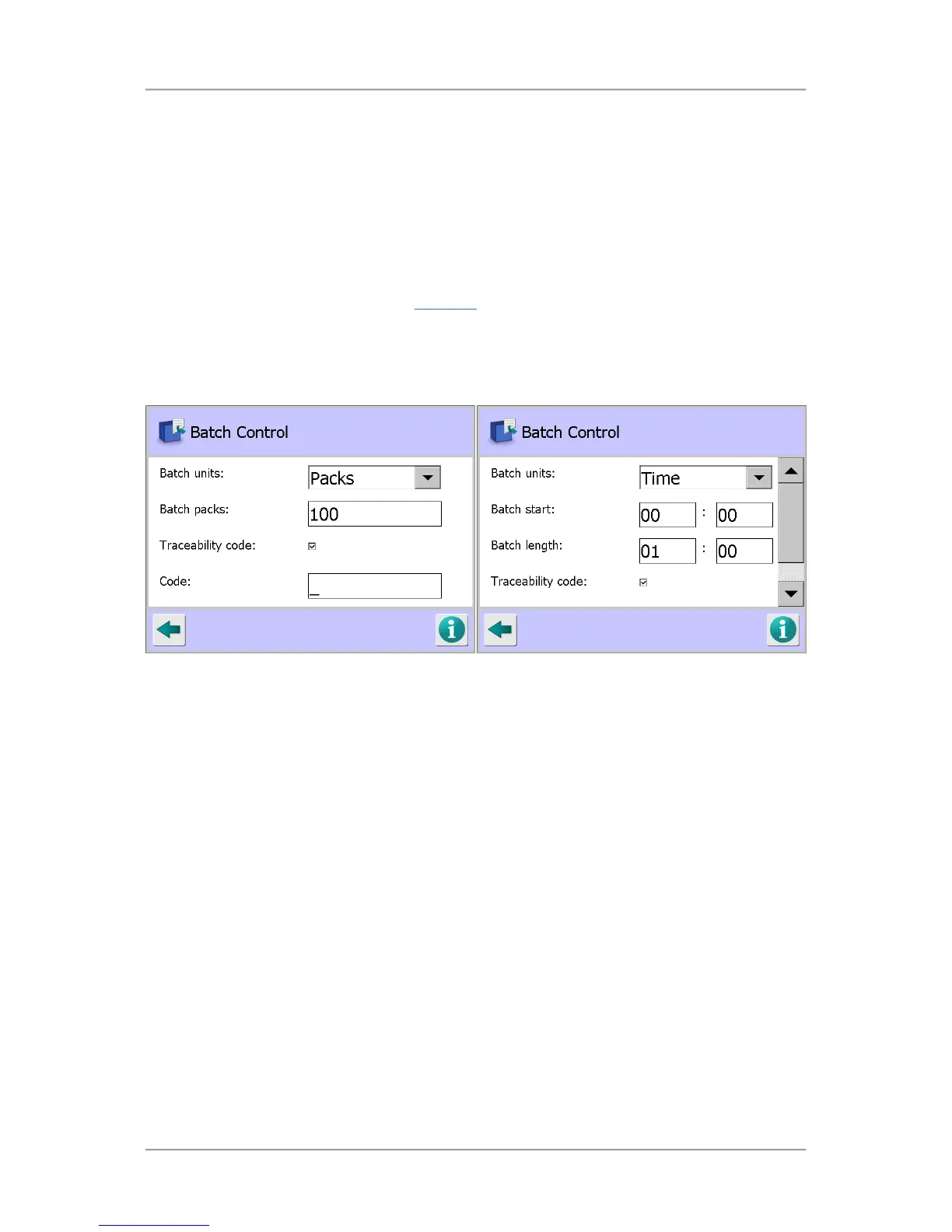
o Traceability code
Tap in the option check box to enable this option which enables you to assign a trace
code to each batch.
o Code
This field is displayed when the Traceability code option is selected. Tap in the field to
display a pop-up keyboard and enter the required batch code to be used.
The code is displayed in the Main Run
screen and may also be updated from there by
tapping on the code in the screen.
The keyboard also pops-up for you to enter a new batch code after resetting the batch
totals to zero in the Main Run screen.
Time Selected
Time option selected:
o Batch start
Tap in each field in turn to display a pop-up numeric keyboard and enter the time in
hours and minutes when you would like the batch to start. The 24 hour clock is used so a
6pm start time should be set to 18:00.
o Batch length
Tap in each field in turn to display a pop-up numeric keyboard and enter the batch
duration in hours and minutes. For example, set it to 01:00 for a batch duration of 1 hour.
o Traceability code
Tap in the option check box to enable this option which enables you to assign a trace
code to each batch.
o Code
This field is displayed when the Traceability code option is selected. Tap in the field to
display a pop-up keyboard and enter the required batch code to be used.
The code is displayed in the Main Run screen and may also be updated from there by
tapping on the code in the screen.



 To Next Page