The User Interface
143
Tap the arrow to the right of the field to display the drop down list of available lamp type
options and select the one to be used.
Noise filter
This option allows you to select the type of low-level filter to use to convert raw signals into a
resultant signal. Options of Off, Low and High are provided for selection.
Tap the arrow to the right of the field to display the drop down list of available noise filter level
options and select the one to be used.
Coil gap
The coil gap required can be found on the serial number plate located within the control panel.
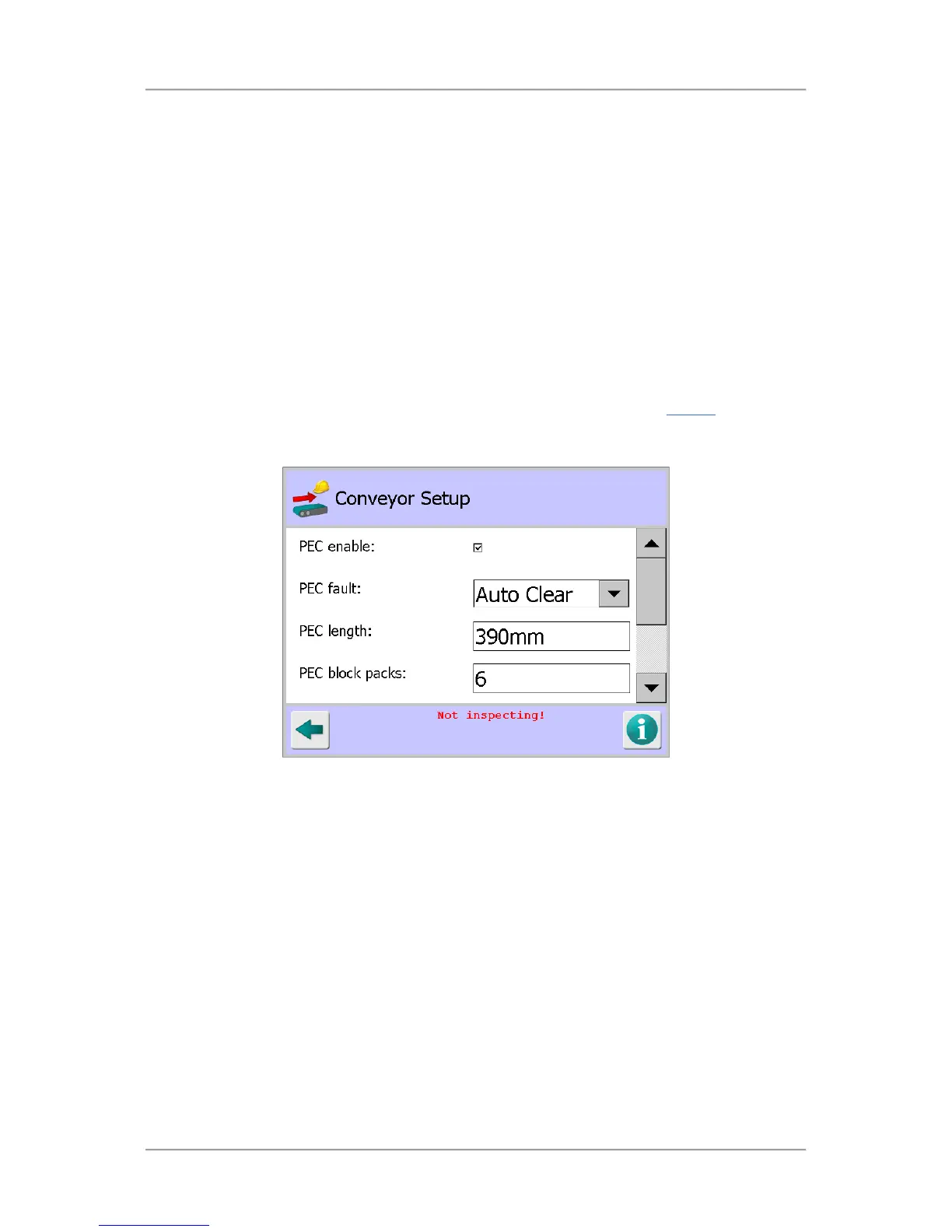
Conveyor Setup
Purpose
The Conveyor Setup screen is displayed by tapping on the Conveyor icon in the Service
screen.
The purpose of the screen is to enable you to set up the conveyor based on the optional items fitted
and its method of operation.
Screen Contents
Select or enter the appropriate parameter values in the screen as follows:
PEC enable
This option refers to the optional Product Registration Photo-eye that is located on the infeed
of the conveyor. When the option is enabled the photo-eye acts as a timing start point for both
correct detection and subsequent reject timing functions.
Tap in the option check box to enable or disable it.
PEC fault
This option is displayed if the PEC enable option has been selected. When the option is
enabled, should the Product Registration Photo-eye become blocked for any reason a system
Fault or Error is generated. Depending on the reject and conveyor setup the conveyor will
then stop and/or a reject actuation will occur. Options of Fault and Error are available for
selection.



 To Next Page