The User Interface
126
8. If the bias is negative, enter a positive value in the P channel ADC offset field to bring the
movement back towards the target value of zero.
9.
Repeat the procedure for the Q channel.
Alternatively, you can use the EnviroScan screen to determine the offset values to use as follows:
1.
Select the P v Q tab in the EnviroScan screen.
2.
Allow the head to stabilise, then press the Reset button and allow the noise ball of the head to
build up.
3.
Note the average P and Q channel positive and negative values being displayed and use
them to determine the ADC offset values to enter in the PQ Analysis screen.
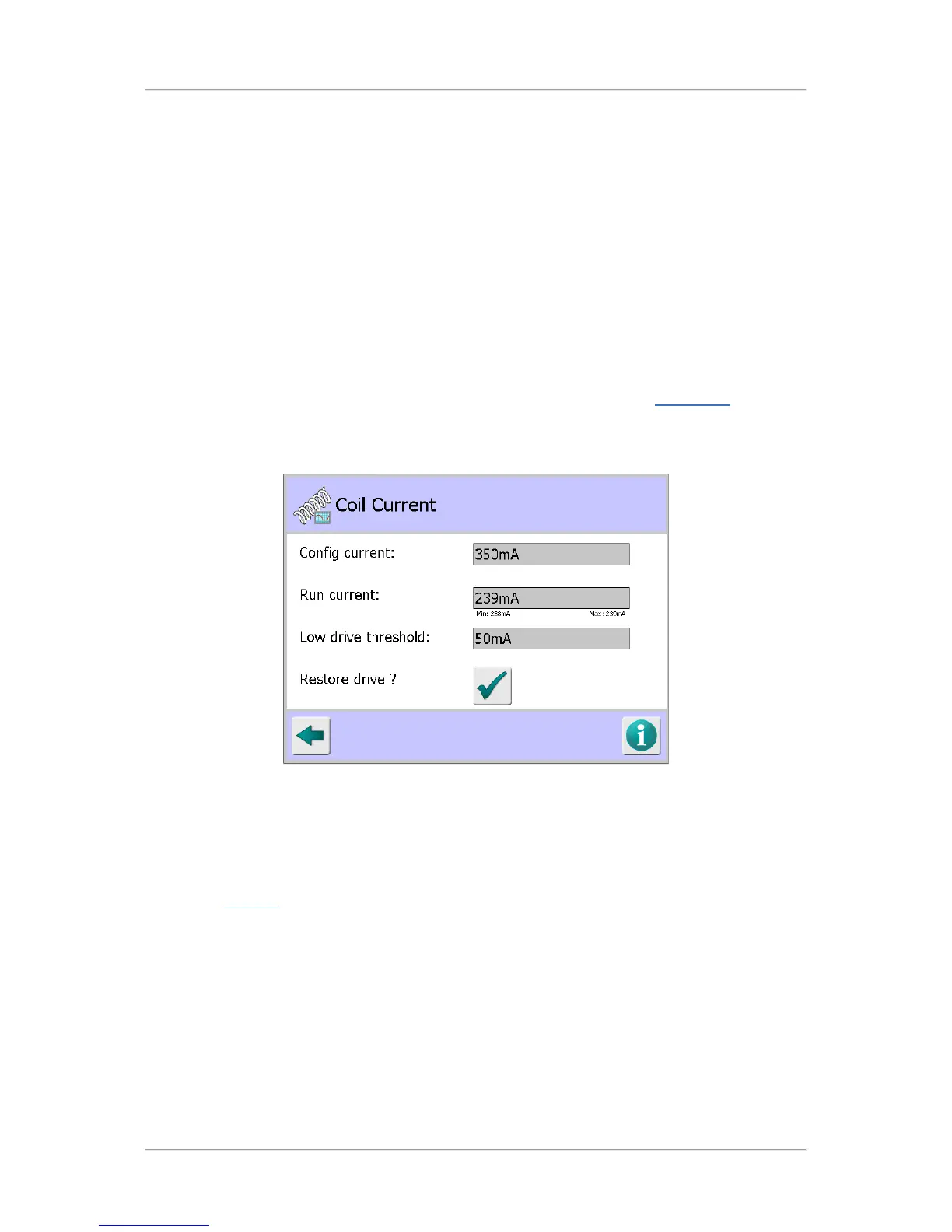
Coil Current
Purpose
The Coil Current screen is displayed by tapping on the Coil Current icon in the Diagnostics
screen.
This screen is intended for advanced diagnostics use by Loma Service Engineers or Customer
Engineers only. It displays the configuration and run current values and can be used to restore the
drive for the frequency in use by the currently running product.
Screen Contents
The screen contains the following:
Config current
This field displays the target transmitter drive current. If required the value can be changed in
the VF Drive
screen.
Run current
This field displays the run current for the frequency of the currently running product.
Low drive threshold
This field displays the low drive threshold value for the currently running product.
Restore drive?
Tap this button to initiate a process to restore the drive for the frequency in the currently
running product.



 To Next Page