Operating Instructions
173
Setting User Access Levels and Passwords
User accounts are used to manage access to the features and functionality available in the metal
detector. Four access levels are available which are described in the User Access
section.
To set a user access level and password, proceed as follows:
1.
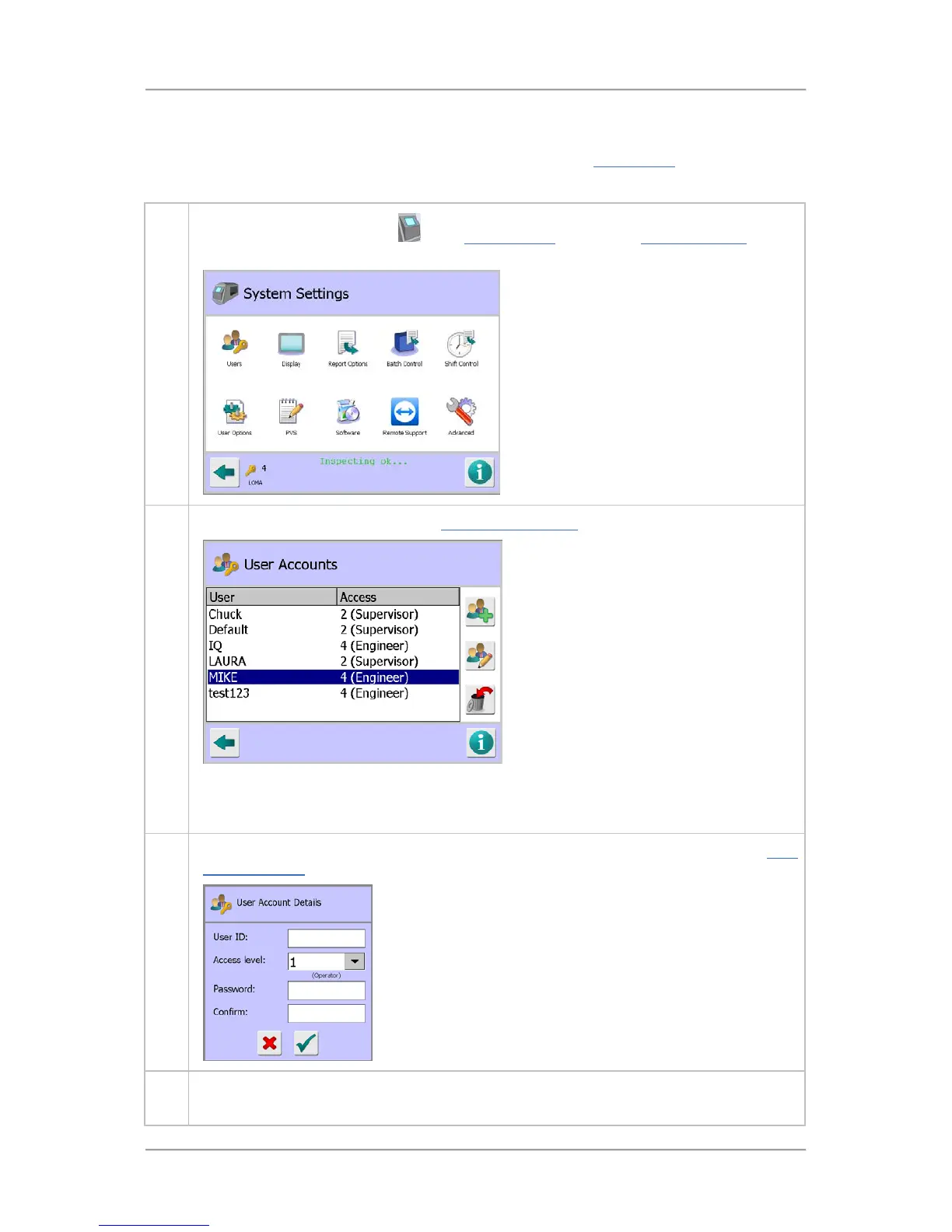
Tap on the control panel area
in the System Setup screen. The System Settings screen
is displayed.
2. Tap on the Users icon to display the User Accounts Setup screen.
In this screen you can add new users, edit users details or delete users using the three
buttons provided on the right hand side of the screen. Tapping in a field displays a pop-up
keyboard or numeric keypad screen for entering data.
3. To add a new user, tap on the Add User button on the right hand side of the page. The User
Account Details screen is displayed
4. In this screen you can now set the new u



 To Next Page