The User Interface
151
o Outputs
To test any output, tap the circle for the output to be tested. When this screen is exited,
all outputs are returned to their correct state.
PVS required - (output 01)
Set when a PV test is due. Typically, this output is used to light a lamp which will alert
operators that a PV test is required.
Output 02 is currently spare
PVS in progress - (output 03)
Set when the PV test is in progress. The output is typically used to stop the infeed
conveyor to the detector during the PV test.
Bin lock - (output 04)
Set when the reject bin should be locked. The reject bin can be unlocked in the Rejects
setup screen. When a PV test is in progress the bin will also be unlocked.
If the bin remains unlocked for an extended period, the machine will generate a fault.
The timeout period can be set in the Rejects Setup screen where you can also enable
the bin lock feature.
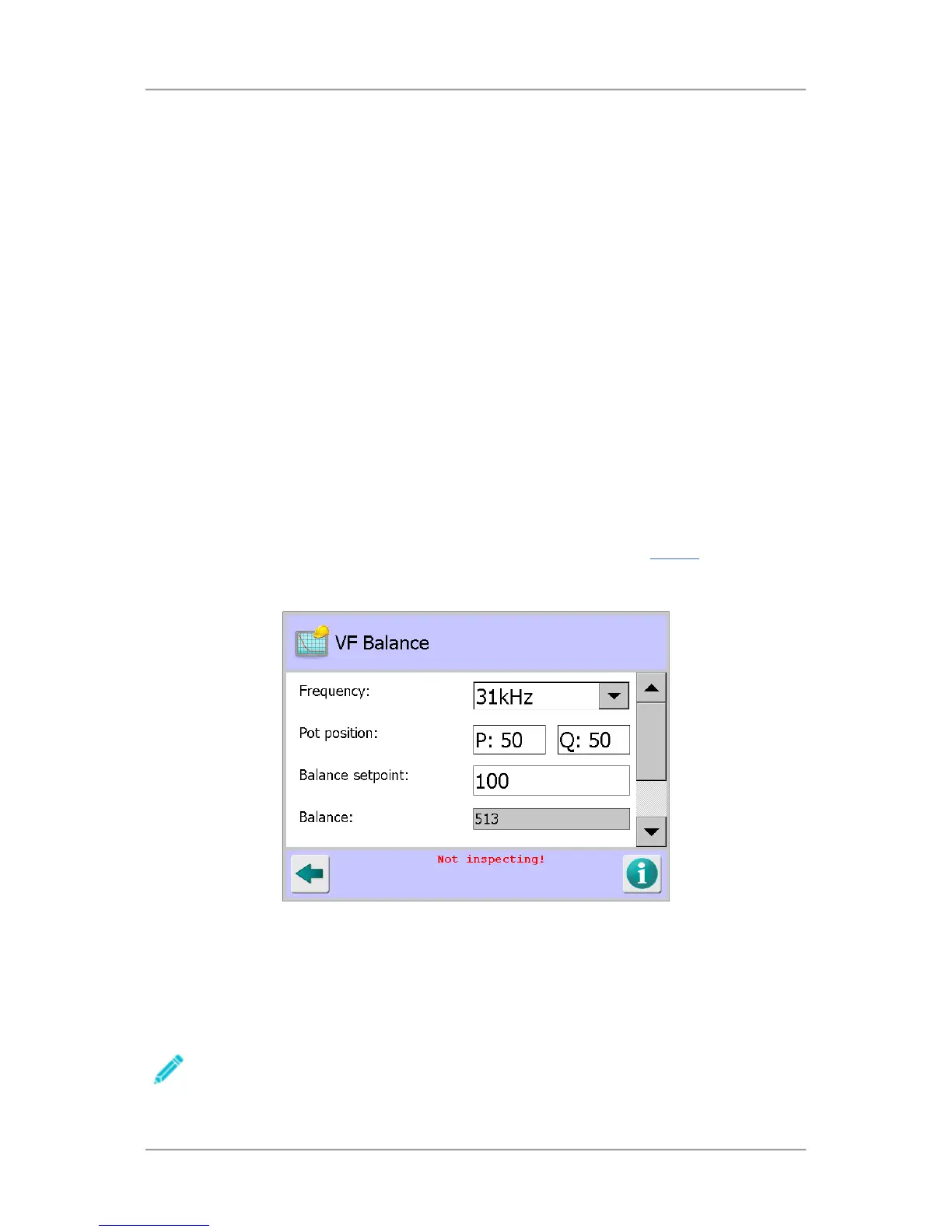
VF Balance
Purpose
The VF Balance screen is displayed by tapping on the VF Balance icon in the Service
screen.
The screen is used to manually or automatically balance the raw P and Q channels for all available
operating frequencies.
Screen Contents
The screen contains the following options and parameters for setting up the VF Balance:
Frequency
The IQ
3
+ ST has seventy (70) different operating frequencies ranging from 31kHz up to
882kHz. Each of the available frequencies can be selected from the drop down list
Note that the frequency selected in this screen is independent of the frequency for the
currently running product.



 To Next Page