The User Interface
130
Capture
This field displays ‘Active’ when the data capturing process is in progress and ‘Not active’
when it has been stopped.
P,Q reads
This field displays the number of separate P and Q channel signal value readings that have
been taken from when the screen was first accessed.
Graph
This field displays the last time taken to redraw the graph, in milliseconds.
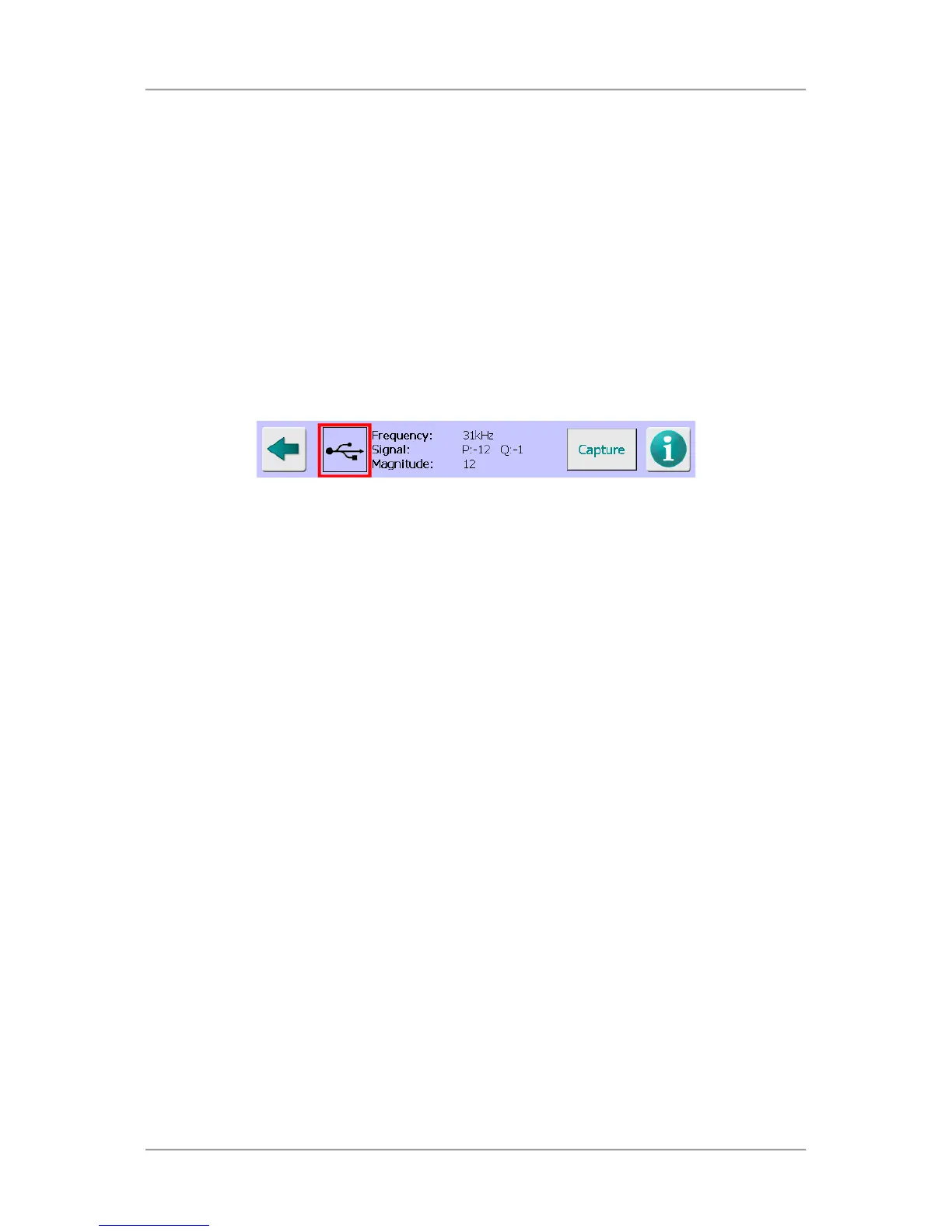
The following items and information are displayed at the bottom of the screen:
USB icon
When a USB memory stick is installed in the port provided on the side of the control panel a
standard USB icon is displayed.
When the P V Q tab is selected, tap on the USB icon to save the graph and available data to
the USB memory stick.
When the Frequency tab is selected and a data capture process has been started, the
EnviroScan raw data will automatically be downloaded to the USB memory stick after
completion.
When the Time tab is selected, tap on the USB icon to save the graph currently being
displayed to the USB memory stick. On the P v Q graph, up to 10,000 raw P,Q values will
also be saved as a CSV file for offline analysis.
The saved raw data can be analysed on another computer or alternatively, sent to Loma
Service for analysis.
Frequency
This field displays the currently selected frequency in kHz.
Signal
This field displays the P and Q channel signals for the currently selected frequency.
Magnitude / P / Q / Resultant
This field toggles to display raw P signal values, Q signal values, a combination of the P and
Q signal values (Magnitude) or the Resultant signal value taken directly from the detector
head, depending on the Plot option selected in the Settings tab.
Capture / Stop
This button is used to start and stop the data capture process when either the Frequency or
Time tabs are selected.
The button legend toggles between ‘Capture’, which indicates that the process has not been
started and ‘Stop’, which indicates that the process has been started.
The information displayed in each of the tabbed panes is as follows:
P v Q tab



 To Next Page