Operating Instructions
190
Enabling the Tracker Feature
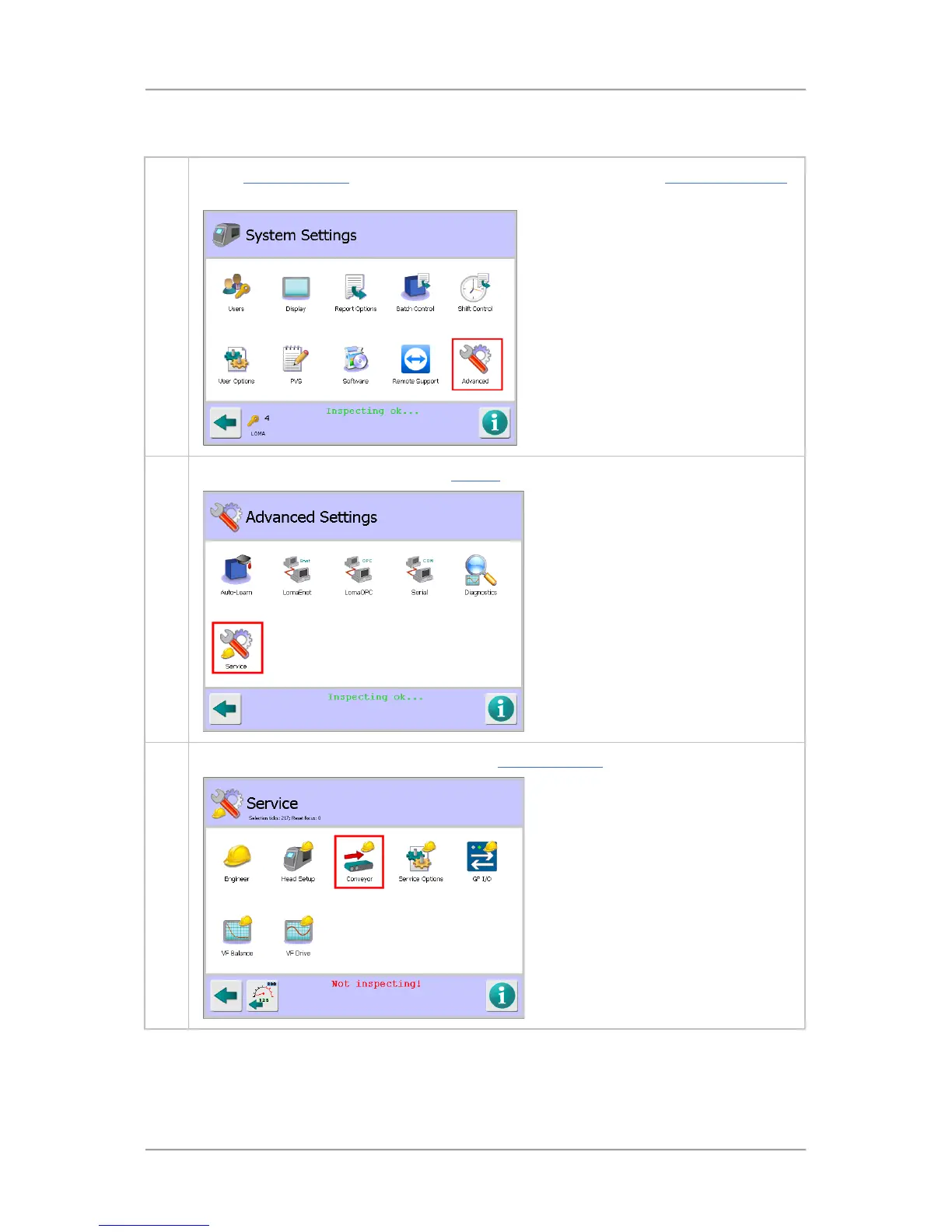
To enable the tracker feature, proceed as follows:
1. In the System Settings screen, tap on the Advanced icon to display the Advanced Settings
screen.
2. Tap on the Service icon to display the Service screen.
3. Then tap on the Conveyor icon to display the Conveyor Setup screen.



 To Next Page