www.longer3d.com support@longer3d.com
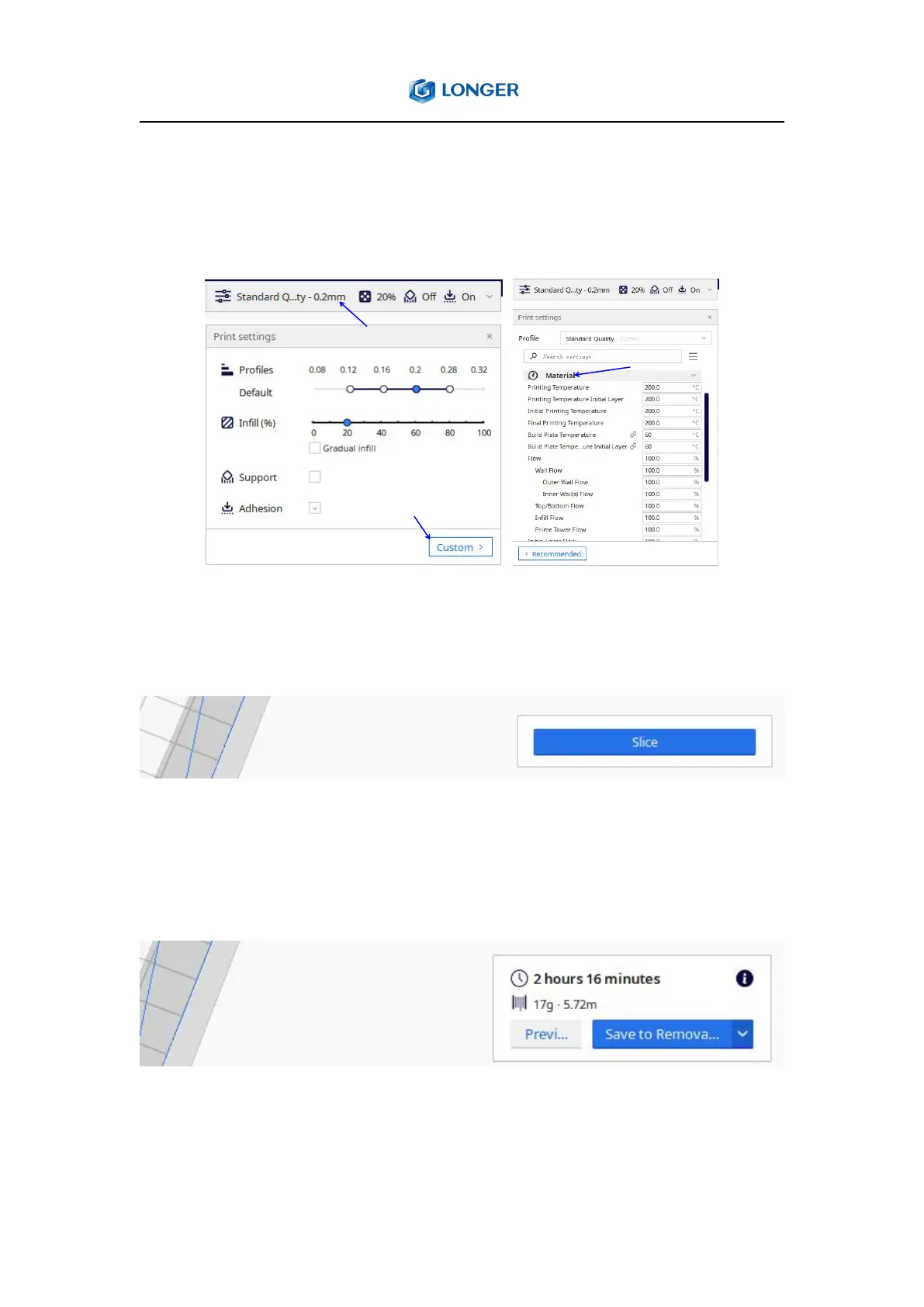
Users can also customize the printing parameters according to individual
needs. Click Print settings, choose Custom to show all parameters, and
then adjust the parameter values that need to be modified.
4.5. Slice and save Gcode files
Click Slice to generate G-code for printing.
Save to removable drive (Save the gcode file to storage card). And the
software will evaluate the time required to print the file and the weight
of filament.
NOTE: “Save to removable drive” option will appear when micro SD card
is inserted.



 To Next Page