2
LOOK-C INSTRUCTIONS
MONITORINSTRUCTIONSAPPLYINGTOH424&H427
4 Wire Look-C Door Intercom Surveillance System Instruction Manual
H424&H427Inter-compatability
Although both monitors can operate on the same 4-Wire system, some of the features are not
compatible between the H424 and H427 Monitors For example, the majority of functions will work,
including Door Camera monitoring, but the intercom feature between monitor units will not work and the
Memory feature of H427SDD will not share It is therefore recommended, for a professional setup, to
restrict monitor choice to one of the two models available
The H427 Monitor has a Two Door Station Camera Switch built-in This enables you to connect one
or two door station cameras to the system If you require three or four cameras (Maximum), then the
addition of a VT-MDS Camera Switch is required See the “Two Door Stations” page for connecting two
cameras and see the “MDS Multi-Door Station Switch” page for connecting three or four cameras
The M424 Monitor has a single camera input If you require two, three or four cameras (Maximum), then
the addition of a VT-MDS Camera Switch is required See “MDS Multi-Door Station Switch” page for
further information
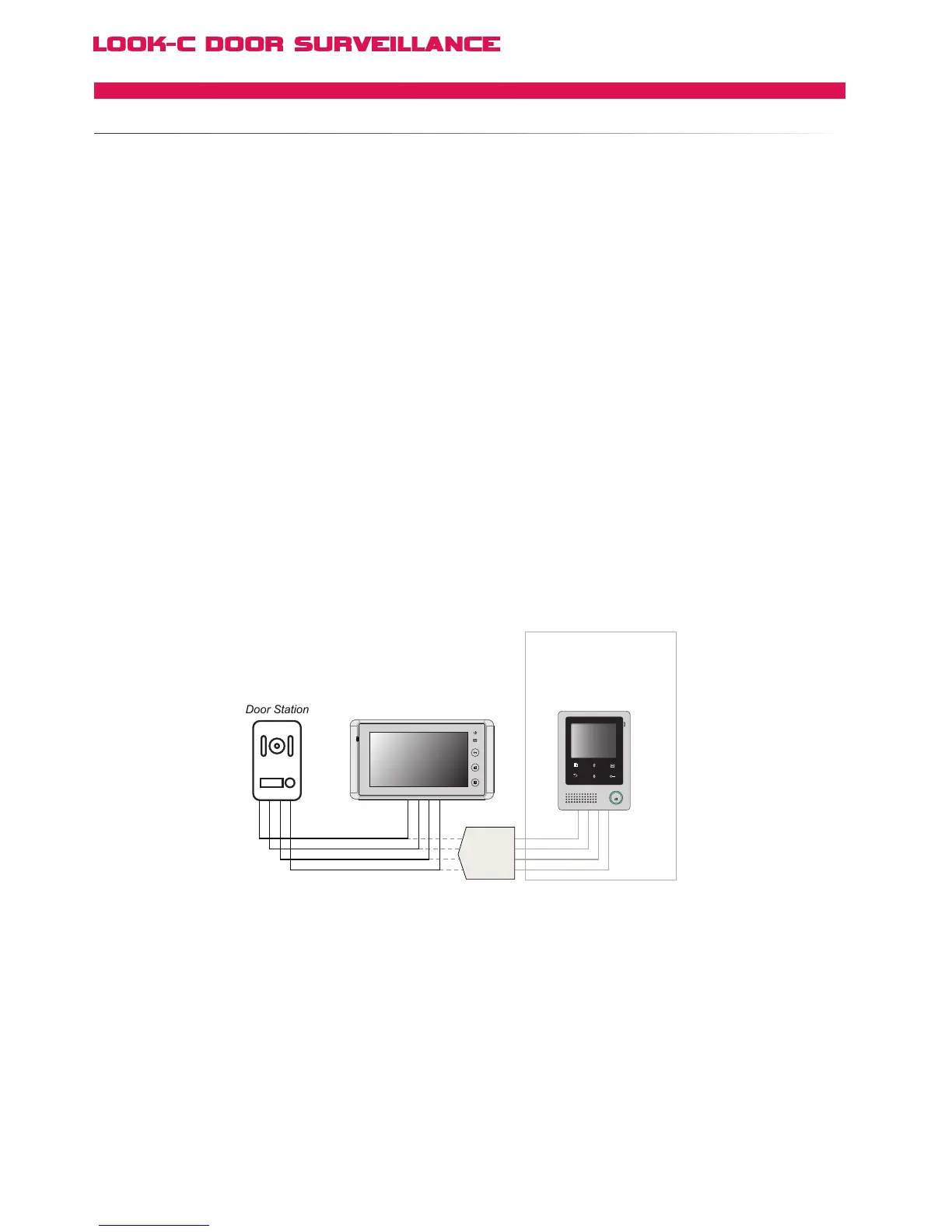
The diagrams on the following pages show connections for Look-C 4 Wire Monitors and door cameras
Where applicable, both H424 and H427 connections are shown on the same diagrams
For all features to work as per their respective instruction manuals, it is recommended to use only H424
with H424 Monitors and to only use H427 with other H427 Monitors Both monitors are fully compatible
with all 4-Wire Door Station Cameras and the other modules as shown on each page
A Maximum of Four Monitors
You can identify each of the monitors via the menu system from Monitor #1 through to Monitor #4 This
enables you to use the intercom function between monitors within an installation Further Monitors can
be connected to the system and can view and operate the door camera, but will not be compatible with
the monitor to monitor intercom feature It is therefore recommended for a professional setup to use a
maximum of four monitors within a system See “Multi-Monitor” pages for more information
The following diagrams show wiring topologies as recommended by the factory and tested here by our
technicians Other wiring solutions may work in some circumstances, however were not included as they
have not been tested or recommended by the factory and may not give best results in all installations


 To Next Page