166
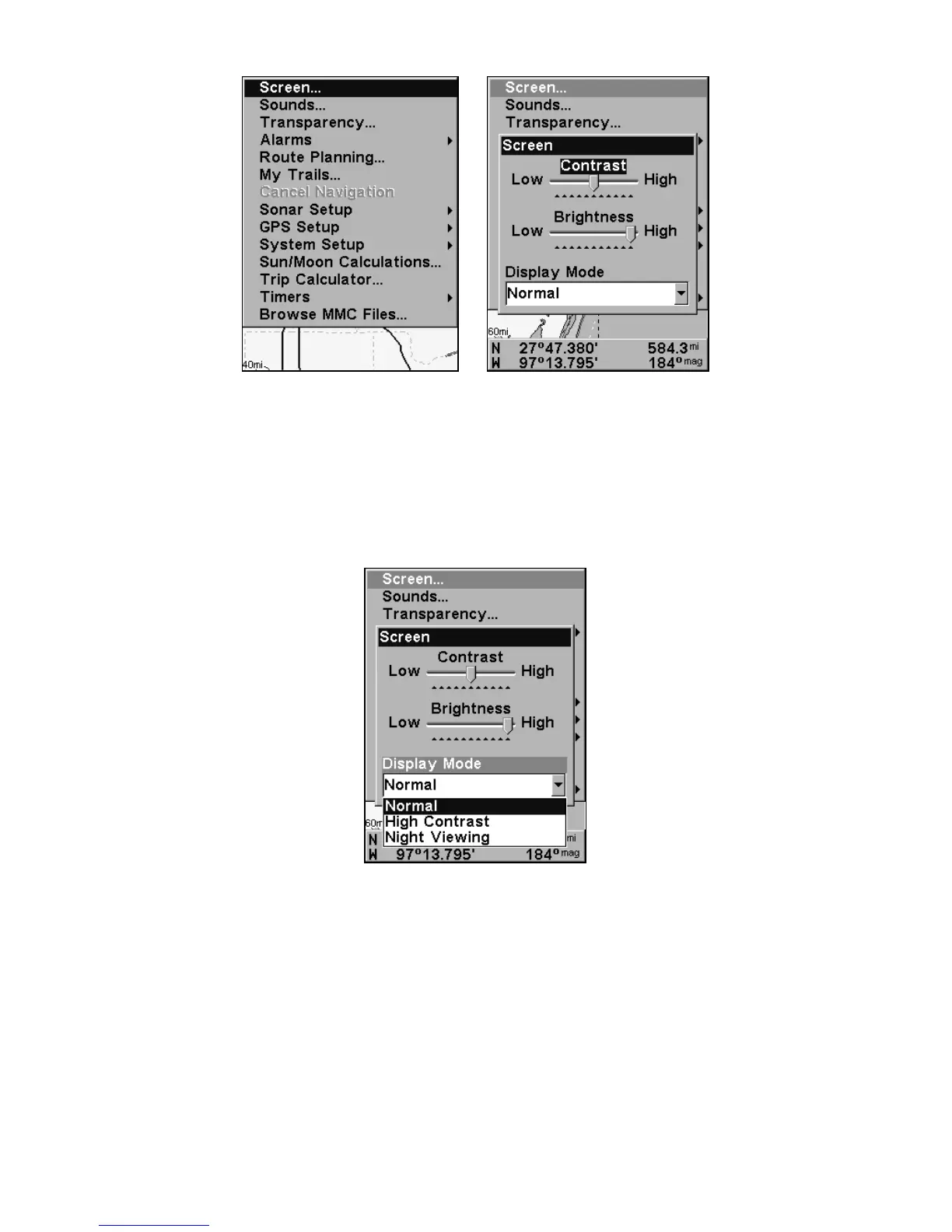
Screen Command, left, and Screen Menu with Contrast bar selected, right.
To adjust the display's brightness:
Press ↓ to
BRIGHTNESS. Press → or ← to move the bar. The left end of the
scale is minimum contrast; the right end is maximum contrast.
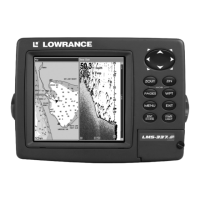
To adjust the screen's display mode:
Press ↓ to
DISPLAY MODE|ENT|press ↑ or ↓ to select mode|EXIT.
Display Mode menu.
Set Language
This unit's menus are available in 10 languages: English, French, Ger-
man, Spanish, Italian, Danish, Swedish, Russian, Dutch and Finnish.
To select a different language:
1. Press
MENU|MENU|↓ to SYSTEM SETUP|ENT.
2. Press ↓ to
SET LANGUAGE…|ENT.
3. Use ↓ or ↑ to select a different language and press
ENT. All menus
now appear in the language you selected.






 To Next Page