184
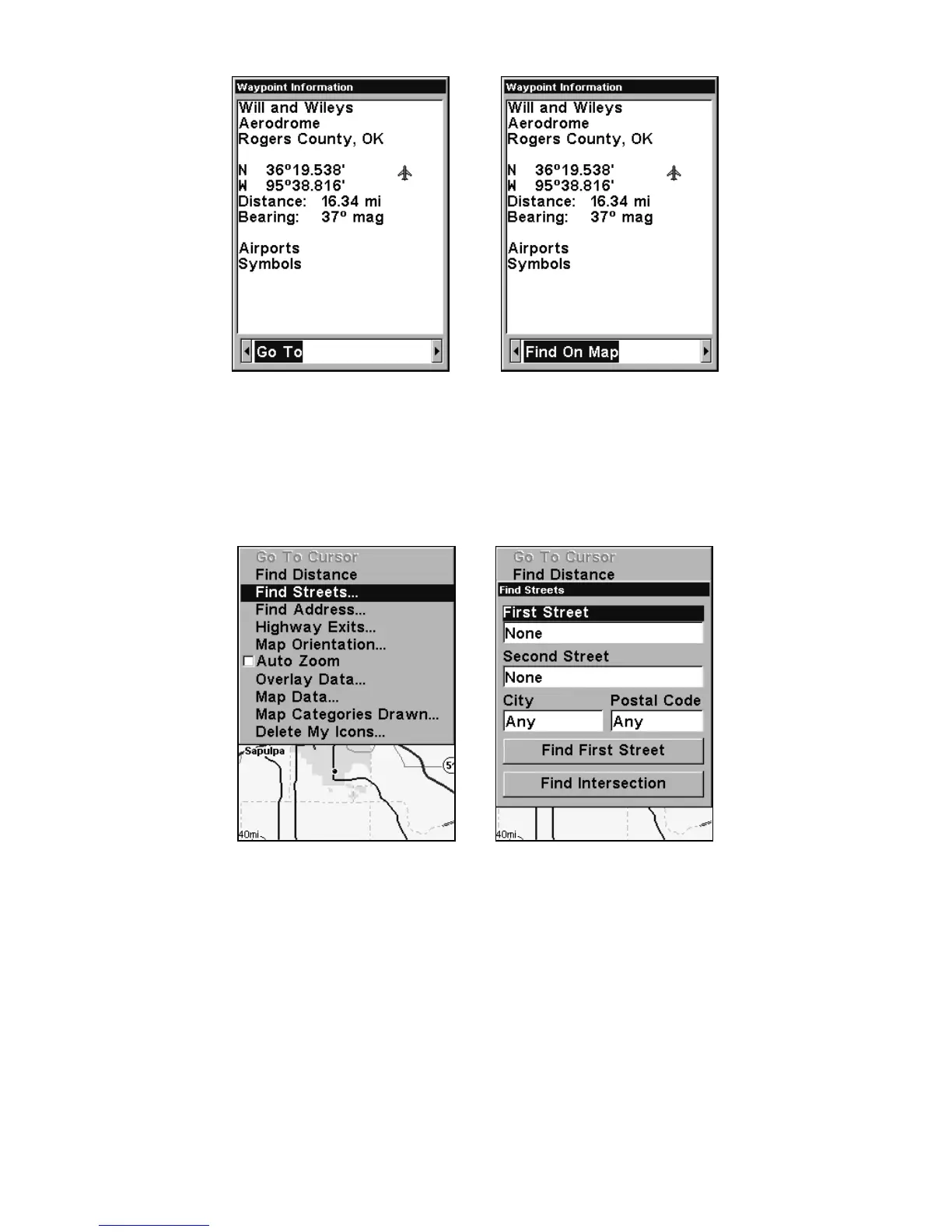
"Go To" POI option, left, "Find on Map" POI option, right.
Find Streets or Intersections
Find a Street
1. From the Map Page, press
MENU|↓ to FIND STREETS|ENT and the Find
Streets Menu appears.
Find Streets command, left, Find Streets menu, right.
2. You must first fill in a street name in the First Street dialog box.
Press
ENT to display the Find By Name menu. There are two options:
A. You can spell out the street in the top selection box. Press ↑ or ↓ to
change the first letter, then press → to move the cursor to the next let-
ter and repeat until the name is correct, then press
ENT|ENT. B. Or you
can jump down to the lower box and pick a street from the selection
list. Press
ENT, then press ↓ or ↑ to select a street from the list and
press
ENT.








 To Next Page