Chapter 3 Analog Output Module (XBF-DV04A, XBF-DC04A, XBF-DC04B)
3 - 13
3.10 Special Module Monitoring Function
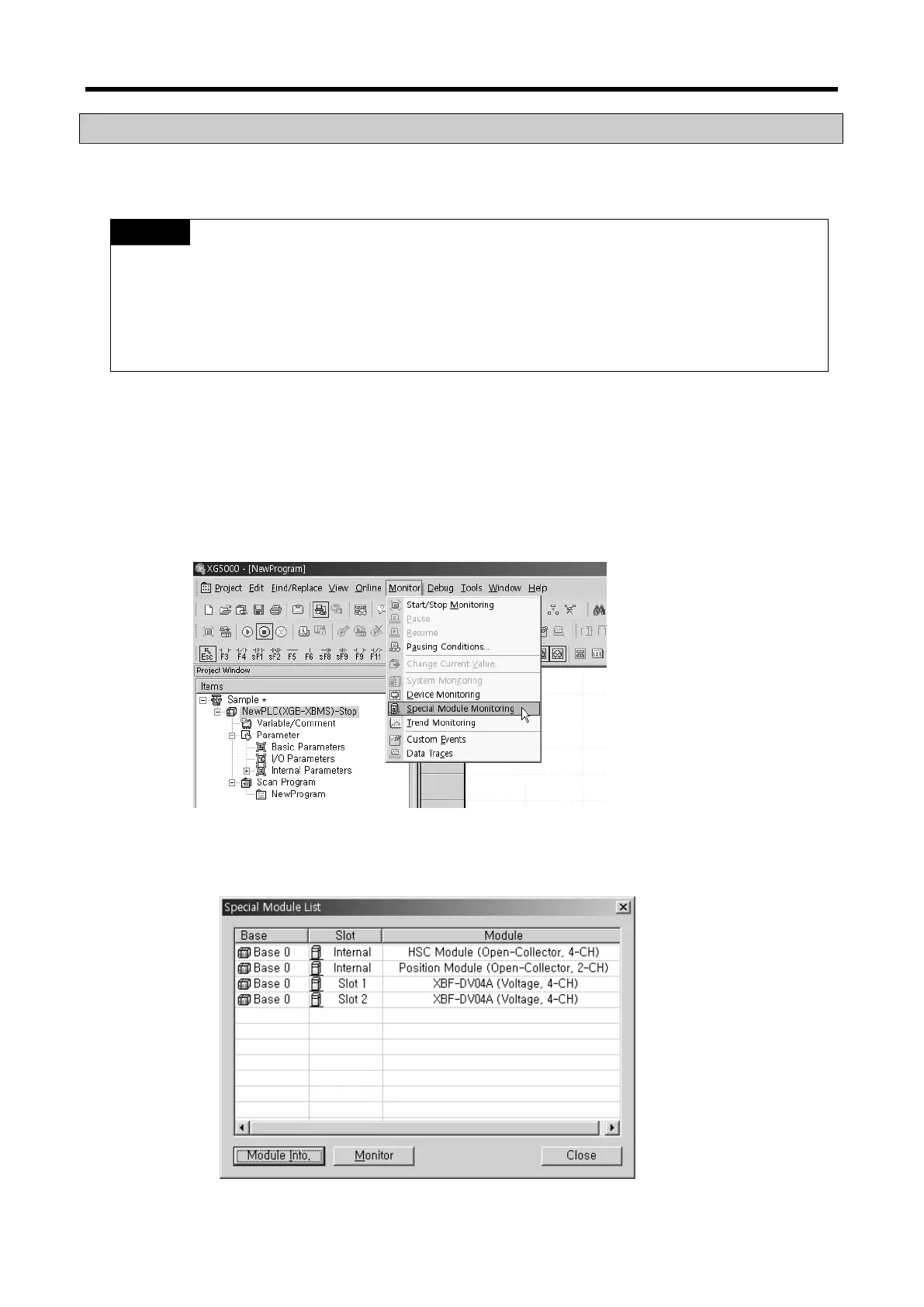
You can start to test the analog output module connecting by [Online] [Connect] and then click
[Monitor] [Special Module Monitoring] menu in XG5000.
1) If the program is not displayed normally because of insufficient system resource, you may start
XG5000 again after close the program and other applications.
2) I/O parameters those are specified in the state of [Special Module Monitoring] menu are temporarily
set up for the test. They will be disappeared when the [Special Module Monitoring] is finished.
3) Testing of [Special Module Monitoring] is the way to test the analog output module. It can test the
module without a sequence program.
3.10.1
How to use special module monitoring
Special module monitoring function is described below based on the analog voltage output module (XGF-
DV04A).
(1) Start of [Special Module Monitoring]
Go through [Online] [Connect] and [Monitor] [Special module Monitoring] to start. If the
status is not online, [Special Module Monitoring] menu will not be activated.
(2) How to use [Special Module Monitoring]
(a) Connecting XG5000 with PLC basic unit, [Special Module List] window will show base/slot
information and types of special module by click [Monitor] [Special Module Monitoring].
Special Module List wiil display the modules that are installed in PLC now.



 To Next Page