Chapter 9 Remote Connection Service
9-6
9.2.2 Remote stage 2 connection (RS-232C cable is used for local connection)
For remote stage 2 connection, XG5000 shall be in off-line state.
Click [Online] -> [Connection settings] like [fig.9.2.2]
(1) Connection type
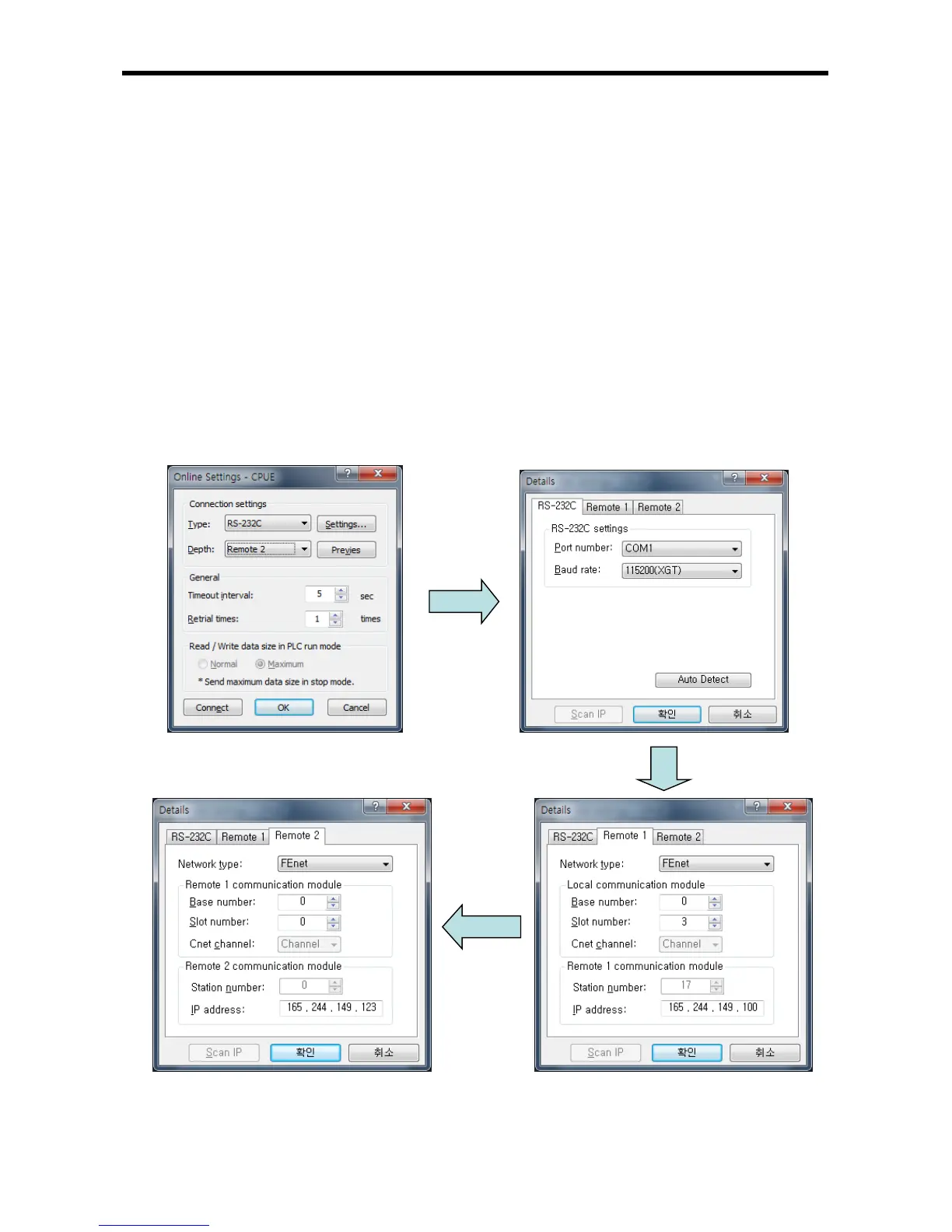
Select Local connection. [Fig. 9.2.4] shows that select RS-232C for Type and Remote 2 for
Depth. The communication port choose using PC port. If use Ethernet, explain it in the next
chapter. If use other communication module, Please refer to manual each communication
modules.
(2) Connection depth
Select Reome 2
[Fig. 9.2.4] XG5000 remote stage 2 connection


 To Next Page