2.8. QUALITY TAB SETTINGS
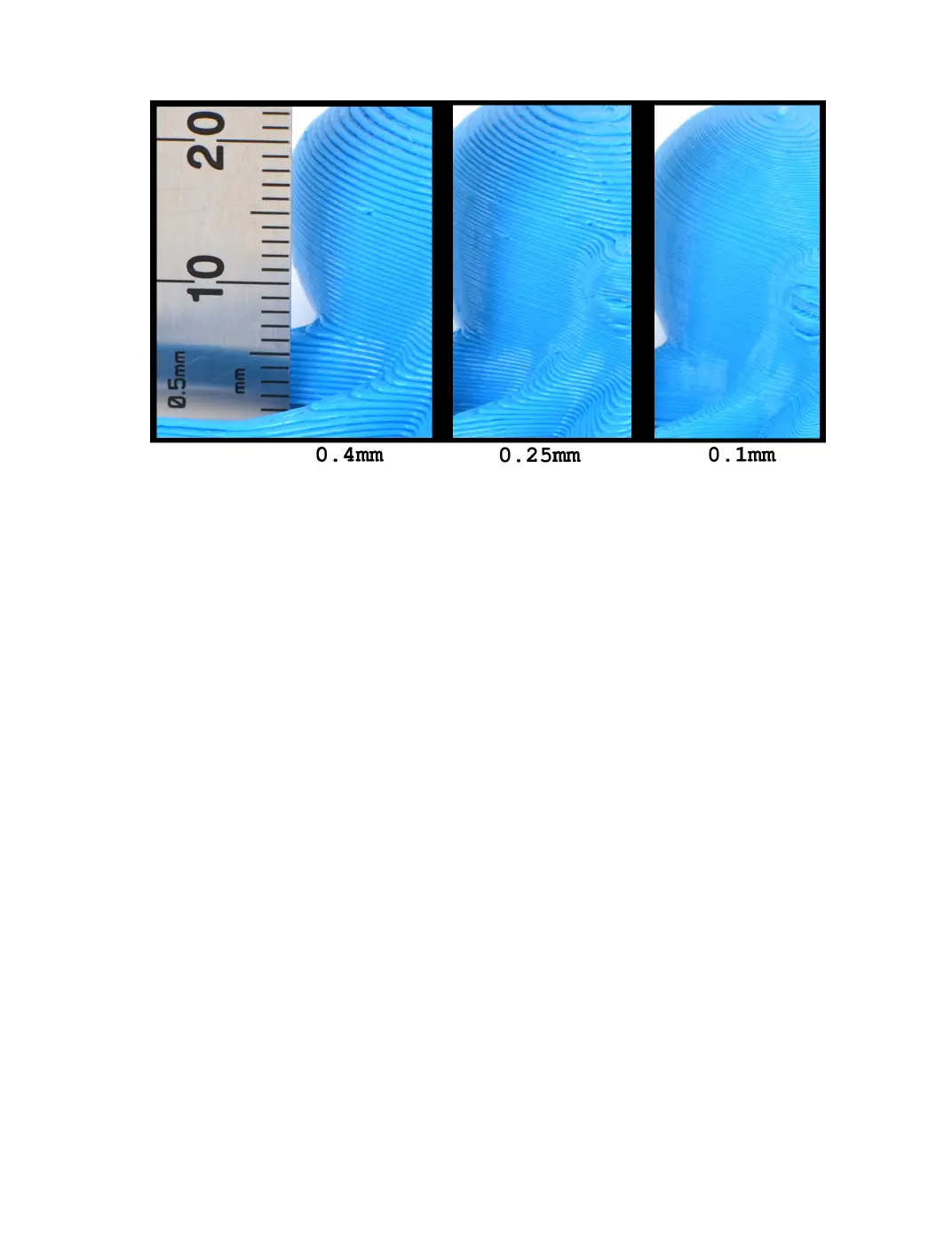
Figure 2.16: Dierences in Layer Height
Initial Layer Height
The initial layer height will be the thickness of your rst layer being printed.
A larger layer height will help ensure adhesion of your part, and help prevent
it from coming loose mid print. We have the default value set to 0.4 mm
for every quality prole, to prevent adjustments to Z oset when swapping
between quality proles. After the rst layer is complete, the thickness will
return to the “layer height” set within the prole.
Line Width
The line width will represent how wide the extruded plastic will be. This
setting is set to your nozzle diameter by default. It is impossible to extrude
a line that is skinnier than your nozzle diameter, and as such the default
value is set to your nozzle diameter (0.5 mm.) You can increase line
width up to 1.25 mm with the stock nozzle, as this represents the width
of the ”at” portion of your nozzle tip. With other nozzles installed, these
numbers will vary.
There are several dierent areas in which you can apply line width
adjustments exclusively.
37



 To Next Page