Page 19 of 60
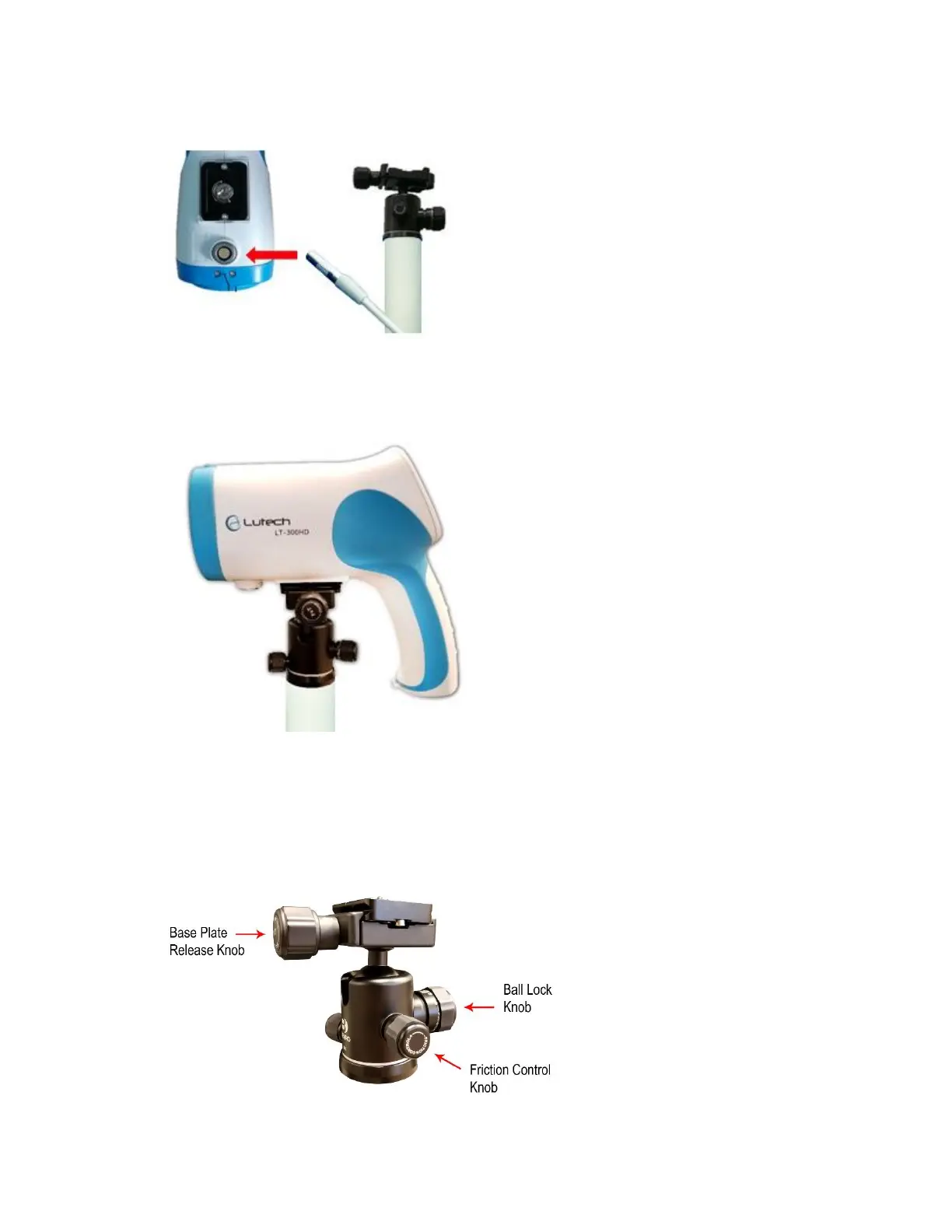
located on the connector located on the bottom of the colposcope camera. Make sure to match the bump
to the notch. The cable will plug in easily. Do not force it in.
13. Slide the camera base plate onto the camera mount and tighten the base plate release knob clockwise to
secure the colposcope.
Diagram 2.4-13
CAUTION:
• Do not let go of the colposcope camera without ensuring that the base plate release knob is
tightened correctly, and the camera head is stable.
• Do not let go of the colposcope camera until the ball lock is tightened. The ball lock and friction
control knob both adjust the tension on the ball socket and can both be used to customize the
movement of the camera.
Diagram 2.4-14



 To Next Page