LX 10k
Advanced operation
Document name: LX 10KUM
Document revision: R1
4.1.4 Turnpoint navigation page
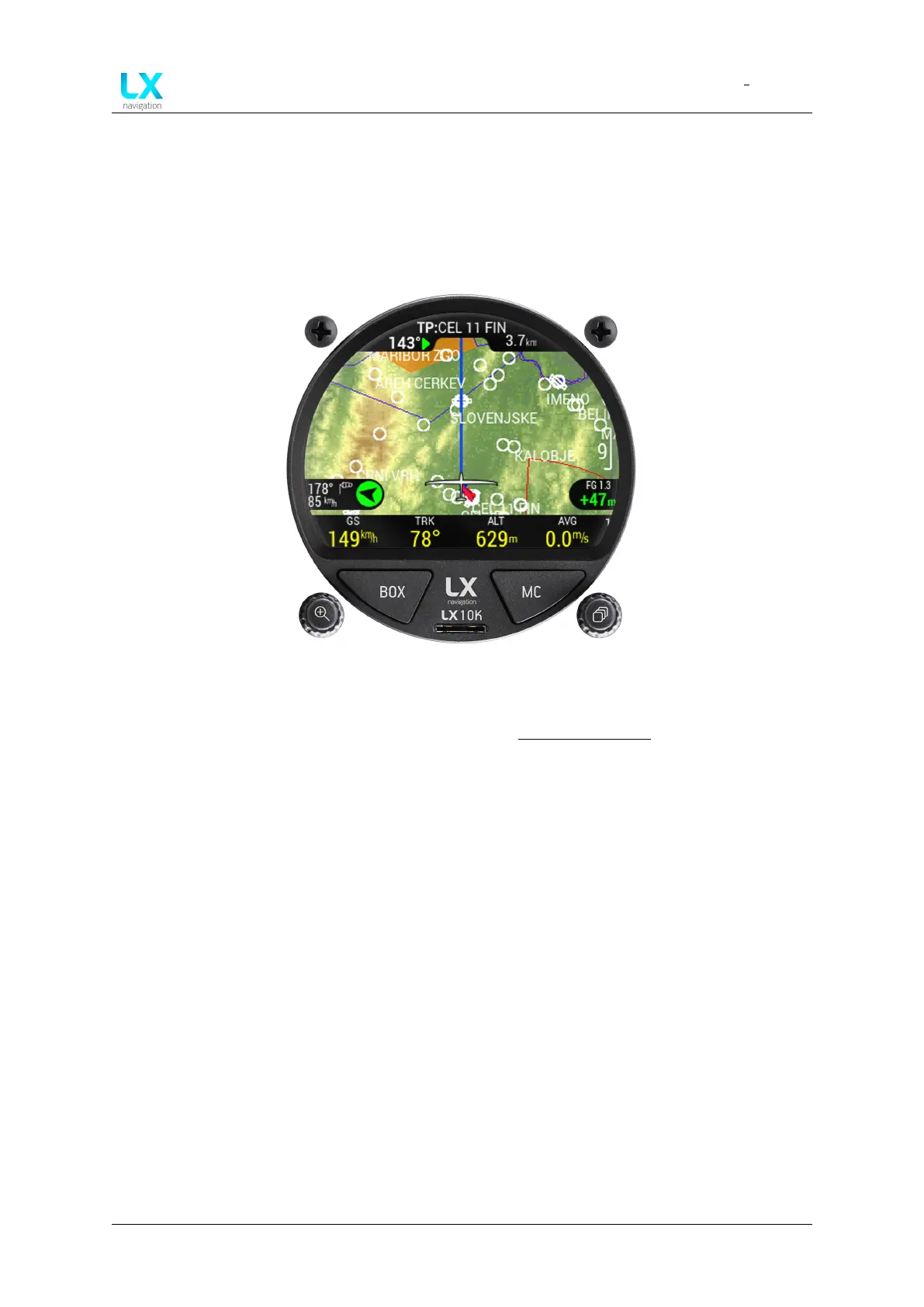
This page is used for navigating towards a single turnpoint, from the .cup file, loaded into the
LX 10k. The navigation screen shows turnpoints, airports, airspaces and ground elevation on
the map.
Figure 18. Turnpoint page overview
Basic operation on this page has been explained in the Navigation pages section. Here, we will
explain some specifics of the Turnpoint navigation page, and how to perform basic Turnpoint
operations.
Pressing the left push-rotary knob will open the TP info sub-page, showing Bearing, Distance,
Final glide and Elevation, if available.
Above the Bearing, an arrow is shown. The arrow can be either green or red, green indicating
the turnpoint is within final glide and red indicating it is out of final glide. The direction of the
arrow indicates the steering course, relative to your current track.
If the arrow is red in colour and pointing directly to the right, it means the turnpoint is out of
final glide and you should turn 90° to the right in order to be on track to the turnpoint. The same
logic is used in other navigation pages, as well as in the select airport and select turnpoint
menu.
Pressing the right push-rotary knob, you will enter the ’Select turnpoint’ sub-page. Here, a
selection of turnpoints will be shown, along with distance and bearing, as well as (relative
bearing) as described earlier, with an arrow. These points can be sorted by either Distance,
Name, or Code.
Device manual Public 26



 To Next Page