LX 10k
Advanced operation
Document name: LX 10KUM
Document revision: R1
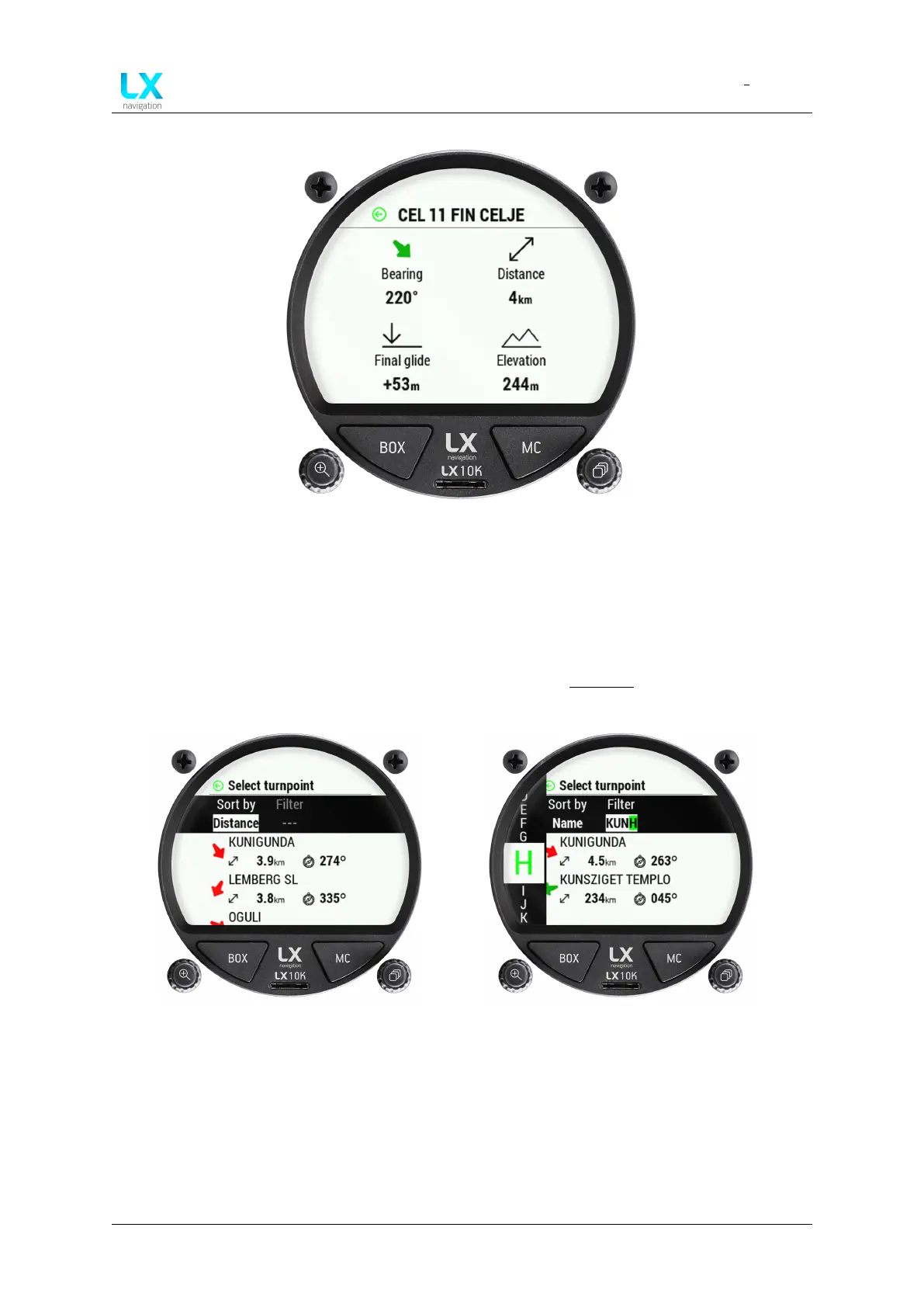
Figure 19. Turnpoint additional info
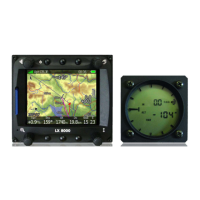
Choosing Name or Code will open up the Filter setting, where you can type the name or code
lettering. Choosing a turnpoint will set the turnpoint as the navigation point for the turnpoint
navigation page.
For additional info on how to install database files, check the Transfer section of this manual.
Figure 20. Turnpoint selection sub-page
Figure 21. Search by name
Device manual Public 27


 To Next Page