20
Capture Mode
When the camera is rst powered on, it will start up in Capture Mode. If there’s a compatible SD card in place, and the
card is not full, the camera is ready to capture a Living Picture. Compose the shot by looking at the live view displayed on
the screen. When ready to capture a picture, press the shutter button all the way down and release.
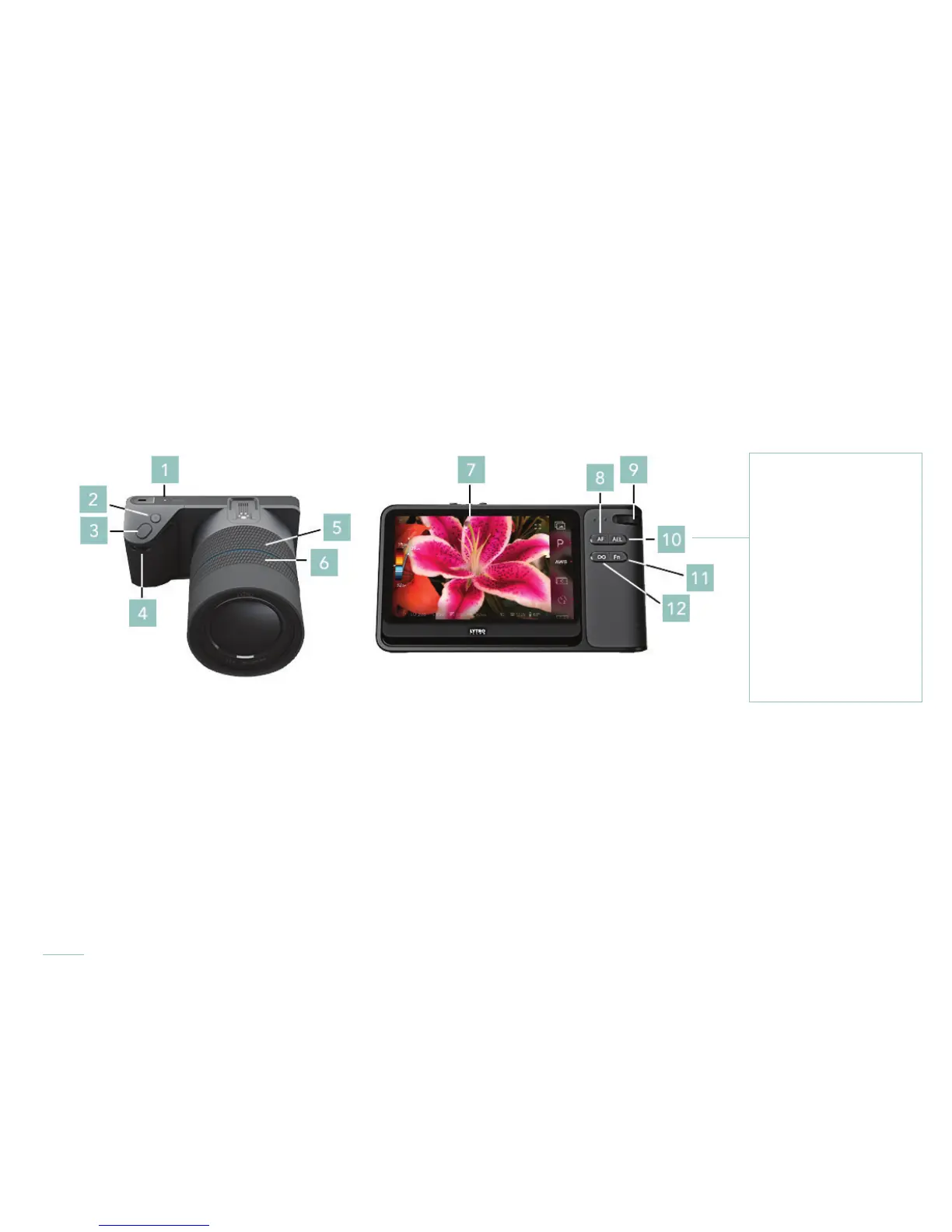
To operate the camera in Capture Mode, use a combination of physical controls and on-screen controls.
Note that these are the default behaviors of the controls. Many can be customized in Settings
(see Camera controls).
Camera Controls
1. Power button
2. Lytro button
3. Shutter button
4. Front dial
5. Zoom ring
6. Focus ring
7. Touchscreen
8. AF button
9. Rear dial
10. AEL button
11. Fn button
12. Hyperfocal button



 To Next Page