81
Depth Histogram and Depth Overlay
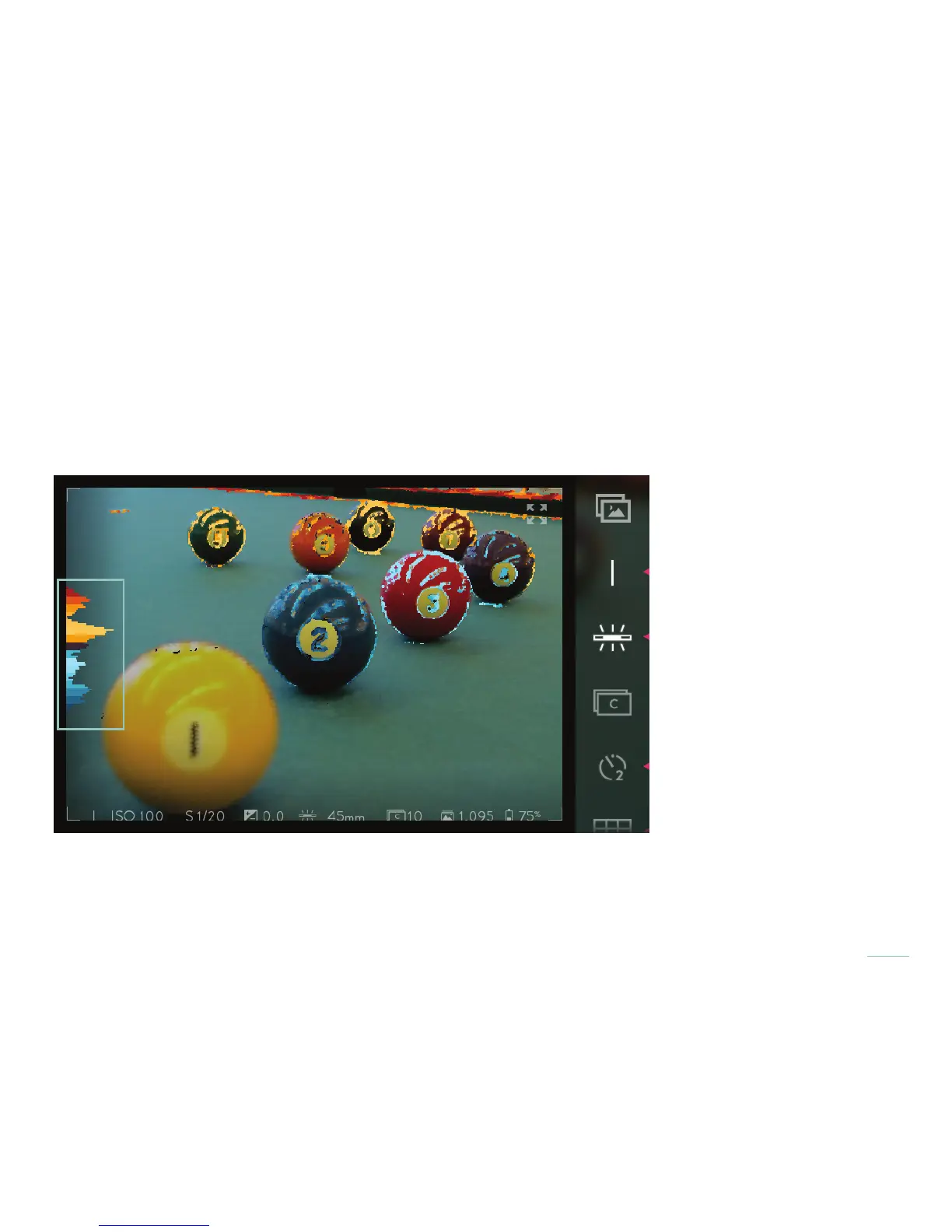
The Lytro ILLUM offers live, interactive depth analysis in the form of the Depth Histogram and Depth Overlay. Both provide
feedback on where subjects fall relative to the refocusable range. To activate them, fully press the Lytro button.
The Depth Histogram consists of bands extending out to the right of a depth scale. Bands in shades of blue represent the near
refocusable range, and bands in shades of orange represent the far refocusable range. The more there is available to refocus on at
a given depth, the further the band beside it will extend to the right.
Evaluate a potential shot using the Depth Histogram. The large wave in the near refocusable range (blue) corresponds to the
subject in the foreground. The wave in the far refocusable range (orange) corresponds to the subject in the background. A well
structured Living Picture with a full range of interactivity will have a balanced histogram of blue and orange when composed and
captured.



 To Next Page