83
Focus bracketing
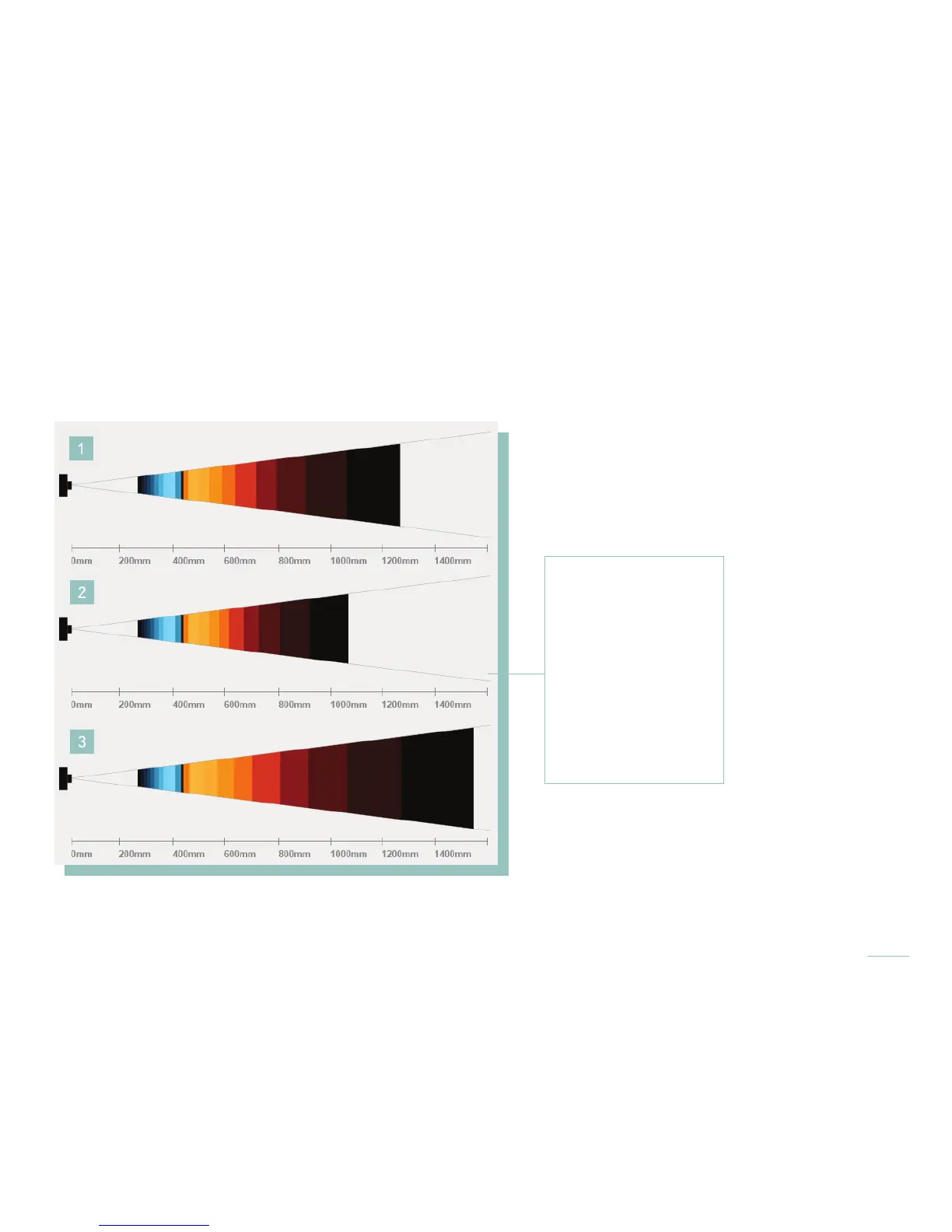
Like the more familiar exposure bracketing, focus bracketing causes the camera to take a series of pictures each time the shutter
button is pressed. But instead of varying the exposure between each picture, the camera varies the focus. That means the refocus-
able range is shifting, too, so there is a better chance of capturing a picture with great possibilities for refocusing.
The change in focus between each picture is expressed in Depth Steps. Choose the number of Depth Steps, from 1 to 10, be-
tween each picture. One can choose 3 or 5 pictures.
To use focus bracketing, add it to the Menu Bar (see Rearrange Menu). Then activate it and set the number of pictures that will be
taken and the number of Depth Steps between each picture. For help setting those parameters, see Applying focus bracketing.
1. Refocusable range,
original
2. Refocusable range,
-1 DS
3. Refocusable range,
+1 DS
The refocusable range
as captured with focus
bracketing set to 3
pictures and 1 Depth
Step (DS).



 To Next Page