57
Applying Exposure Bracketing
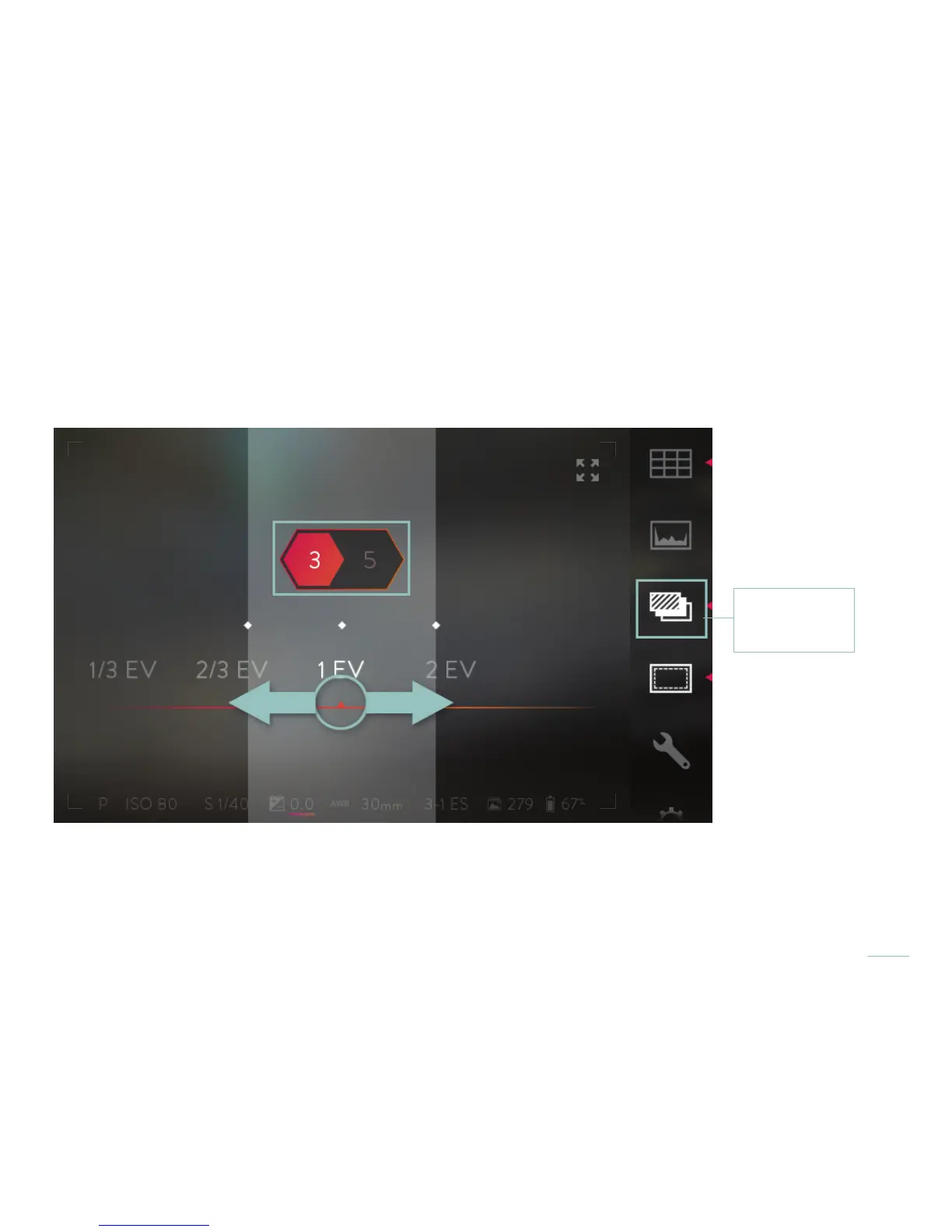
Two selection bands will open across the middle of the screen, with the current settings at the center. The upper band shows the
number of pictures that will be taken, 3 or 5. The lower band shows the exposure value increment that will be applied, 1/3 EV, 2/3 EV,
1EV, or 2 EV. Swipe the bands to change the settings. Double-tap on a selection band returns it to the initial setting.
Once selections are made, tap the screen anywhere outside of the selection bands to close them. A half press of the shutter button
will also close the selection bands. A full press will close them and take a series of pictures using the new settings.
To turn off exposure bracketing, tap the icon again. The camera will remember your selected settings the next time exposure brack-
eting is activated.
Exposure
Bracketing icon



 To Next Page