214683 148 Revision A
1. Engage separator and header.
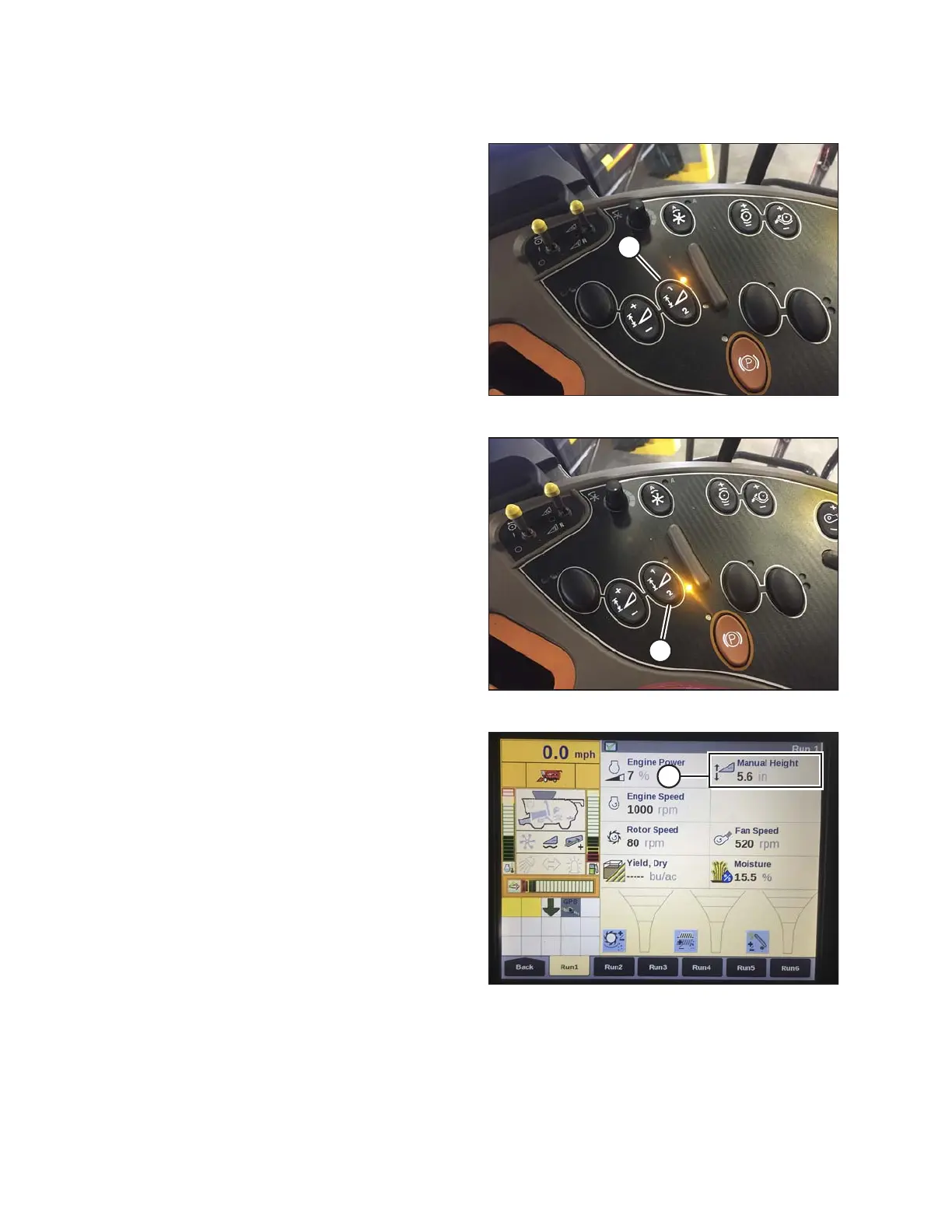
Figure 3.203: Case Combine Console
2. Manually raise or lower header to desired cutting
height.
3. Press 1 on button (A). A yellow light next to the button
will illuminate.
NOTE:
When setting presets, always set header position
before setting reel position. If header and reel are set at
the same time, the reel setting will not be saved.
4. Manually raise or lower reel to desired position.
5. Press 1 on button (A). A yellow light next to the button
will illuminate.
Figure 3.204: Case Combine Console
6. Manually raise or lower header to a second desired
cutting height.
7. Press 2 on button (A). A yellow light next to the button
will illuminate.
8. Manually raise or lower reel to desired position.
9. Press 2 on button (A). A yellow light next to the button
will illuminate.
Figure 3.205: Case Combine Display –
Run 1 Page
Up and down arrows should now appear in the
MANUAL HEIGHT box (A) on the RUN 1 page on the
combine display. This indicates that the auto header
height control (AHHC) is functioning.
OPERATION









 To Next Page