214683 423 Revision A
5.7.3 Adjusting Auger Drive Chain Tension
The auger is chain-driven by the float module drive system sprocket attached to the side of the auger.
DANGER
To avoid bodily injury or death from unexpected start-up of machine, always stop engine and remove key
from ignition before leaving operator’s seat for any reason.
1. Shut down the combine, and remove the key from the ignition.
2. Detach the header from the combine. Refer to 4 Header Attachment/Detachment, page 307.
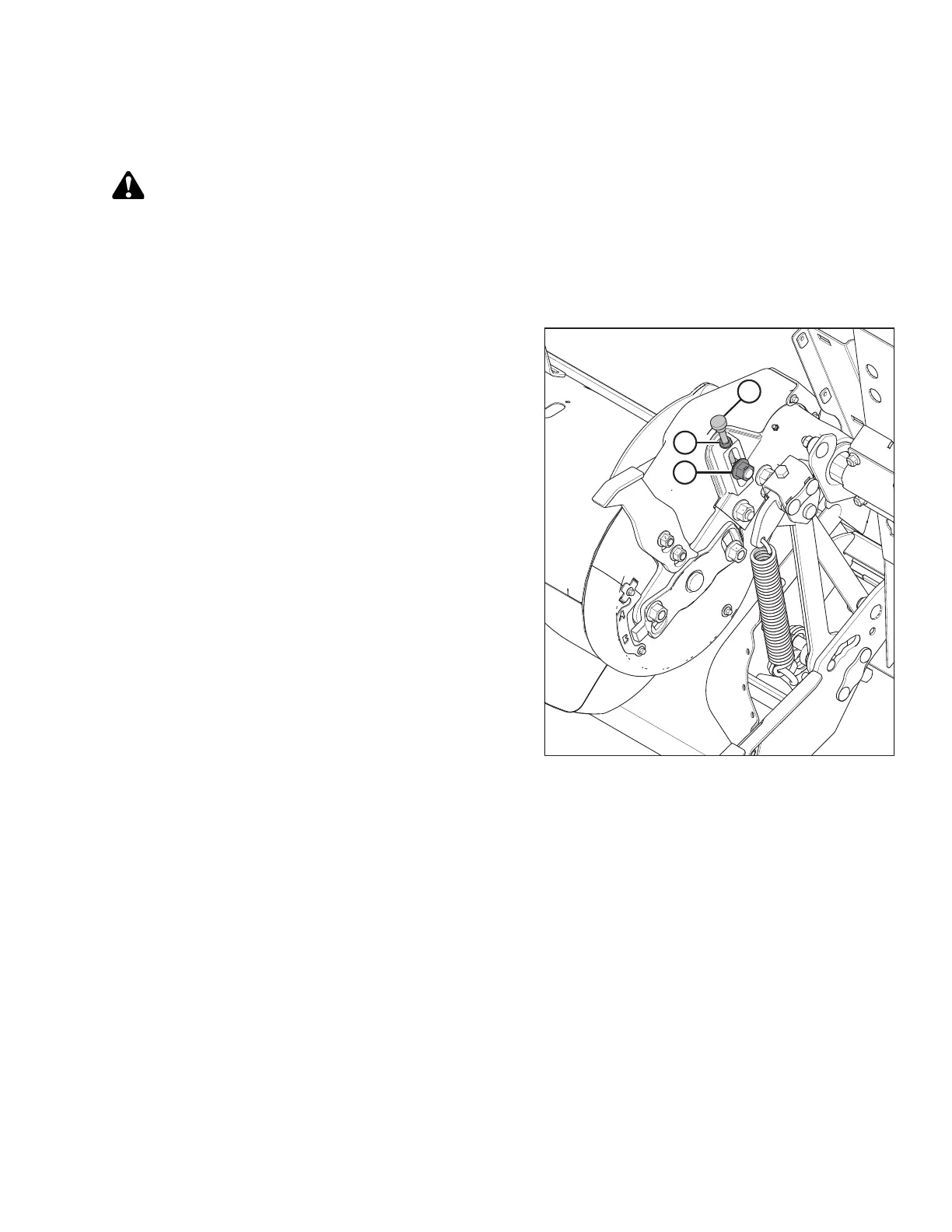
Figure 5.54: Auger Drive (Left Side)
3. Loosen jam nut (B).
4. Loosen idler nut (A) slightly to allow idler to move
by hand.
5. Rotate auger in reverse to take up slack in upper strand
of chain.
6. Turn adjuster thumbscrew (C) clockwise to move the
idler sprocket until it is finger tight only. Then back off
1-1/2 turns.
NOTE:
Do NOT overtighten.
7. Tighten the idler nut (A) and torque to 258–271 Nm
(190–200 lbf∙ft).
8. Check chain tension. Refer to 5.7.2 Checking Auger
Drive Chain Tension, page 421.
MAINTENANCE AND SERVICING









 To Next Page