214683 64 Revision A
3.7.3 Header Float
The header float system reduces the ground pressure at the cutterbar allowing the header to more easily follow the
ground and quickly respond to sudden ground contour changes or obstacles.
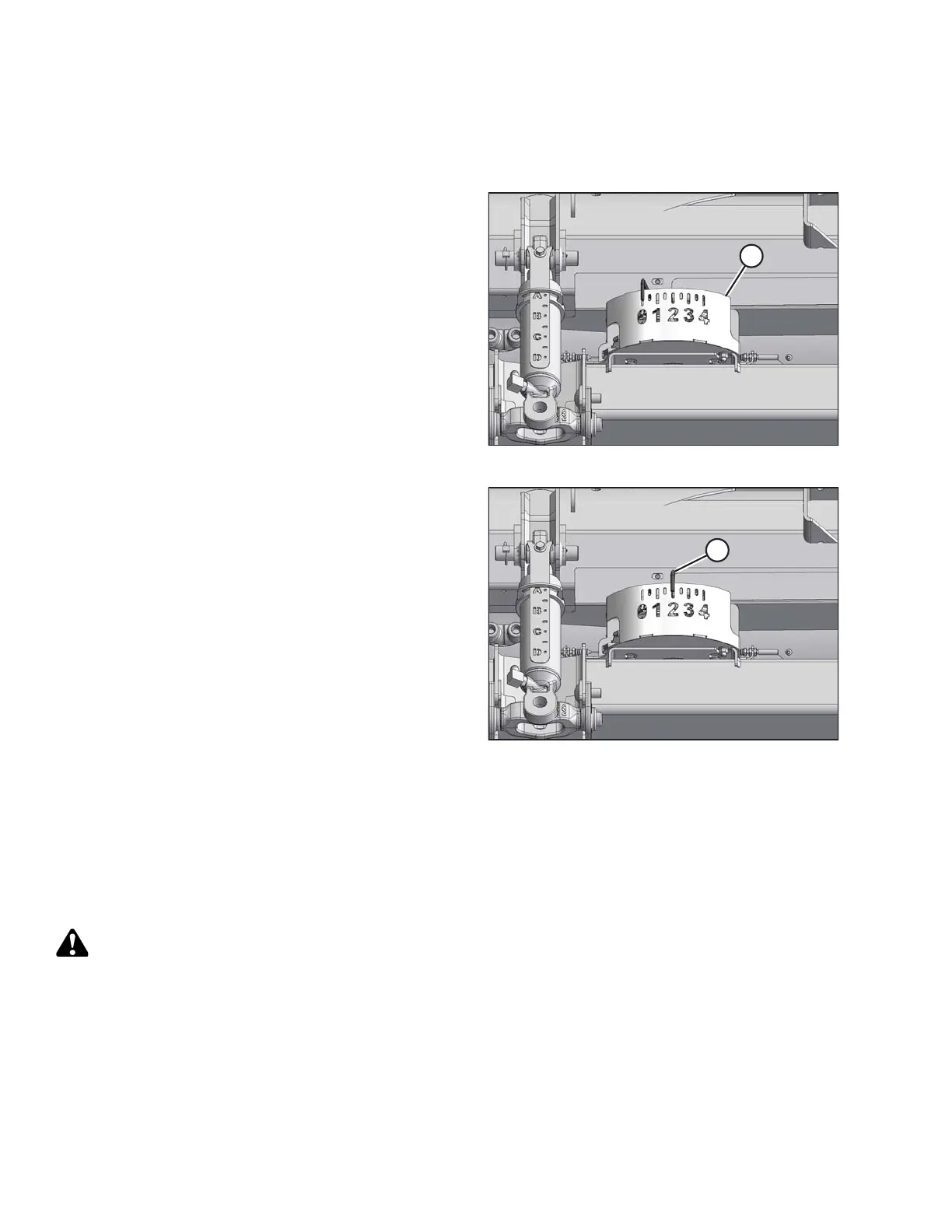
Figure 3.34: Float Indicator
Header float is indicated on the float indicator (A). Values 0
to 4 represent the force of the cutterbar on the ground with 0
being the minimum and 4 being the maximum.
The maximum force is determined by the tension on the
float module’s adjustable float springs. Float can be
changed to suit field and crop conditions and is dependent
on what options have been installed on the header. Refer to
Checking and Adjusting Header Float, page 64.
The FD1 Series combine header performs best with
minimum ground pressure under normal conditions.
Readjust the float if adding optional attachments to the
header that affect header weight.
Figure 3.35: Cutting on the Ground
1. Set the float for cutting on the ground as follows:
a. Ensure the header float locks are disengaged.
Refer to Locking/Unlocking Header Float, page 69.
b. Lower feeder house using the combine header
controls until the float indicator (A) reaches the
desired float value (cutterbar ground force). Set the
float indicator initially to float value 2 and adjust as
necessary.
2. Set the float for cutting off the ground as follows:
a. Set up the stabilizer wheels. Refer to 3.7.1 Cutting
off the Ground, page 58.
b. Note the float value on the float indicator and
maintain this value during operation (disregard
minor fluctuations on the indicator).
Checking and Adjusting Header Float
The header is equipped with a suspension system that floats the header over the ground to compensate for ridges,
trenches, and other variations in ground contour. If the header float is not set properly, it may cause the cutterbar to
push into the ground or leave uncut crop. This procedure describes how to check header float and adjust to the
factory-recommended settings.
DANGER
To avoid bodily injury or death from unexpected start-up of machine, always stop engine and remove key
from ignition before leaving operator’s seat for any reason.
Use the following guidelines when adjusting float:
• Turn each adjustment bolt pair equally. Refer to Step 12, page 67, and repeat torque wrench reading procedure
on both sides of header.
OPERATION









 To Next Page