214683 240 Revision A
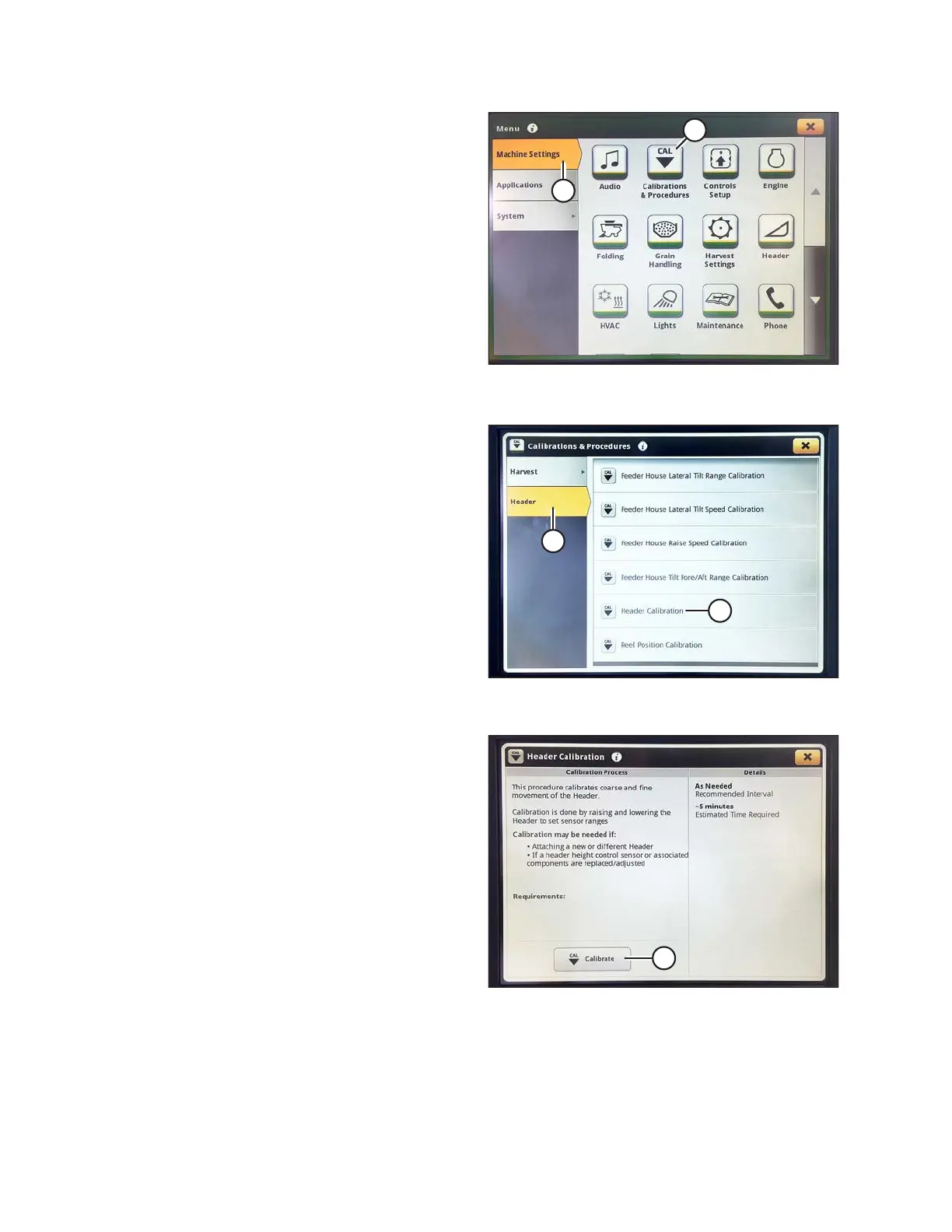
Figure 3.410: John Deere S7 Display – Machine
Settings
5. Select the MACHINE SETTINGS tab (A).
6. Select the CALIBRATIONS & PROCEDURES icon (B).
The CALIBRATIONS & PROCEDURES page displays.
Figure 3.411: John Deere S7 Display –
Calibrations and Procedures
7. Select HEADER tab (A).
8. Select HEADER CALIBRATION (B). The HEADER
CALIBRATION page displays.
Figure 3.412: John Deere S7 Display – Header
Calibration
9. Select CALIBRATE (A) at bottom of page. The
calibration overview window opens.
OPERATION









 To Next Page