214633 51 Revision C
5.4 Converting from Field to Transport Mode – With Road-Friendly
Transport
™™
DANGER
To prevent serious injury or death, do NOT convert the machine into, or from transport mode until all people, animals,
and objects are clear of the unit’s rotational range.
DANGER
Stop the power take-off (PTO) before converting the unit into transport mode. The cutting discs continue to spin after
the drive is turned off.
CAUTION
To prevent equipment damage, ensure cutterbar doors are properly closed before converting the machine from field to
transport mode.
IMPORTANT:
In some jurisdictions, having tall crop dividers installed can make the rotary disc pull-type too wide for public roads when in
transport mode. If necessary, remove the dividers, and reinstall them after the machine is transported. For instructions,
refer to the rotary disc pull-type operator's manual.
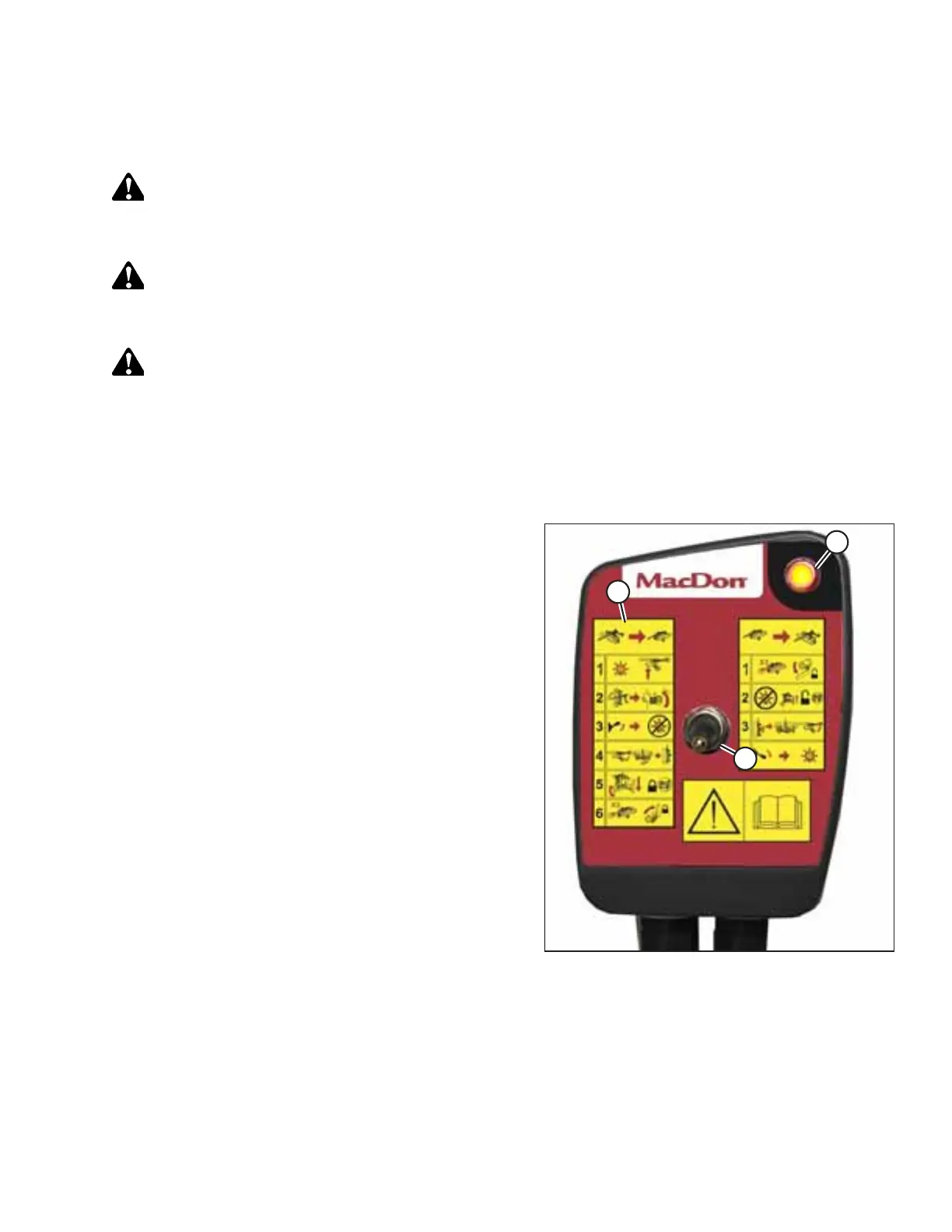
Figure 5.6: Control Box
1. Clear bystanders from the area and start tractor. Do NOT
operate the rotary disc pull-type.
2. Following the steps on field-to-transport decal (A), move
transport switch to lower position (C) and ensure that light
(B) is illuminated.
TRANSPORTING THE ROTARY DISC PULL-TYPE




 To Next Page