214633 39 Revision C
3.4.6 Installing Slow Moving Vehicle Sign
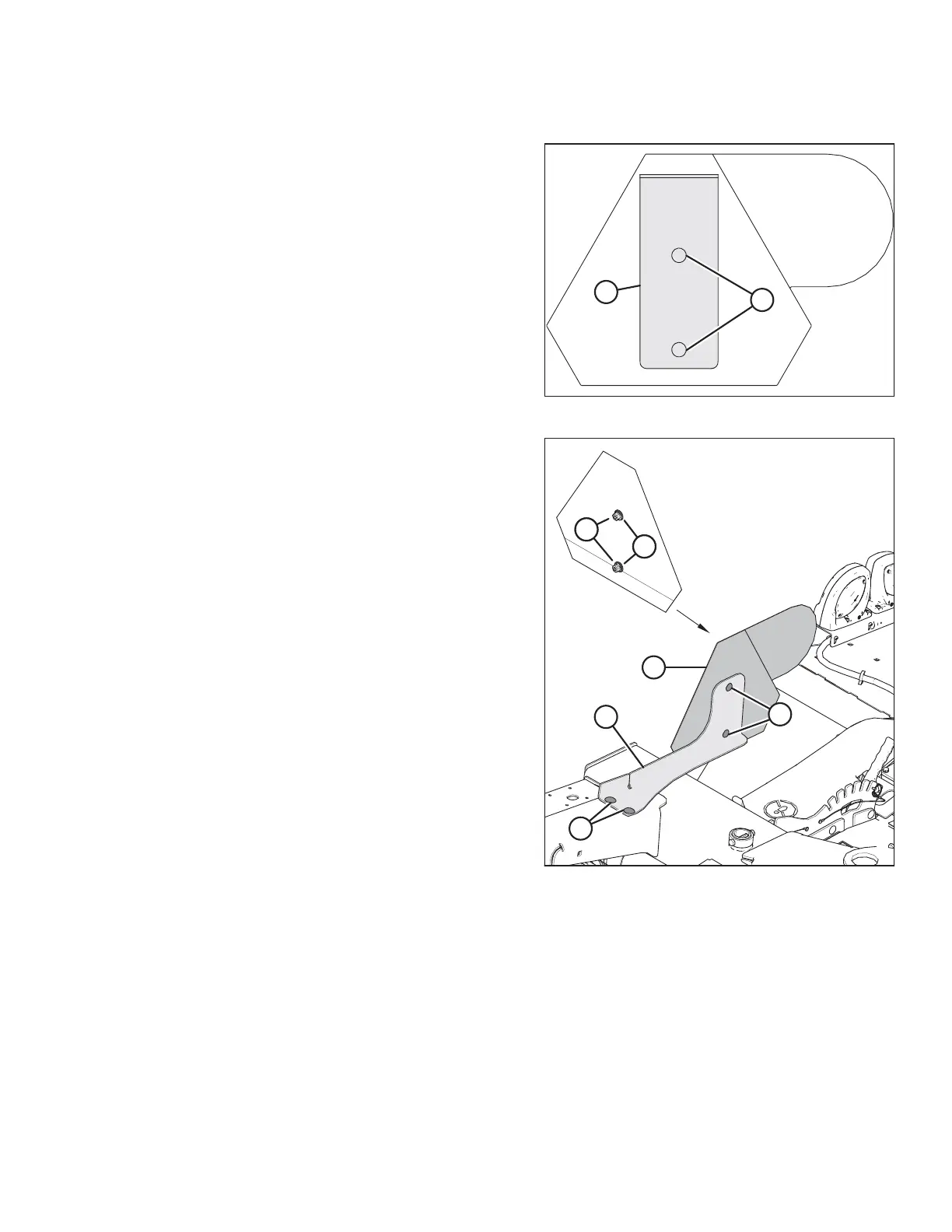
Figure 3.67: SMV Sign
1. Retrieve the slow moving vehicle (SMV) sign that was
previously removed.
2. Remove bolts (A), and discard existing bracket (B). Retain
the two bolts, nuts, and washers.
NOTE:
For model year 2019 and prior: Pull-types are NOT
equipped with washers. Order two washers (MD #18670)
separately.
Figure 3.68: SMV Sign
3. Retrieve bracket (A) (MD #259218).
4. Attach bracket (A) to left end float spring member with
M12 bolts (B) (MD #184667) and nuts (MD #136431)
retrieved from the shipping bag.
5. Attach sign (C) to bracket (A) and secure with two bolts (D),
washers (E), and nuts (F).
INSTALLATION INSTRUCTIONS





 To Next Page