214633 33 Revision C
3.4 Installing Electrical Components
3.4.1 Installing Light Assemblies
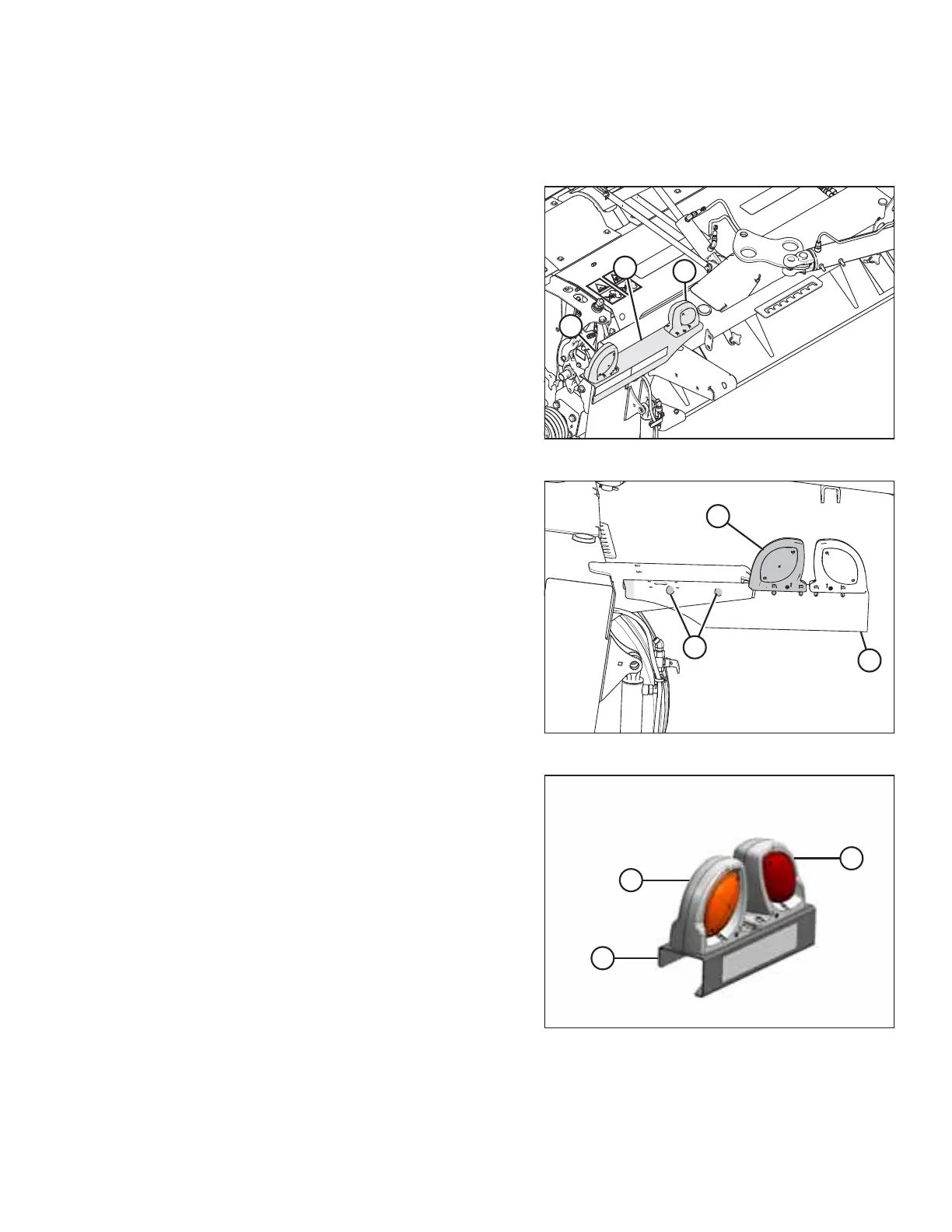
Figure 3.51: Transport Lighting
1. Disconnect the wiring harnesses at the left light assembly;
there are two connectors per assembly.
2. Remove left light assembly (A).
NOTE:
The right light assembly was removed earlier.
3. Remove lamps (B). Retain lamps and hardware for
installation.
Figure 3.52: Left Side of Carrier
4. Remove red lamp (C) from the right light assembly
(removed in an earlier procedure). Align red lamp (C) with
the predrilled holes in the right lamp bracket, next to
amber lamp. Secure the red lamp with existing hardware,
as shown.
5. Install right light assembly (A) on the left float spring mount
using two nuts (MD #136431) and two bolts (MD #184667)
from the shipping bag. Red lamp (C) should be towards rear
of machine when in transport mode.
Figure 3.53: Light Assembly
6. Retrieve new light bracket (C) (MD #223185) from
shipment.
7. Install amber lamp (A) and red lamp (B) onto new
bracket (C), previously removed from the left lamp bracket,
with hardware provided.
INSTALLATION INSTRUCTIONS





 To Next Page