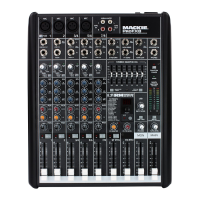
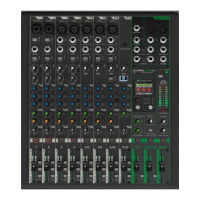
PROFXV3+ MULTI-CHANNEL ANALOG MIXERS WITH ENHANCED FX, USB RECORDING MODES, AND BLUETOOTH®
7
• Headphone output with separate level and blend control
• Easily blend between monitoring your computer output and a latency-free feed from the mixer
• Waveform OEM™ recording sofware Included
• Legendary Built-Like-A-Tank design
• Solid steel chassis
• Tough ABS side protection
Things to Remember
• Never listen to loud music for prolonged periods.
Please see the Safety Instructions on page 2 for information on hearing protection.
• As a general guide, the ProFXv3+ should be turned on first, subwoofers next, and the loudspeakers last.
As such, the loudspeakers should also be turned o first, followed by the subwoofers, then the ProFXv3+.
This will reduce the possibility of any turn-on or turn-o thumps and other noises generated by any upstream
equipment from coming out of the speakers.
• Save the shipping boxes and packing materials! You may need them someday. Besides, the cats will love playing
in them and jumping out at you unexpectedly. Remember to pretend like you are surprised!
• Save your sales receipt in a safe place.
About This Guide
This guide is designed to be accessible, with subsections as complete as practical to minimize having to electronically leaf
back and forth looking for the whole story. The entire guide does not need to be read to figure out how to use this console.
As the saying goes, “a picture tells a 000 words”. With that thought in mind, we added quite a few illustrations, screenshots
and other images throughout to accompany the text.
This icon marks information that is critically important or unique! For your own good, read and remember
them.
There’s an illustration of a microscope, so, of course, you’re going to get more detailed information
when you see this little guy. There are explanations of features and practical tips listed here.
It’s a good idea to pay attention to text displayed next to a note icon, as this icon draws attention
to certain features and functions relating to the usage of ProFXv3+.



 To Next Page