PROFXV3+ MULTI-CHANNEL ANALOG MIXERS WITH ENHANCED FX, USB RECORDING MODES, AND BLUETOOTH®
Chapter 3 : ProFXv3+ Top Panel Features
Introduction
From top to bottom and lef to right, the top panel of each ProFXv3+ mixer is oufitted with a bunch of knobs, buttons, faders,
jacks, screens, and more. So much more, in fact, that we will call out and describe each one...
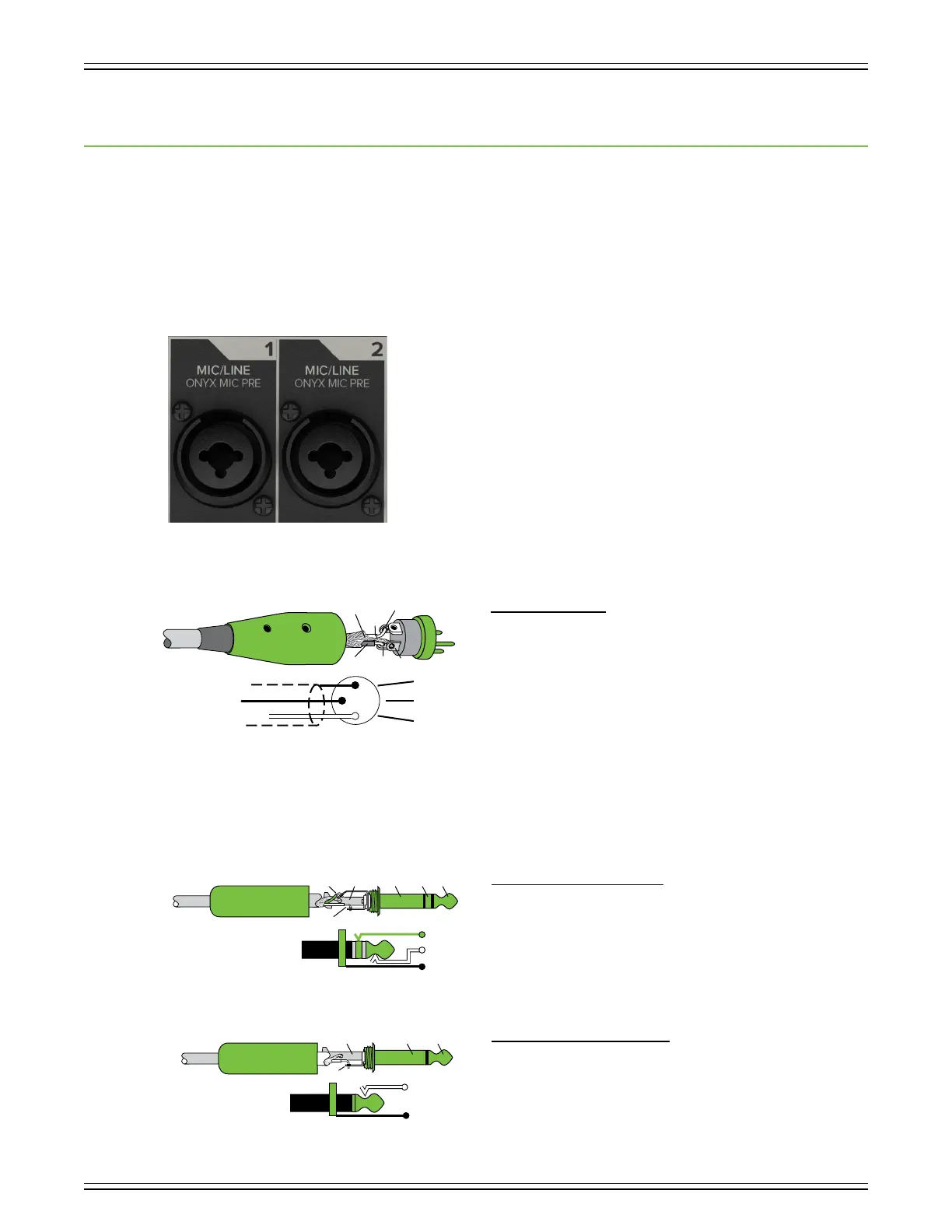
XLR and /4" Combo Input Jacks
The first two input channels may accept a balanced mic or line-level signal using an XLR connector.
They are wired as follows, according to standards specified by the AES (Audio Engineering Society).
XLR Balanced Wiring:
Pin = Shield (ground)
Pin 2 = Positive (+ or hot)
Pin 3 = Negative (– or cold)
In addition to accepting balanced mic or line-level signals using an XLR connector, these inputs may also accept /4" line-level
signals driven by balanced or unbalanced sources.
To connect balanced lines to these inputs, use a /4" Tip-Ring-Sleeve (TRS) plug. “TRS” stands for Tip-Ring-Sleeve, the three
connection points available on a stereo /4" or balanced phone jack or plug. TRS jacks and plugs are used for balanced signals
and stereo headphones and are wired as follows:
/4" TRS Balanced Mono Wiring:
Sleeve = Shield
Tip = Hot (+)
Ring = Cold (–)
To connect unbalanced lines to these inputs, use a /4" mono (TS) phone plug, wired as follows:
/4" TS Unbalanced Mono Wiring:
Sleeve = Shield
Tip = Hot (+)
3
1
SHIELD
COLD
HOT
SHIELD
COLD
HOT
3
2
1
SLEEVE
TIPSLEEVE
TIP
RING
RING
TIP
SLEEVERING
SLEEVE
TIP
TIPSLEEVE
TIP
SLEEVE



 To Next Page