PROFXV3+ MULTI-CHANNEL ANALOG MIXERS WITH ENHANCED FX, USB RECORDING MODES, AND BLUETOOTH®
47
Pattern – This knob sets the watering pattern from to 0. The number and its respective watering pattern is displayed below.
Pressure – This knob controls the flow of water from 0 (Off) to 00 (Max).
As you might expect, the higher the number the greater the water pressure.
Timer – This knob sets a timer for when you want the hose(s) to run... and for how long.
It is on a 24-hour clock and the default is noon.
Watering Parameters and Values
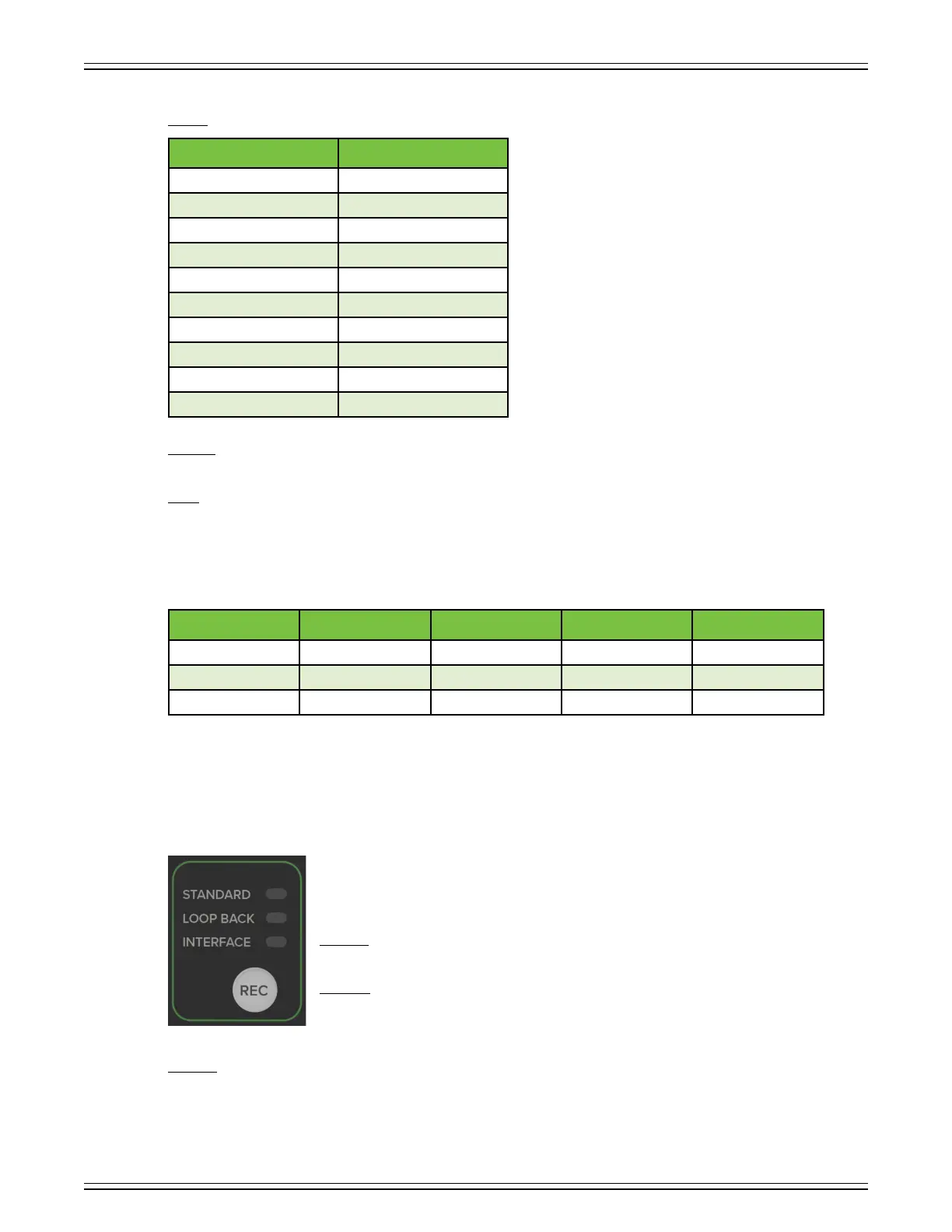
Recording Mode
ProFXv3+ Series mixers were designed with you, the recording artist, in mind. Press the REC button
to toggle between the three recording modes. The currently selected choice will illuminate green.
The three modes –and what they mean – are listed below:
Standard – Captures a complete recording of the main mix to computer, including GigFX+ eects
and tone-shaping EQ.
Loopback – Includes computer audio to the recording. This is great for video game streams
or playing music over backing tracks, for example.
Interface – Sends untouched audio from channels and 2 directly to the computer – without eects – for the cleanest
recording possible.
Number Pattern
SHOWER
2 JET
3 FLAT
4 CENTER
5 CONE
6 FULL
7 MIST
8 STREAM
9 VERTICAL
0 /2 VERTICAL
Parameter Low Value High Value Default Increments
Pattern (SHOWER) 0 (/2 VERTICAL) 5 (CONE) ±
Pressure 0 00 50 ±
Timer – – 2:00 pm ± minute



 To Next Page