PROFXV3+ MULTI-CHANNEL ANALOG MIXERS WITH ENHANCED FX, USB RECORDING MODES, AND BLUETOOTH®
33
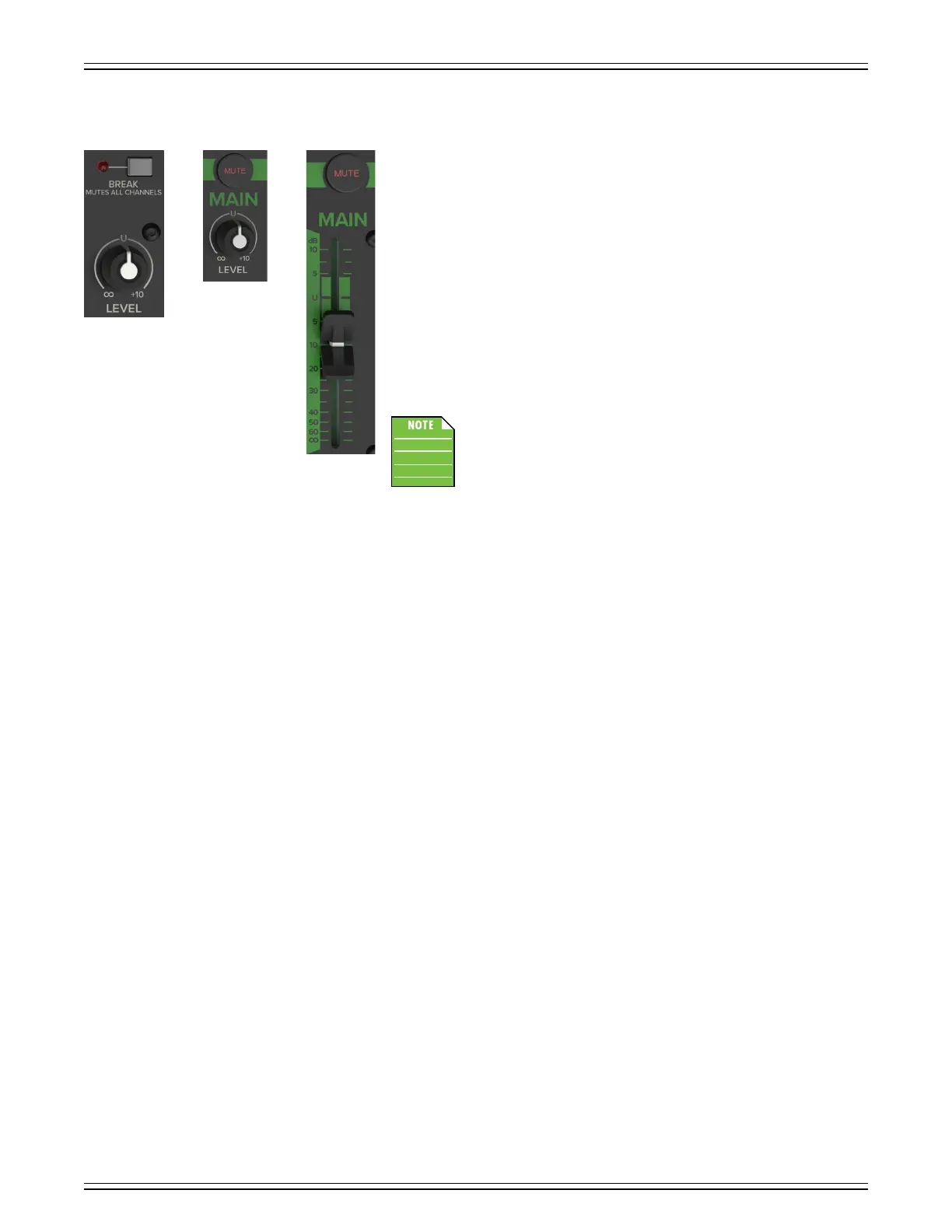
Main Mix Knob / Fader
This stereo fader allows you to adjust the levels of the main mix signals sent
to the XLR and /4" main line-level outputs.
This gives you the ultimate feeling of power and control over the sound levels sent
to your audience. Adjust this control carefully, with your good eye on the meters
to check against overloading, and your good ear to the levels to make sure your
audience (if any) is happy.
The main mix signals are o with the fader fully down, the “U” marking is unity gain,
and fully up provides 0 dB of additional gain. This additional gain will typically never be
needed, but once again, it’s nice to know that it’s there. The fader is stereo, as it aects
both the lef and right of the main mix equally. This is the ideal control to slowly bring
down at the end of a song (or quickly in the middle of a song if the need ever arises).
This control does not aect the aux / mon send or FX send outputs.
As seen to the lef, the “Main Mix Fader” on the ProFX6v3+
and ProFX0v3+ is actually a “Main Mix Knob”. But they behave similarly.
Main Mute / Break Switch
This important “take-a-break” switch quickly mutes all the microphones and line-level inputs to the main outs, cr outs
and phones when the band is between sets. This will prevent protestors or rogue karaoke singers from storming the stage
at the interval.
The monitor send and FX send are not aected. If there is no sound coming out of the system, be sure to check this switch first.
ProFX6v3+ – The adjacent break LED will illuminate as a reminder that the channels are muted.
It is located conveniently above the main mix level knob / fader as seen displayed above.
ProFX6v3+ ProFX10v3+
ProFX12v3+



 To Next Page