PROFXV3+ MULTI-CHANNEL ANALOG MIXERS WITH ENHANCED FX, USB RECORDING MODES, AND BLUETOOTH®
36
Delay
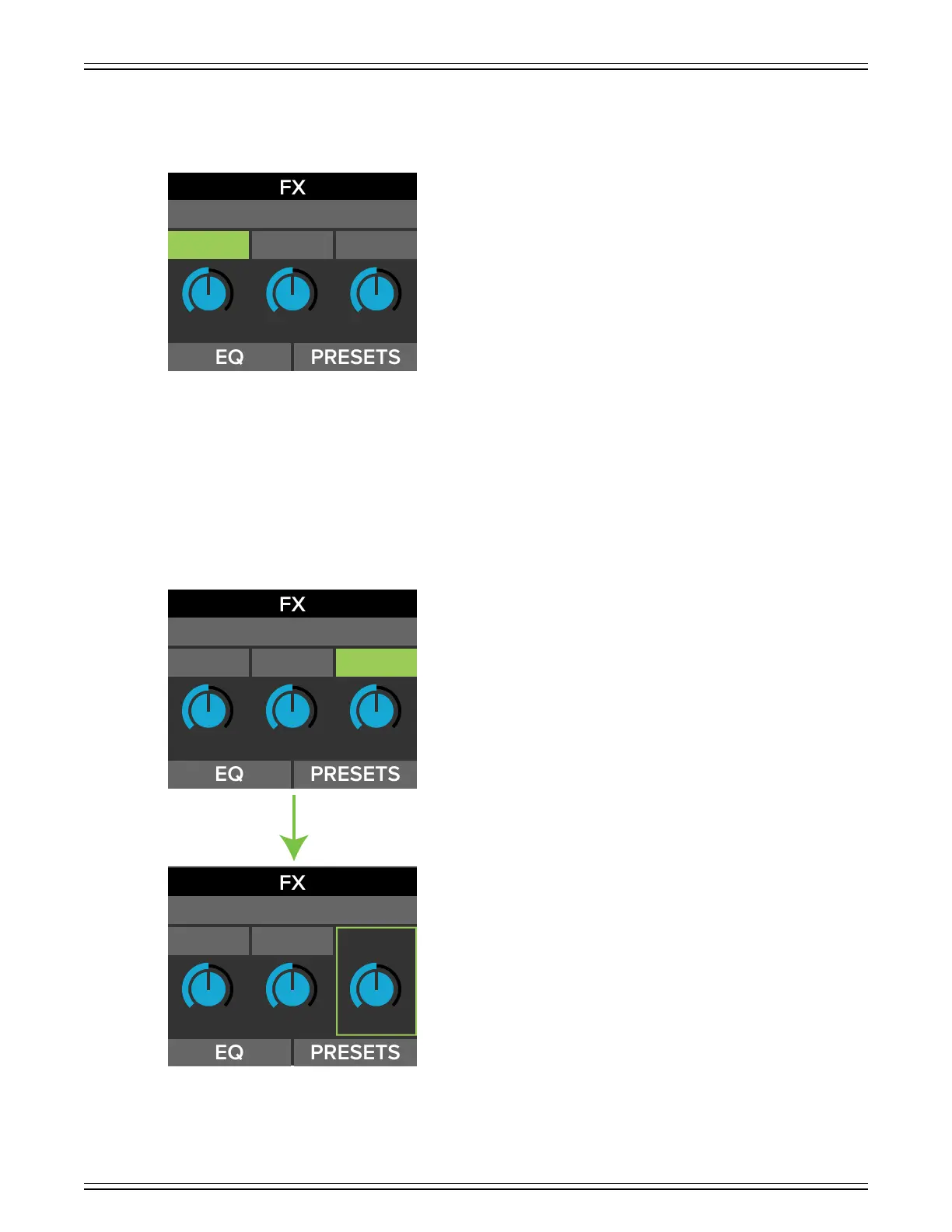
The preset display should now show the current parameters of the delay eect:
Delay allows adjustment of the delay eect. ProFXv3+ Series mixers come with three delays to choose from: delay, echo and
slapback.
The delay parameters that may be changed on each include time, feedback and hi-cut. Additionally, each eect has an EQ sec-
tion, as well as a spot to save and load custom FX via presets.
Rotate the Studio Command Control Knob between the three selections located above the virtual knobs. When time, feedback or
hi-cut is highlighted, simply push the knob in to select the parameter.
Notice how hi-cut is highlighted in the first screenshot below. But in the second screenshot, hi-cut has been selected (by
pressing in the Studio Command Control Knob), resulting in the text of the parameter and corresponding border turning green.
FBK HICUTTIME
DELAY
510 6 50
FBK HICUTTIME
510 6 50
FBK HICUTTIME
510 6 50
DELAY
DELAY



 To Next Page