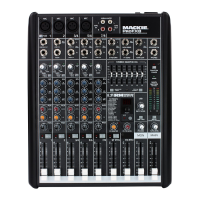
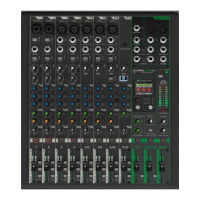
PROFXV3+ MULTI-CHANNEL ANALOG MIXERS WITH ENHANCED FX, USB RECORDING MODES, AND BLUETOOTH®
5
Noise / Hum
• Are the EQs set to reasonable levels?
• Are any aux returns maxed out?
• Are you using unbalanced cables? Swap them out with balanced cables to see if that fixes the problem.
• Try the same source signal in another channel, set up exactly like the suspect channel.
• Try disconnecting the cable connected to the input jack. If the noise disappears, it could be a “ground loop,”
rather than a problem with the mixer.
• Turn the input gains down one-by-one. If the oending noise disappears, it’s either that input or whatever is plugged into it.
If you unplug the whatever-is-plugged-into-it and turn the input gain back up and the noise is gone, it’s from your whatever.
• Is phantom power required for the microphone?
• Whenever possible, plug all the audio equipment’s line cords into outlets which share a common ground.
The distance between the outlets and the common ground should be as short as possible.
• Make sure none of the signal cables are routed near AC cables, power transformers, or other EMI-inducing devices.
• Is there a light dimmer or other SCR-based device on the same AC circuit as the mixer?
Use an AC line filter or plug it into a dierent AC circuit.
Other Issues
• Bluetooth Blues?
• Restart the Bluetooth device. Completely power it down, then power it back up.
• Restart the mixer. A simple reboot can sometimes work great wonders.
• Using a Windows-driven computer and need to install the Mackie USB Driver?
• Go to mackie.com and look for the file named ‘USB Driver Installation Instructions’.
• Need answers about ASIO?
• There is a lot of great information here, including ASIO driver downloads, FAQs, troubleshooting,
a forum and more! Please review before calling Technical Support:
o http://www.asio4all.org/
• Other issues?
• Please email or call Technical Support if you are having any other issue not listed here:
o mackie.com/support-contact
o -800-898-32



 To Next Page