PROFXV3+ MULTI-CHANNEL ANALOG MIXERS WITH ENHANCED FX, USB RECORDING MODES, AND BLUETOOTH®
34
GIGFX+ Effects Engine
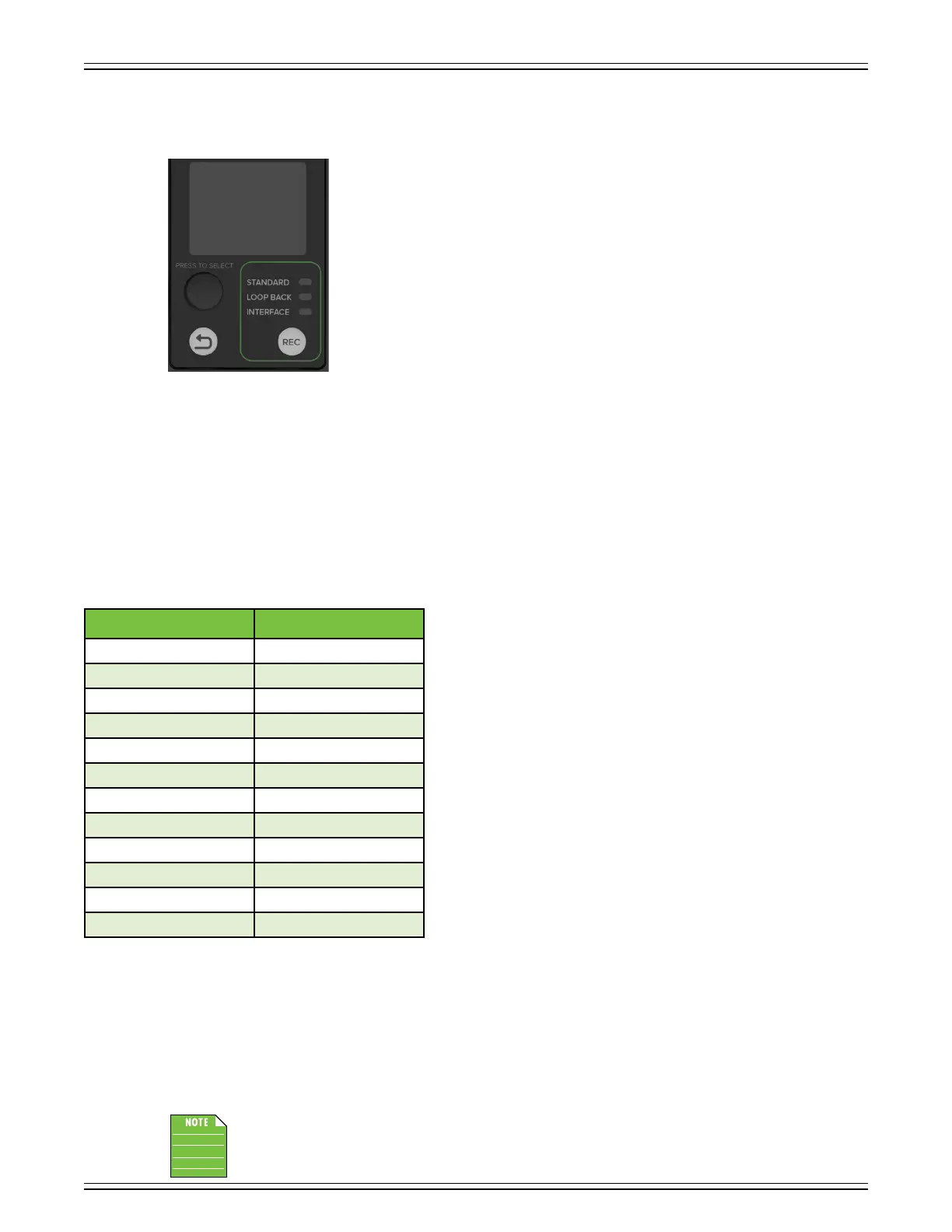
Preset Display
The Preset Display is one of the most vital features of the ProFXv3+ Series mixers. It displays
information including (but not limited to) FX (and FX EQ), presets, and other parameters.
Additional detail about all of these features may be found by continuing on.
Studio Command Control Knob
I wonder why they dismissed my suggestion for calling this the Studio Under Command
Knob...? I mean, c’mon, right?! Turn the SUCK up/down to change parameters,
push the SUCK in to select. I digress...
While the display presents the FX (and FX EQ), presets, and other parameters, it’s the mixer’s push-button rotary encoder
that allows you to access these fields and change them.
Simply rotate the knob until the parameter you want to change is highlighted, push the encoder in, then make the changes.
Again, additional details are coming soon. Please read on...
Back Button
The back arrow button is used as a navigation tool to go back and forth between the FX list and the current eect.
Pressing and holding the back button will display all 2 eects into two
columns of six. From here, one is able to rotate the endless Studio Command
Control Knob to select one of the 2 preset eects.
The fun thing about these preset eects is what was mentioned above...
they may be updated and tweaked to your heart’s content! More on this
starting on the following page.
The dierent available eects presets are shown in the table to the lef
and the currently selected eect preset is shown in the display. Only one
preset may be selected at a time. Further details of each preset is explained
on the following pages.
Factory Reset
When a ProFXv3+ mixer is factory reset, it restores most parameters back to their default. This includes all FX parameters
and any stored presets. This is a permanent reset with no undo.
So how does one place the mixer back to its factory default? Press and hold the Studio Command Control Knob AND Back
Button simultaneously until the display shows the Mackie Running Man.
Doing a factory reset and resetting the FX EQ (see page 4) are not the same thing and will result in dierent
settings.
Number Eect
DELAY
2 ECHO
3 SLAPBACK
4 HALL REVERB
5 ROOM REVERB
6 PLATE REVERB
7 CHORUS
8 CHORUS 2
9 FLANGER
0 DELAY + REVERB
DELAY + CHORUS
2 REVERB + CHORUS



 To Next Page