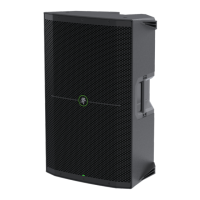
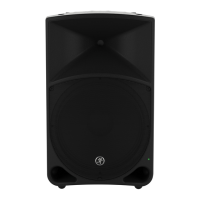
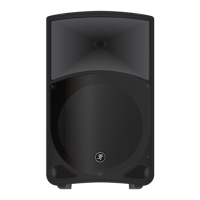
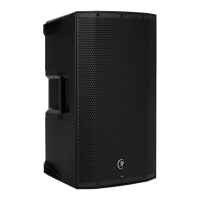
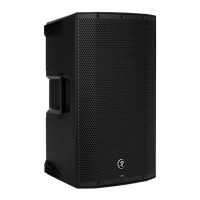
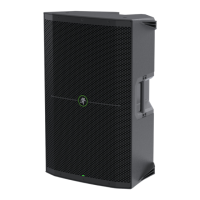
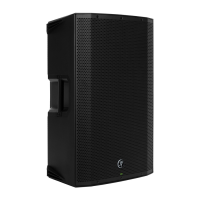
THUMP210XT 10" 1400W ENHANCED COMPACT POWERED LOUDSPEAKER
5
E. Heat Level
If the temperature is the aforementioned “frigid”, we’re pretty confident that you’re going to want to crank the heat... perhaps
not, but we’d bet on it!
This works similarly to that of the fan speed with settings ranging from (low heat) to 5 (cranked heat). Quickly press
this button to what setting you would like, up to five times. The LED will flash green the number of the current setting.
F. Rotate
Last, but absolutely not least... the fan AND heater are both rotatable (although the one switch controls whichever one
is engaged, of course).
The rotation speed may be set to (low), 2 (medium), or 3 (high). As with the fan speed and heat level, quickly press this button
to what setting you would like, up to three times. The LED will flash green the number of the current setting.
Please note that the rotation function only works when the loudspeaker is mounted on the T00 tripod
or SPM400 pole mount. Operators are standing by!
Bluetooth / Pair
While not a “physical” connection, stereo channel 3/4 is considered the Bluetooth channel and its volume is raised
and lowered via the device.
This is how to connect your device to the ThumpXT via Bluetooth! Read on...
Upon powering up the ThumpXT, the Bluetooth function is either:
() In sleep mode. See ‘Pairing and connecting for the first time’ (below) or...
(2) ...Paired and connected. See ‘Previously paired and connected devices’ (also below).
Pairing and connecting for the first time:
To enter pairing mode, press and hold the pair switch down for at least three seconds. The LED will illuminate
and slow flash blue for approximately 30 seconds while in pairing mode. [The LED will continue to flash until
it has successfully paired and connected].
While ThumpXT is in pairing mode, simultaneously scan for Bluetooth devices on your device. You should see ThumpXT appear
in the list of “available devices”. Select it by tapping it. From there, your Bluetooth device should indicate that it is successfully
connected. Additionally, the pair button will stop flashing and remain solid blue. If it does not, start the pairing process again,
and make sure that ThumpXT and your device are both in pairing mode at the same time.
Previously paired and connected devices:
The Bluetooth connection will disconnect if it’s out of range or if ThumpXT is powered o. Previously paired and connected
devices will automatically reconnect (unless turned o via the Thump Connect 2 App) and the pair button will once again
illuminate a brilliant blue.
To drop the device from being paired with the ThumpXT, press and hold the ‘Bluetooth Pair’ button down
for at least three seconds.
The Bluetooth connection may disconnect when aected by electrostatic discharge (ESD) or electrical fast
transients (EFT). If this occurs, manually reconnect the Bluetooth connection.
As mentioned earlier, a Bluetooth connection may be used simultaneously with the combo jacks – XLR
or /4" – and/or /8" line-level connection. In other words, if there is a physical connection to the /8" line
input, another physical connection to the combo jack AND a device is connected via Bluetooth, none of those
inputs will be interrupted. An easy way to look at it is... there are extra inputs!
If a phone – or two dierent phones – have been paired via Bluetooth with two ThumpXT loudspeakers, they will
not link. The options are either () one phone connected via Bluetooth and ThumpXT loudspeakers may be linked
or (2) two phones connected via Bluetooth to two dierent ThumpXT loudspeakers and they may be not be linked.
Speaker Link
Two ThumpXT loudspeakers may either be linked together or separate (i.e. not linked). Additionally, there are options
when linked, as they support stereo and zone (dual mono) linking. However, those features are only available when
connected to the Thump Connect 2 App. It will default to stereo with just the hardware.
To link:
In order to link two ThumpXT loudspeakers, press and hold the ‘Link’ switch down on the primary ThumpXT loudspeaker
until the blue LED begins slow-flashing.
Within (approximately) 30 seconds, a quick press and release of the ‘Link’ button on the secondary ThumpXT allows both units
to “see” each other, handshake and link. The LEDs on both units will stop flashing and remain solid, indicating great success!
The ThumpXT loudspeakers will continue to auto-link on every power-up unless this feature is turned o
via the Thump Connect 2 App.
To unlink:
In order to unlink the two ThumpXT loudspeakers, press and hold the ‘Link’ momentary switch / LED down on one
of the ThumpXT loudspeakers until the blue LED turns o. The other ThumpXT will automatically unlink and the LEDs
on both units will turn o.
If a phone – or two dierent phones – have been paired via Bluetooth with two ThumpXT loudspeakers, they will
not link. The options are either () one phone connected via Bluetooth and ThumpXT loudspeakers may be linked
or (2) two phones connected via Bluetooth to two dierent ThumpXT loudspeakers and they may be not be linked.
Sig/OL LED
This dual-colored LED will illuminate green when the input signal is present, indicating signal.
Thump loudspeakers have a built-in limiter that helps to prevent the amplifier outputs from clipping or overdriving
the transducers. The LED illuminates red when the limiter is activated. It’s okay for it to blink red occasionally,
but if it blinks frequently or lights continuously, turn down the gain knob until it only blinks occasionally.
Excessive limiting may lead to overheating, which in turn trips the thermal protect circuitry and interrupts
the performance. See ‘Thermal Protection’ on page 7 for more information.



 To Next Page