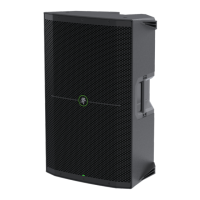
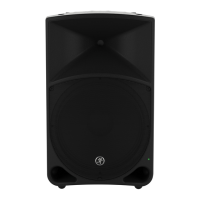
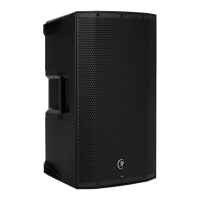
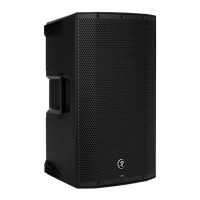
THUMP210XT 10" 1400W ENHANCED COMPACT POWERED LOUDSPEAKER
28
Appendix A : Service Information
Troubleshooting
If you think your Mackie product has a problem, please check out the following troubleshooting tips and do your best to confirm
the problem. Visit the Support section of our website (www.mackie.com) to get some ideas or contact our technical support
heroes. You may find the answer to the problem without having to send your Mackie product away.
Here are some useful tips that could correct any of the issues outlined below (or possibly any other issue that we haven’t
yet discovered):
Getting Started: If you are having any sound (or non-sound) issues, try following the level setting procedure as outlined
on page 7 to verify that all of the volume controls in the system are properly adjusted.
There are no user serviceable parts. If none of these tips work, please refer to “Repair” on the next page to find out how
to proceed.
No Power
• Our favorite question: Is it plugged in? Make sure the AC outlet is live [check with a tester or lamp].
• Our next favorite question: Is the power switch on? If not, try turning it on.
• Make sure the line cord is securely seated in the line cord socket and plugged all the way into the AC outlet.
• Is the power LED on the front panel illuminated? If not, make sure the AC outlet is live. If so, refer to “No sound” below.
• The internal AC line fuse may be blown. This is not a user serviceable part. If you suspect the AC line fuse is blown,
please see the "Repair" section next.
No Sound
• Is the level knob for the input source turned all the way down? Verify that all the volume controls in the system
are properly adjusted. Look at the level meter to ensure that the mixer is receiving a signal.
• Is the signal source working? Make sure the connecting cables are in good repair and securely connected at both ends.
Make sure the output level control on the mixing console is turned up suciently to drive the inputs of the speaker.
• Make sure the mixer does not have a mute on or a processor loop engaged. If you find something like this, make sure
the level is turned down before disengaging the oending switch.
• Has it shut down? Make sure there is at least six inches of free space behind each loudspeaker.
Poor sound
• Is it loud and distorted? Make sure that you’re not overdriving a stage in the signal chain.
Verify that all level controls are set properly.
• Is the input connector plugged completely into the jack? Be sure all connections are secure.
• Are there phasing issues? The signal source should only be connected to a single input. For example, do not connect
the L/R outputs from a mixer to the ThumpXT channel and 2 inputs. Do not use a Y cable to split a phone’s signal,
use both outputs of a stereo synth (which sums to mono, anyway), etc.



 To Next Page