Transforming gradient and bitmap fills 123
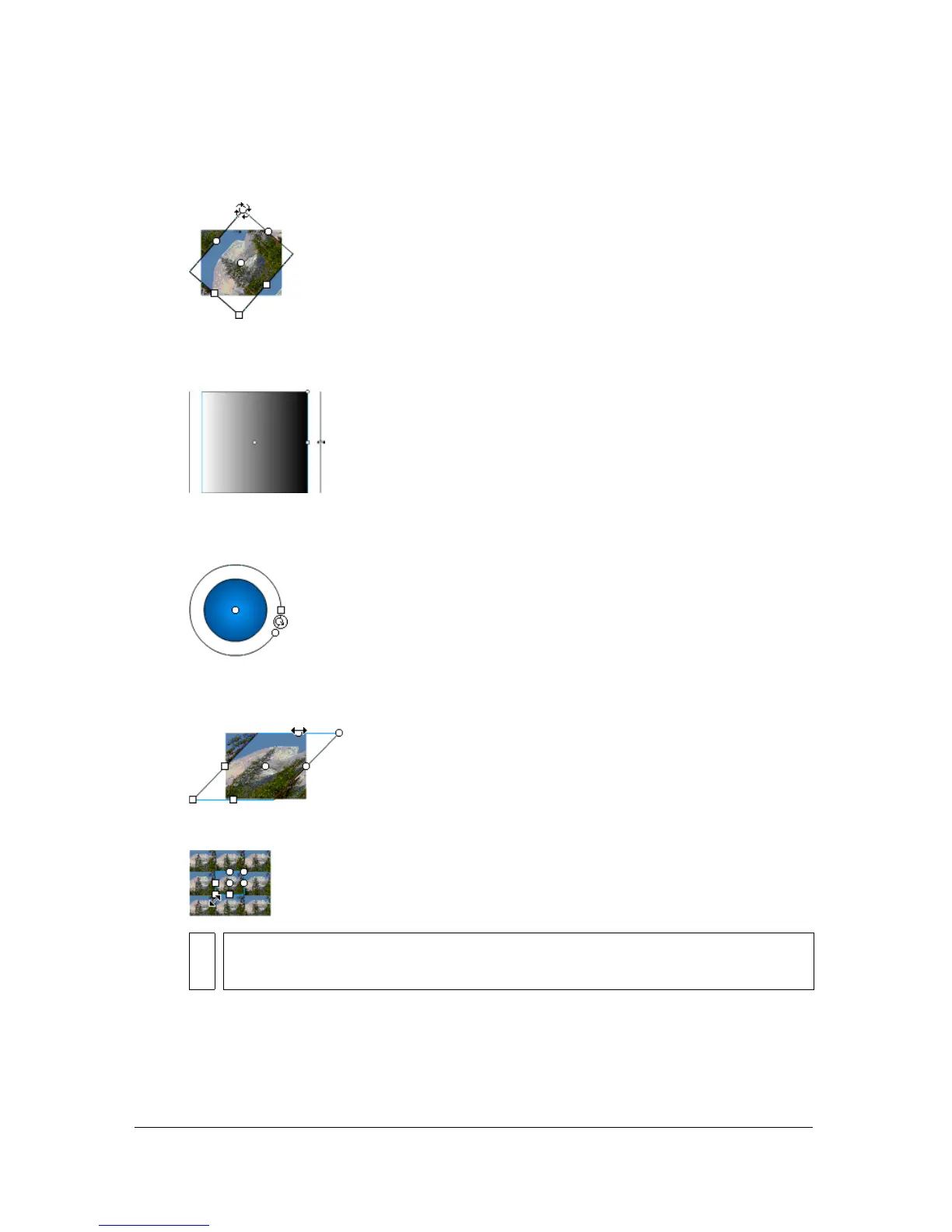
■ To rotate the gradient or bitmap fill, drag the circular rotation handle at the corner.
You can also drag the lowest handle on the bounding circle of a circular gradient or fill.
■ To scale a linear gradient or a fill, drag the square handle at the center of the bounding
box.
■ To change the focal point of a circular gradient, drag the middle circular handle on the
bounding circle.
■ To skew or slant a fill within a shape, drag one of the circular handles on the top or
right side of the bounding box.
■ To tile a bitmap inside a shape, scale the fill.
NOTE
To see all the handles when working with large fills or fills close to the edge of the
Stage, select View > Work Area.



 To Next Page