Creating text 163
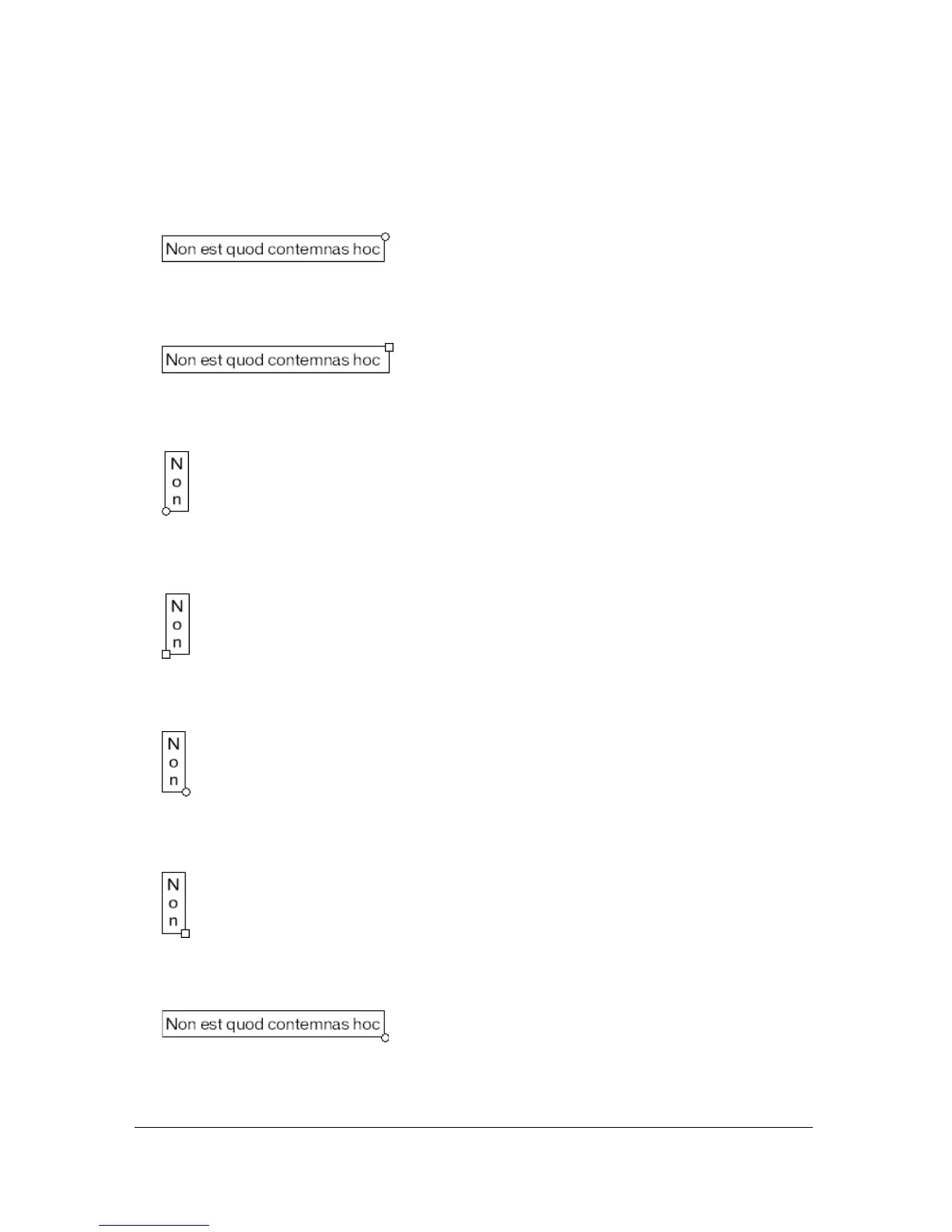
Flash displays a handle on the corner of a text block to identify the type of text block:
■ For static horizontal text that extends, a round handle appears at the upper right corner of
the text block.
■ For static horizontal text with a defined width, a square handle appears at the upper right
corner of the text block.
■ For static vertical text that has right-to-left orientation and extends, a round handle
appears at the lower left corner of the text block.
■ For static vertical text with right-to-left orientation and a fixed height, a square handle
appears at the lower left corner of the text block.
■ For static vertical text that has left-to-right orientation and extends, a round handle
appears at the lower right corner of the text block.
■ For static vertical text with left-to-right orientation and a fixed height, a square handle
appears at the lower right corner of the text block.
■ For dynamic or input text blocks that extend, a round handle appears at the lower right
corner of the text block.



 To Next Page