Data connectivity (Flash Professional only) 417
6. In the Open File dialog box, select the file that you want to use as a sample, and click Open.
The schema appears in the Schema tab. You can now create bindings between elements of
your XML document and other component properties within your application.
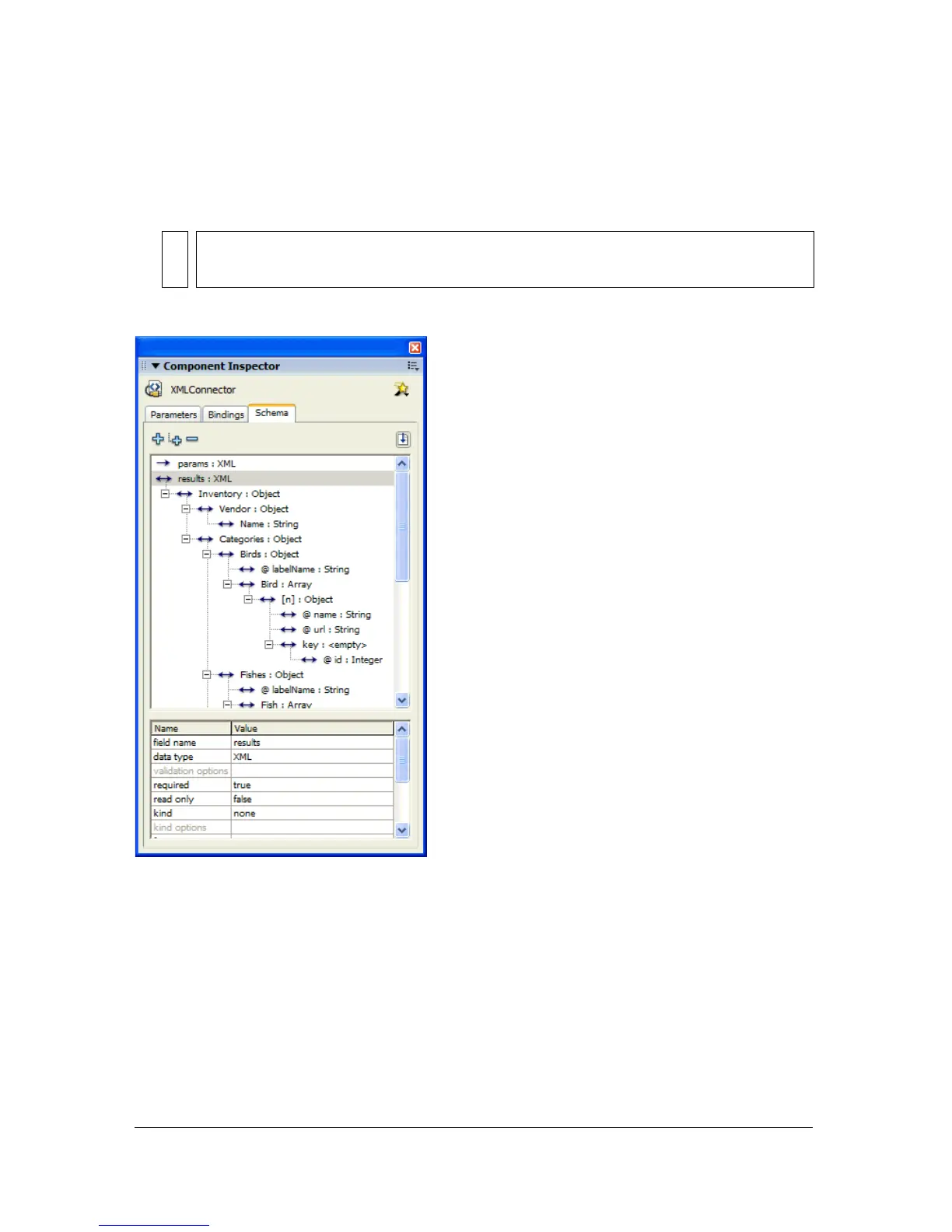
The following illustration shows the schema for a file named Animals.xml:
The schema tab displays a schematic representation of the structure of the XML file. It says
that the
results property of the XMLConnector component is an XML object. The root
element of that object is called Inventory, which contains the elements Vendor, Categories,
and so on. The Vendor element contains a single element called Name, which is a string. The
Categories field contains an element called Birds, which contains the attribute
labelname.
The Birds element also contains an array of objects called Bird. Each of these objects has two
attributes:
name and url. It also contains a single element named key, which contains the
attribute
id. The index for the Bird array is represented by the [n] field.
NOTE
Some XML documents may have a structure that Flash MX cannot represent; for
example, elements that contain text and child elements mixed together.



 To Next Page