1. Turn the ignition on and open the door.
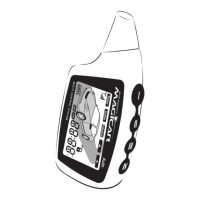
2. For programming menu No.1 keep buttons l+ll pressed for 2 seconds.
For programming menu No.2 keep buttons l+lV pressed for 2 seconds.
Siren will beep once to confirm the access of the Programming mode.
3. Within 2 seconds of the step 1 press button IV as many times as is the order number of the
function you want to set. After each pressing of button IV the lights will flash and the siren
will beep.
4. Wait for a few seconds. Siren will beep and the lights will flash as many times as is the
function order number. If the number of flashes is wrong, start the process over.
5. Within 5 seconds after flashing/lightning ends, make your choice:
Press button I to choose option 1. Siren beeps once, lights will flash once.
Press button II to choose option 2. Siren beeps twice, lights will flash twice.
Press button III to choose option 3. Siren beeps 3 times, lights will flash 3 times.
Press button IV to choose option 4. Siren beeps 4 times, lights will flash 4 times
6. The alarm will exit the Programming menu mode.
Note:
If you want to carry out any other changes, start the whole process over again.
If you hear a long beep, you are out of programming menu area. Start again by the step 1.
Failure notice:
If the remote happened to be out of the range when programming changes, it will display „FAIL“
notice and the programming will be cancelled.
Programming menu No. 1
When the door is open and ignition is on keep buttons I and II pressed simultaneously for 2 sec.


 To Next Page